Shoppers who can't find the right product quickly tend to leave. A Product Match campaign helps them find it by asking a few simple questions, and gives you useful data about what your customers want in return.
In this article, we look at how the format works, why it's one of the easiest ways to get started with gamification, and how to set one up in Scratcher step by step.
What Is the Product Match Format?
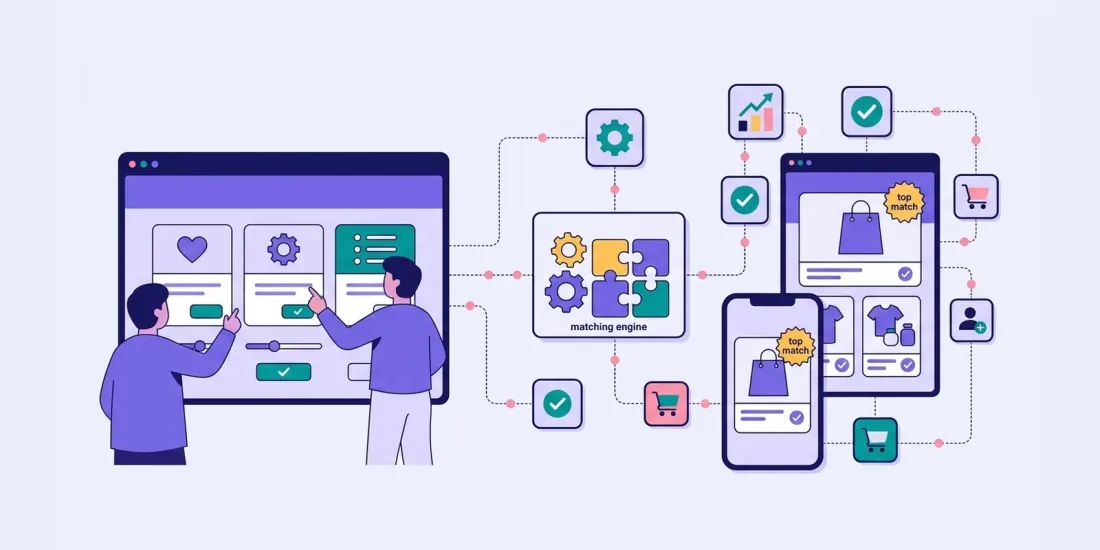
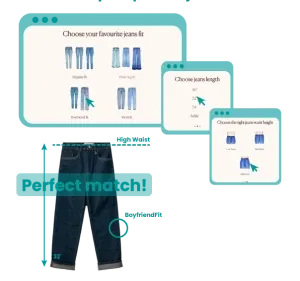
Product Match is an interactive format that asks participants about their preferences, tastes and choices, then recommends products or services based on their answers. In Scratcher, you build it with the Product Finder format.
It works as a guided selling experience on your website or in your app, suggesting options that match each buyer's interests and needs. Read more about guided selling with gamification.
It also enriches your data. Accurate, up-to-date information about each customer's preferences lets you personalise your communication and send relevant content based on the choices they made.
You can run the format on your website all year round, with or without a sign-up form. If you do use a form, we recommend offering an incentive, such as a discount, to encourage people to register.
How Easy Is It to Build a Product Match?
It's one of the simplest formats to start with. You don't need a developer. The only code involved is generated automatically when you've built the game, and you simply copy and paste it into your website or app. You can also run it as a pop-up or a standalone landing page.
If it's your first time on the platform, you can build one in a few hours. It also connects easily to the rest of your marketing stack, such as your CRM, CDP or email platform.
How to Set Up a Product Match Campaign in Scratcher
If you don't have an account yet, you can register and start a 14-day free trial. If you already have an account, log in here.
1. Setup
- Choose the format: Select the format in the Scratcher campaign editor.
- Campaign language: Select the language for your campaign.
- Campaign flow: Decide whether participants need to register.
- Participation limits: Set how many times each person can take part. We recommend always keeping this on.
2. Prizes
Unlike a typical competition, this format is mainly about guided selling. Even so, a good incentive in exchange for first-party data is still a good idea.
Create rewards: Set up prizes, prize draws and consolation prizes. Discounts are always welcome and tend to have higher redemption rates. Learn more about prize management to help with this step.
3. Design
- Templates and branding: Start from a ready-made template or add your own brand kit.
- Drag and drop: Add videos, social sharing buttons, logos, images, scoreboards and more in the editor.
4. Preview on Every Device
Check how your campaign looks on desktop, tablet and mobile.
5. Email Notifications
Decide whether to send notifications from Scratcher or through your own tool, such as Mailchimp or ActiveCampaign.
6. Campaign Period
Set the start and end dates, or run the campaign as always-on.
7. Integrations
Choose where participant data should go. Scratcher integrates with tools such as HubSpot, Klaviyo, Salesforce and Shopify, plus thousands more via Zapier.
8. Tracking
Collect data in Google Analytics, Google Tag Manager or Meta.
9. Activate Your Campaign
Launch your campaign across owned and paid media, and go through the campaign checklist before you do. Read more about the activation phase.
Start Matching Customers with the Right Products
Follow these steps and you'll have a campaign that gives tailored product recommendations, engages your audience and feeds valuable insight back into your marketing. For inspiration, browse our templates and adapt one to your own range.