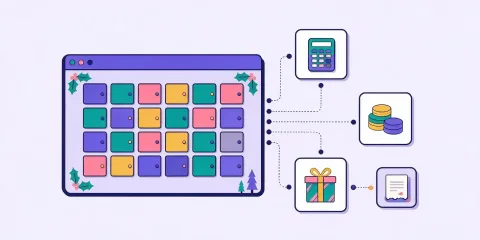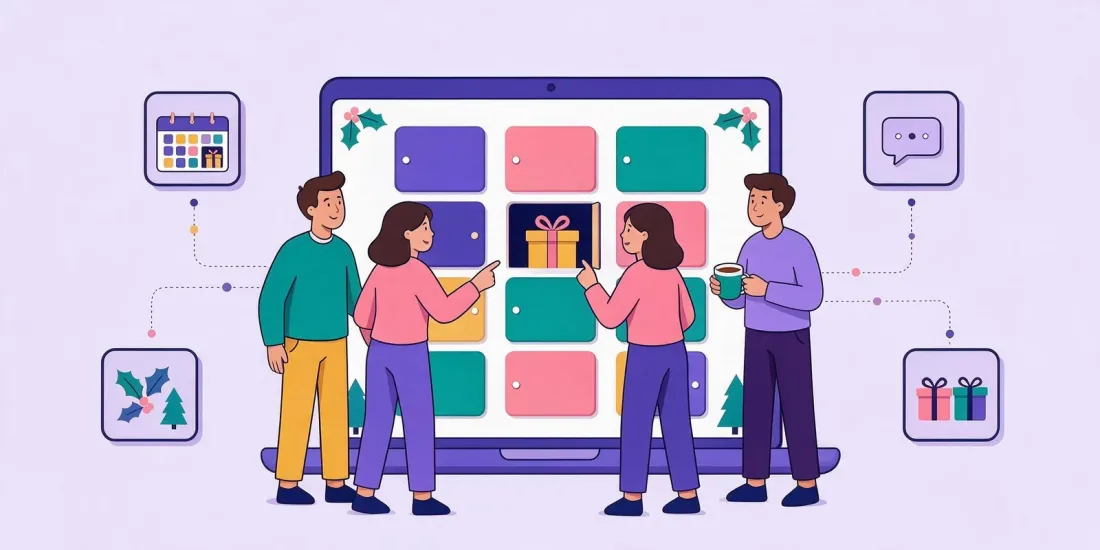
A digital advent calendar for employees is an online calendar where your staff open one door a day from 1 to 24 December. Behind each door is a quiz question about the company, a small game or a chance to win a prize, and everyone who takes part goes into a grand prize draw on 24 December. It works for office and remote teams alike, because all people need is a link.
December is a busy month. Deadlines pile up, half the team is planning holidays and the other half is working from home. A shared calendar gives everyone a small, fun reason to check in every day, whether they sit at headquarters, in a regional office or at a kitchen table. In this guide you'll find ideas for what to put behind the doors, how to set one up and share it, and what to think about with prizes.
Why an Online Advent Calendar for Staff Works
A Christmas calendar for employees is not a new idea. Many offices have a paper one in the kitchen. Moving it online solves the problems the paper version has:
- Remote and hybrid teams can join. Everyone gets the same calendar on their phone or laptop.
- One door a day builds a habit. People come back because there's something new each morning. In Toyota's customer-facing Christmas calendar, participants played on an average of 18 of the 24 days. The same daily pull works inside a company.
- It's easy to run. Prizes, draws and winners are handled by the platform, not by someone in HR with a spreadsheet.
- You learn something. Quiz answers show what people know about the company, and survey doors can collect feedback before the new year.
Who Uses Employee Calendars
The main users are:
- HR and people teams who want a low-effort way to lift the mood in December.
- Internal communications who want people to read about company news, values or this year's results without sending another long email.
- Team leads who want something light to start the daily stand-up with.
The same format also works for B2B customers and partners. Continental ran a Christmas calendar quiz for its Danish dealers and grew its B2B newsletter subscribers by 130%. If you want to send something to your customers too, you can build a second version of your staff calendar with different questions and prizes.
24 Door Ideas, Sorted by Type
Mix the door types so it doesn't feel the same every day. Here are ideas you can copy.
Quiz doors about the company
- What year was the company founded?
- Which office opened most recently?
- Match the product to the team that built it.
- Which of these is one of our company values?
- How many countries do we have customers in?
- Name the CEO's first job (ask first!).
Guess-the-colleague doors
- Guess who: "I've run three marathons and can't cook."
- Whose desk is this? (a photo of a desk, with permission)
- Who said it? A quote from the year's company meeting.
- Which team has the longest-serving member?
Ask colleagues before using their photos, quotes or personal facts. Some people love being in the spotlight, others don't.
Small daily prizes
- A coffee voucher for the local café.
- An extra hour off on a Friday (if your policy allows it).
- A book from a shortlist chosen by the team.
- Company merchandise.
- Lunch with a manager of your choice.
Fun and skill games
- A memory game with your products or logos.
- A puzzle of this year's team photo.
- A daily high score game with a leaderboard for the best score of the week.
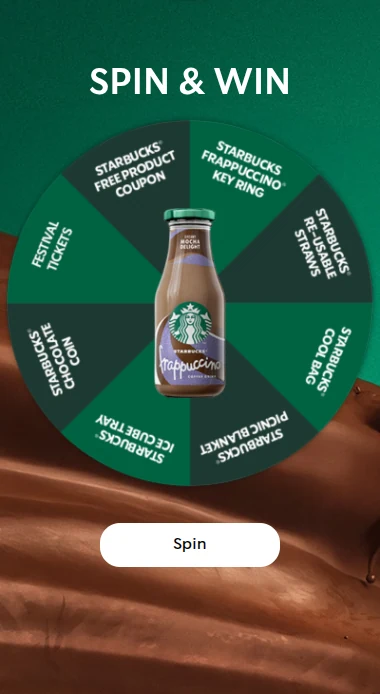
- A spin the wheel door with small instant prizes.
Feedback and culture doors
- A short survey: what should we do more of next year?
- A poll: best office Christmas song.
- Vote for the colleague who helped you most this year.
- A charity door: everyone who opens it helps choose which charity the company supports.
The last door
- The grand prize draw among everyone who took part, announced on 24 December (or on your last working day before the holidays).
If your office closes before Christmas, move the dates. You can show the doors you want, so a calendar that ends on 19 or 20 December works fine.
How to Set Up a Digital Advent Calendar for Employees
You can build one in an afternoon. Here is the order we suggest.
1. Choose the format and dates
Pick the Christmas calendar format with 24 doors from 1 to 24 December. If a full month feels like too much, the advent calendar format has 4 doors, one per Advent Sunday. For a staff calendar, though, the four Sundays fall outside working hours, so most companies prefer daily doors on working days.
2. Design it
Start from a template, or let Rex, the built-in AI assistant, build a design from your company website with your logo, colors and fonts. Rex can also write and translate the door texts, which helps if your team works in more than one language. Preview the calendar on a phone before you share it, since many people will open it on the go.
3. Fill the doors
Decide what goes behind each door: a quiz question, a game or a prize. Keep each door short. People should be done in a minute or two.
4. Set up prizes
In prizes you can set instant win prizes with a fixed number and odds, run automatic daily draws, and add a grand prize draw on a set campaign day, such as 24 December. For skill games, you can pick winners by best score. You can export winners and entries when it's over.
5. Decide who can take part
Use the sign-up form to ask for a name and work email address. Then turn on the fair play settings:
- One entry per email address, so nobody can enter twice under the same address.
- A limit on how often someone can play, for example once per door.
- An optional email verification code, so people must have access to the inbox they sign up with.
Share the link only through internal channels. Before you hand out prizes, check the winners against your staff list.
6. Share it internally
Post the link where your team already is:
- On the intranet front page
- In a pinned message in Microsoft Teams or another chat channel
- In the internal newsletter or a short email from HR
- On a QR code poster in the office kitchen or canteen
A short reminder message in the team channel every morning helps people remember to open the day's door.
For a door-by-door plan with games and prize ideas, use the free Christmas calendar planner.
Prizes and Tax: Check Before You Buy
Prizes are the fun part, but gifts to employees can have tax consequences. Rules on staff gifts and benefits differ between countries and change from year to year. Before you choose prizes, check with your payroll team or tax adviser how prizes from an employer to employees are treated where your staff are based. Vouchers and cash can be treated differently from physical gifts.
This article is general information, not legal or tax advice.
How Much Does It Cost?
The main costs are the software, the prizes and a few hours of work. Calendars are part of the Professional plan, which is €699 per month excluding VAT; see pricing for what's included. We break down the whole budget, with an example, in our article on how much a digital advent calendar costs.
FAQ
Can remote employees take part?
Yes. The calendar is a web page, so anyone with the link can open it on a phone, tablet or computer, wherever they work.
Can I stop people from entering more than once?
Yes. You can allow one entry per email address, limit how often someone can play, and require an email verification code before playing.
Do we need a door every day?
No. You choose the dates. Many companies only open doors on working days or end the calendar on their last day before the holidays.
Can we use the same calendar for customers?
You can use the same format, but we suggest a separate version for customers with its own questions, prizes and consent texts. For more ideas for customer-facing campaigns, read our online Christmas calendar guide and our list of Christmas campaign ideas.
Build Your Staff Calendar Before December
The calendar needs to be ready by 1 December, and you'll want a few days to test it and line up prizes. Start a free 14-day trial, pick a calendar template and fill your first doors today. No credit card needed.