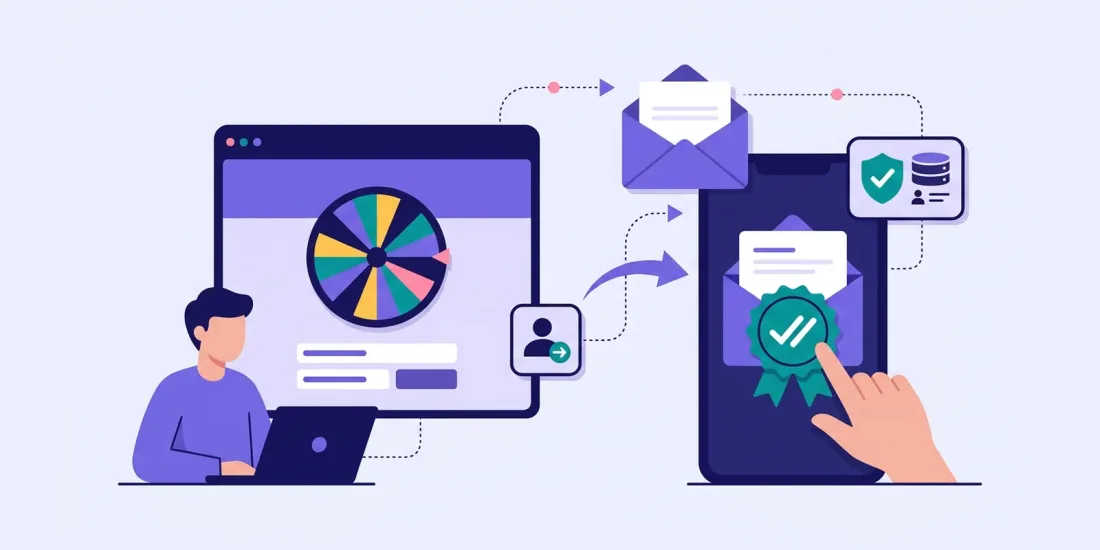
Double opt-in is one of those topics where everyone has an opinion. Some marketers see it as a must. Others think it kills conversion and should be avoided. This guide explains what double opt-in is, where to read more about the rules, the pros and cons for your list, and how to set it up after a game or competition.
Single opt-in vs double opt-in
Single opt-in: someone fills in a form, ticks the consent box and is added to your list straight away.
Double opt-in (also called confirmed opt-in): someone fills in the form and ticks the box, then receives an email with a link. They are only added as a subscriber once they click the link to confirm.
The difference sounds small. In practice it changes three things: how sure you are that the email address belongs to the person who signed up, how easy it is to prove consent later, and how many sign-ups make it onto your list.
Double opt-in, consent and the law
Whether you need double opt-in, and what counts as good enough documentation of consent, depends on the country and on your set-up. Rules differ between countries and change over time, so this section only gives general background.
The GDPR in general
In general, the GDPR expects you to be able to show that people have consented when you rely on consent. Double opt-in is one practical way to show that a real person, who owns the email address, actively said yes. You can read the regulation on EUR-Lex and the European Data Protection Board's guidelines on consent, but how they apply to your campaigns is a question for your legal adviser.
National rules
Email marketing is also covered by national marketing rules, and national authorities may have their own views on how consent should be collected and documented. In Denmark, for example, the Consumer Ombudsman (Forbrugerombudsmanden) publishes guidance on email marketing that you can read. Double opt-in is also widely used in Germany.
If you market across borders, check the current national rules for each market and get legal advice. Keep in mind that double opt-in confirms an email address; the wording and design of your sign-up form still matter.
Pros and cons for deliverability and list quality
The advantages
- Real addresses only. Typos, fake addresses and other people's emails never reach your list.
- Better deliverability. Fewer bounces and spam traps protect your sender reputation.
- A record of confirmation. You have a record of an active confirmation.
- More engaged subscribers. People who confirm have shown twice that they want to hear from you.
The disadvantages
- Fewer subscribers. Some people never open the confirmation email or forget to click.
- A delay. You cannot send marketing until people confirm.
- One more email to get right. If the confirmation email lands in spam or looks suspicious, you lose sign-ups.
Whether the trade-off is worth it depends on your market, your list and the rules where you operate. Many brands use double opt-in for campaigns that attract a lot of new, unknown sign-ups, such as competitions.
Writing the confirmation email
The confirmation email is the most important email you will ever send to that person. If they do not click, nothing else you write will reach them.
- Send it immediately. The person is still on your website and expecting it.
- Make the subject line obvious: "Please confirm your sign-up" works better than something clever.
- Use your brand name as the sender name, so people recognise you.
- One clear button: "Confirm my email".
- Remind them what they signed up for and what they will get: the newsletter, the prize draw, the discount.
- Keep marketing out of it. The confirmation email asks for consent, so do not use it to sell.
- Tell them what to do if they did not sign up: simply ignore the email.
- Show a clear page after the click, or send them back to your website.
Double opt-in after a game or competition
Competitions and games bring in many sign-ups in a short time, which is exactly when double opt-in is most useful. They also attract a few people who type in a friend's address or a made-up one to play again.
A few things work well:
- Tell people on the form that they will receive a confirmation email.
- Mention the confirmation on the result page ("Check your inbox to confirm your email").
- Decide whether confirming is needed to win. If you hand out prizes by email, confirmation and prize delivery go hand in hand.
- Send the confirmation from a domain people know.
Andel Energi, which collects detailed contact information in its campaigns, now sees 82% of users confirming their contact information after sign-up. Engaging campaigns and clear expectations make a big difference.
How it works in Scratcher
In Scratcher, double opt-in is part of the Email module (included on Professional, or as an add-on). You turn it on in the campaign settings and can:
- Send a double opt-in email with a confirmation link to new sign-ups, whether they found the campaign through a pop-up, an ad or a link in your newsletter or SMS.
- Choose which permissions should trigger double opt-in, for example only the newsletter permission.
- Write your own confirmation text, or send people to your own page after they click.
- Send a follow-up email once someone has confirmed.
The confirmation date is stored with the sign-up and can be included when you export your data. Read more about collecting sign-ups with consent and about our approach to security and the GDPR.
Syncing confirmed status to your ESP
The most common mistake is running double opt-in in two places at once, so people get two confirmation emails. Decide which system owns the confirmation.
Option 1: Let your email tool handle it. Some email tools run their own double opt-in when contacts arrive through their API. Klaviyo, for example, follows the opt-in setting of the list you subscribe people to, so a double opt-in list sends its own confirmation email. In Mailchimp, you choose single or double opt-in per audience. Check how your tool treats contacts that come in through an integration before you go live.
Option 2: Let Scratcher handle it. Turn on double opt-in in the campaign and make sure your email tool does not send a second confirmation. Use the confirmation date in your exports or reports to see who has confirmed.
Whichever you choose, test the full journey with your own email address before launch: fill in the form, confirm, and check that you land on the right list with the right permissions. Scratcher's integrations send sign-ups to Klaviyo, Mailchimp, HubSpot and more, and our team is happy to help you check the setup.
Summary
- Double opt-in asks people to confirm their email address before they join your list.
- It means fewer but better subscribers and a clearer record of each sign-up.
- Whether you need it depends on the country and your set-up, so check the current rules and get legal advice.
- Decide which system sends the confirmation, and test the whole flow.
This article is general information, not legal advice. Rules differ between countries and change over time, so check the current rules and get legal advice before you launch a campaign.
Want to see how double opt-in works with a game or competition? Book a meeting and we will show you, or start a free 14-day trial and build your first campaign.