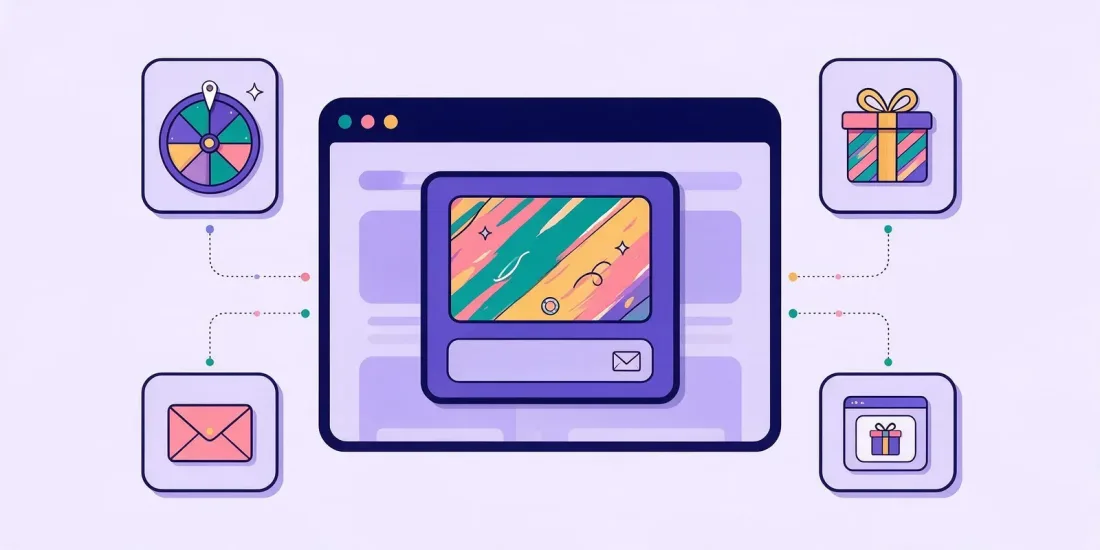
The email popup ideas that collect the most sign-ups give visitors something to do or something they want, not just a form: a spin the wheel, scratch card or mystery box with a prize, a short quiz or product finder, a seasonal offer or a content upgrade. Show the popup at the right moment, keep it small on mobile, ask only for the fields you need and add a clear, unticked consent checkbox.
Most visitors leave your website without buying and without leaving their email. A popup is one of the few tools that can change that, but only if it offers a reason to sign up. "Subscribe to our newsletter" is not a reason. Below are 15 email popup ideas, sorted by type, followed by the best practices that decide whether people sign up or close the window.
Gamified popup ideas
A game pop-up invites people to play first and sign up to see what they won. It feels like a small gift rather than a form. If you're weighing it against a plain form, read our comparison of gamified popups and standard email popups.
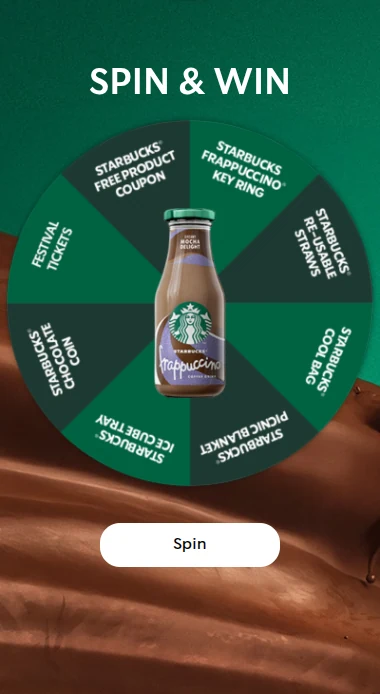
1. Spin the wheel
The best-known gamified popup. The visitor enters their email, spins and wins a discount, free shipping or a gift. You decide how many of each prize there are and the odds of each one, so the budget stays under control.
In real campaigns, the same format has done well: Watery's anniversary wheel of fortune brought in around 7,200 new sign-ups at a 41% conversion rate, and Rascals Brewing's branded wheel grew newsletter subscribers by 275% a month.
2. Scratch card
A scratch card works like spin the wheel, with a different feeling: people rub away the surface with their finger. It is quick and works well on a phone. Dansk Outlet's last-minute Easter scratch card reached 13,000 sign-ups from 16,000 visitors.
3. Mystery box
Three boxes, one choice. A mystery box adds a moment of suspense before the prize is shown. Good for gift-themed weeks and launches.
4. Slot machine or lucky number
For variety, swap the wheel for a slot machine, roll the dice or a lucky number. The mechanics are the same instant win, but returning visitors see something new.
5. Discount for everyone, prize for a few
Combine a main prize with a consolation prize, so nobody leaves empty-handed. Lampeguru's Black Friday wheel gave gift cards as main prizes and a discount code to everyone else, and reached a 56% conversion rate and 4,582 unique leads.
Quiz and product finder popups
Quizzes take a little longer than a wheel, but people tell you something about themselves while they play. That makes the sign-ups easier to segment.
6. Product finder popup
Ask three to five questions and show the products that fit. A product finder on a category page helps undecided visitors, and the answers tell you what to send them later. Our guide to the product recommendation quiz goes into detail.
7. Personality test
"Which coffee type are you?" A personality test gives a result people enjoy and like to share. Yuaia Haircare used a hair personality test alongside spin the wheel and scratch cards and lowered its lead price by around 50%.
8. Knowledge quiz with a prize draw
Five quick questions about your brand or your category, and everyone who finishes enters a draw. EYDA ran a true-or-false brand quiz for its summer collection and generated 12,000 leads.
Popups based on timing and behaviour
9. Exit intent popup
On desktop, show the popup when the visitor moves the mouse towards closing the tab. It reaches people who were leaving anyway, so it rarely interrupts. Read more in our guide to the exit intent popup.
10. Scroll-depth popup on blog posts
Someone who reads 60% of an article is interested. Show a popup with a related offer at that point rather than the moment they arrive.
11. Click-triggered teaser
A small tab in the corner, "Spin for a discount", that opens the game only when someone clicks it. The visitor decides, so the popup never gets in the way.
Our guide to popup timing and triggers explains which trigger fits which page.
Not sure when your popup should appear? The free popup timing calculator suggests a trigger, a delay and how often to show it. To see what a better sign-up rate adds up to, try the email list growth calculator.
Seasonal popup ideas
12. Black Friday early access
Collect emails in the weeks before Black Friday and promise early access to the best deals. See our Black Friday popup ideas for ten variations.
13. Christmas gift finder
In December, swap your usual popup for a gift finder: who is the gift for, what do they like, what is the budget?
14. Holiday and anniversary popups
Easter, Valentine's Day, summer sale or your brand's birthday. A seasonal theme gives a fresh reason to sign up, even for visitors who closed your usual popup. Davidsen's 75th anniversary spin the wheel brought in almost 5,400 new email subscribers.
Content upgrade popups
15. A guide, checklist or template
On a blog post, offer something that goes with it: a printable checklist, a size guide, a recipe collection or a template. People who sign up for content are often less price-driven than discount hunters.
Email capture popup best practices
The idea gets attention. The details decide whether people sign up.
Timing
Don't show the popup the second someone lands. Wait a few seconds, until they scroll or until they are about to leave. Limit how often it shows, for example once per visit with a few days between each time, and hide it from people who already signed up.
Mobile
On phones, a popup that covers the whole screen is annoying and can hurt you in search. Google says intrusive interstitials and dialogs "make it hard for Google and other search engines to understand your content, which may lead to poor search performance", and suggests banners that "take up only a small fraction of the screen", for example for newsletter sign-ups. Use a bottom bar or a small teaser on mobile and open the game when people tap it. Our article on mobile popup best practices has the details.
Form fields
Email is often enough. Add a first name if you use it in your emails, and one preference question if you will use it to segment. Every extra field costs sign-ups. Read our guide to sign-up form fields.
Consent
Under the GDPR, consent must be "freely given, specific, informed and unambiguous" and given by "a clear affirmative action". People can withdraw it at any time, and withdrawing must be as easy as giving it. In practice, that means a checkbox that is not ticked in advance and a short text that says what people will receive. Whether you can make entry to the game depend on newsletter sign-up depends on the country, so check with your lawyer.
This article is general information, not legal advice.
Prize delivery
Show the prize on screen right away and send it by email too. If you give discount codes, upload unique codes, so each one can only be used once.
Follow-up
The sign-up is the start, not the goal. Send the sign-ups straight to your email tool and start a welcome flow the same day.
Which popup idea should you start with?
| Your goal | Start with |
|---|---|
| Many sign-ups fast | Spin the wheel or scratch card |
| Segmented list | Product finder or personality test |
| Lower prize cost | Knowledge quiz with a prize draw |
| Catch people who are leaving | Exit intent popup |
| Quality over quantity | Content upgrade |
| A seasonal boost | Black Friday or Christmas gift finder |
Test one change at a time: the prize, the trigger or the headline.
How it works in Scratcher
All 40+ formats can run as a popup. You paste one small code on your website once, and it works for every popup you make after that. Choose a top bar, side popup, centre popup or full screen, decide when it shows (after a few seconds, on scroll, before people leave on desktop or on click) and target it by page, domain and device. Sign-ups go to your email tool or CRM, like Klaviyo, Mailchimp or HubSpot. Pop-ups are included on every plan. Read more about pop-ups on your website.
FAQ
What is a gamified popup?
A popup where visitors play a short game, like spin the wheel or a scratch card, and sign up to see or claim their prize. It replaces the plain "subscribe" form with something people want to try.
When should an email popup appear?
After the visitor has shown some interest: a few seconds on the page, a certain scroll depth or when they are about to leave. Avoid showing it the moment they arrive.
Do popups hurt SEO?
Google warns that intrusive dialogs that cover the content may lead to poor search performance. Small banners and click-triggered teasers are the safer choice, especially on mobile.
How many fields should an email popup have?
As few as possible. Email plus a consent checkbox is often enough. Add more only if you will use the data.
Build your first popup
Pick an idea from the list, start from one of 150+ templates and let Rex, our AI assistant, design it in your brand colors. Start your free 14-day trial, or book a meeting if you'd like help choosing the right popup for your website.