Most visitors leave your website without buying or signing up. An exit intent popup gives you one last chance to change that, at the exact moment someone is about to go. Used well, it feels like a helpful offer. Used badly, it feels like a door slammed in someone's face. This guide explains how exit intent works on desktop and mobile, which offers stop visitors leaving, how to use exit popups on cart pages, and how to set one up without annoying people.
What is an exit intent popup?
Exit intent is a trigger, not a type of popup. Instead of showing a popup after a set time or when someone scrolls, it shows the popup when the visitor looks like they are leaving.
Desktop: the mouse gives it away
On a computer, exit intent watches the mouse. When the cursor leaves the page window, usually moving up towards the browser's tabs, address bar or close button, the popup appears. It is a fairly reliable signal: the visitor is about to switch tab, type a new address or close the window.
Mobile: there is no mouse
On a phone or tablet, there is no cursor to follow, so there is no equally reliable exit signal. That is why Scratcher's exit-intent trigger works on desktop only. On mobile, use other triggers instead:
- A time trigger after people have spent a while on the page.
- A scroll trigger when people have scrolled most of the way down, often a sign they have seen what they came for.
- A teaser: a small button that stays on the screen and opens the popup when people tap it.
You can combine them: exit intent for desktop visitors, and a teaser or a scroll trigger for mobile visitors.
Offers that stop visitors leaving
An exit popup has about a second to change someone's mind. The offer has to be clear and worth it.
- A chance to win. "Before you go: spin to win up to 50% off." A game feels like a gift, not a form.
- Free shipping. If shipping costs are what holds people back, remove that reason.
- A small, instant discount on the products they looked at.
- Help choosing. A short product finder for people who browsed several categories but could not decide.
- A reminder to come back. "Not ready yet? Get our best deals by email."
- Early access to an upcoming sale or launch.
Keep the headline short and make the reward obvious. "Spin and win up to 50% off" says more than "Wait! Don't go!".
Gamified exit popups
A classic exit popup asks for an email and gives a code in return. A gamified exit popup asks people to play first.
Every Scratcher game can be shown as a pop-up, but for exit intent, the quick ones work best:
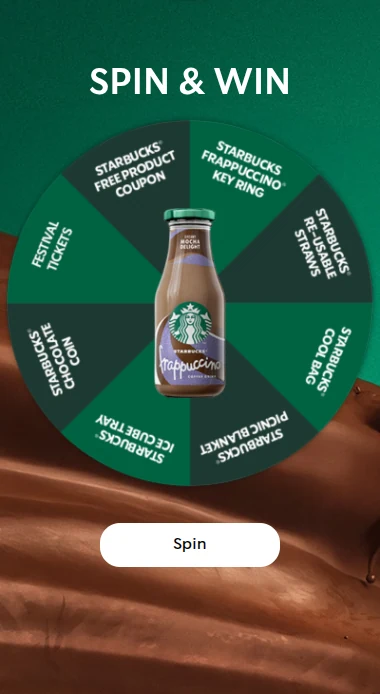
- Spin the wheel: the classic spin to win. Everyone knows how it works, and the wheel shows all the prizes up front.
- Scratch card: one swipe to reveal the prize. Great with a seasonal theme.
- Mystery box: pick a box, see what is inside. Simple and full of surprise.
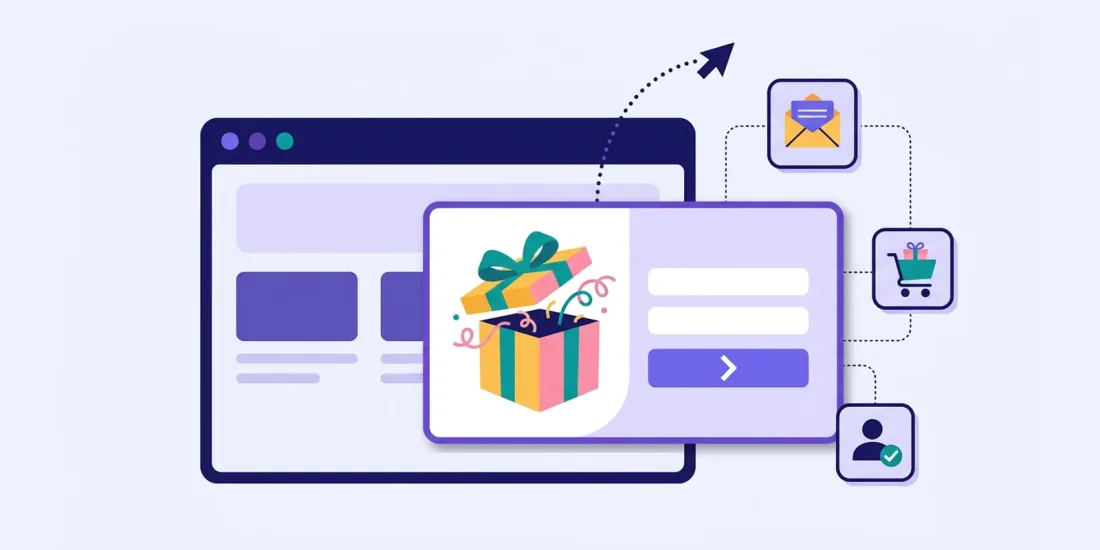
- Gift surprise: a present to unwrap, perfect around Christmas and birthdays.
The game should take seconds, not minutes. Save memory games and puzzles for a landing page. You can read more about choosing a game on our game pop-ups page.
Why games work at the exit: the visitor has already decided to leave, so a plain form is easy to ignore. A wheel or a scratch card adds a moment of curiosity, and curiosity is often enough to make people stay a few seconds longer.
Cart and checkout use cases
The cart page is where exit intent can pay for itself, but also where you need to be most careful.
Do:
- Show an exit popup on the cart page, where visitors have already picked products but are about to leave.
- Offer free shipping or a small reward that makes completing the order more attractive.
- Collect the email, so you can follow up with a reminder if they still leave.
- Use unique discount codes, so codes are not shared on coupon sites.
Don't:
- Interrupt the payment step. Someone typing their card details should never be stopped by a popup.
- Give a bigger discount at the exit than people would get by simply signing up. Customers learn quickly.
- Show the same cart popup on every visit.
In Scratcher, you can include or exclude pages by their path, so it is easy to show a popup on the cart page and keep it away from the checkout.
Frequency and annoyance control
The difference between a helpful exit popup and an annoying one is mostly frequency. Scratcher gives you several settings:
- How many times a visitor sees the popup in total.
- How many days must pass before it can show again.
- Which devices it shows on, so you can hide it on mobile or tablet.
- Which pages and domains it shows on.
- A maximum number of popups per visit and a delay between popups across your account, so visitors are never hit by several popups in a row.
- Priority, if several popups could show on the same page.
A sensible starting point: show the exit popup once, then wait at least a week before showing it again, and never on checkout pages.
Exit popup examples
Here are five exit intent examples you can adapt:
- The last-chance scratch card. Desktop visitors who are about to leave get one scratch for a chance to win a discount or free shipping.
- The cart saver. On the cart page, a wheel with free shipping and small discounts for people who are about to leave their basket behind.
- The gift finder. On category pages, a short product finder for people who browsed but did not choose: "Not sure what to pick? Answer three questions."
- The Black Friday list. In the weeks before Black Friday, an exit popup that collects emails for early access to the deals.
- The calendar reminder. During December, an exit popup that shows today's door of your Christmas calendar.
Exit intent is only one trigger among many. POWER promoted its Black Friday wheel of fortune through newsletters, text messages, social media, TV ads and website pop-ups. The pop-ups alone reached 1.4 million viewers, and the campaign brought in 60,000 new email permissions in two weeks.
Setting it up in Scratcher
You do not need a developer.
- Create a pop-up and choose a game format, for example spin the wheel or a scratch card.
- Design it: add your brand with a design kit, choose the position (top bar, side, middle or full screen) and add a teaser if you like.
- Build the flow: intro, form, game and result. Keep the form to an email and a consent checkbox.
- Set the trigger: turn on exit intent. Add a time or scroll trigger, or a teaser, for mobile visitors.
- Set the visibility: pages, devices, how many times and how many days between each time.
- Add the script to your website once. The same script works for every pop-up you make after that, and Rex, our AI assistant, can check that it works.
Our step-by-step guide on how to create high-converting pop-ups walks through each step, and our pop-ups page covers all the trigger and targeting options.
How to know if it works
Compare the exit popup with a period without it, or with a different offer. Look at:
- Sign-up rate from the popup.
- Code redemption rate, if you give a discount or free shipping.
- Revenue from sign-ups in the following weeks.
- Bounce rate and complaints, to make sure you are not putting people off.
Give leaving visitors a reason to stay
An exit popup is your last word before a visitor goes. Make it short, make it fair and make it worth their while. A quick game with a clear prize is one of the friendliest ways to do it.
Try Scratcher free for 14 days and set up your first exit-intent game pop-up today, no credit card required.