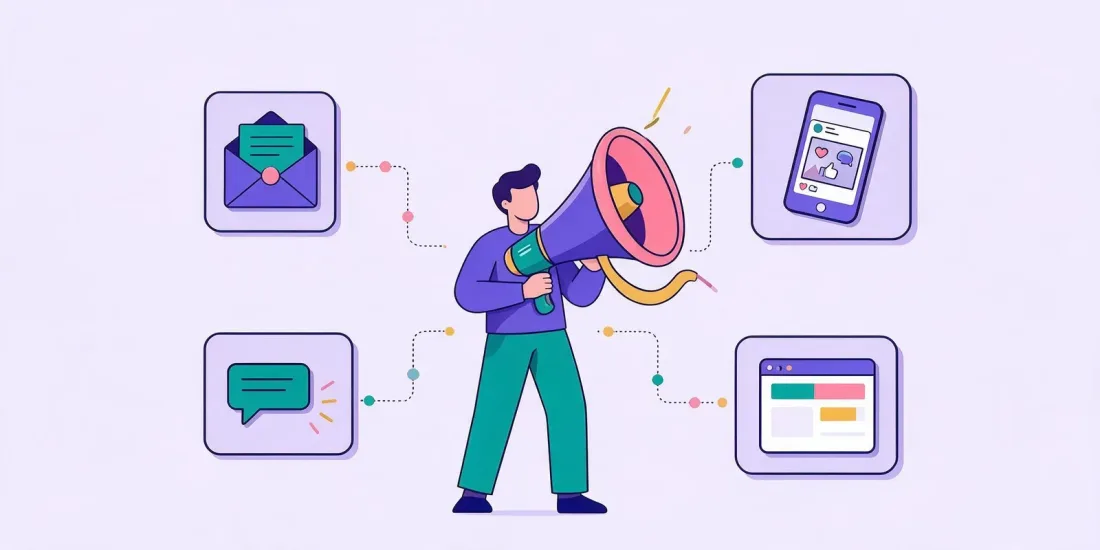
To announce a giveaway, say five things in every message: what people can win, how to enter, the closing date, who is running it and where to find the terms. Then send the same message in each channel in a shape that fits: a newsletter, a social post, a story, an SMS and a banner or pop-up on your website, followed by a reminder, a last-chance message and the winner announcement.
Below you'll find a ready-to-copy template for each of those. Replace the text in [square brackets], shorten where you need to, and you're done. If you haven't built the competition yet, start with our guide on how to run an online competition.
What every announcement must say
Before the templates, the checklist. A good competition announcement answers these questions without making anyone click:
- The prize. What can people win, and how many prizes are there? "Win one of 10 gift cards" beats "win great prizes".
- How to enter. One clear action: play the game, answer the quiz, sign up.
- The deadline. Date and time, including the time zone if you run in several countries.
- The link to the terms. Full terms one click away.
- Who organises it. Your brand name, and in the terms your full company details.
In the UK, the CAP Code's rule 8.17 lists significant conditions that marketing for a promotion must include where leaving them out is likely to mislead, such as how to take part, a closing date, the number and nature of prizes, restrictions such as age and the promoter's name and address. Where space is short, as in a social post or an SMS, rule 8.18 says to include as much as practicable and point people to the full conditions. Check the rules for your market, and see our terms and conditions checklist for what goes in the full terms.
1. Newsletter announcement
Your subscribers already know you, so this is usually the email that brings in the most entries on day one.
Subject: Win [prize] – it takes 30 seconds Preview text: [Number] prizes up for grabs until [date] Hi [first name], We're giving away [prize description] – and you could be one of [number] winners. How to enter: [spin the wheel / answer three questions / scratch the card] on our competition page. It takes less than a minute. The competition closes on [date] at [time]. [Button: Enter now] Good luck! [Sender name], [Brand] Read the full terms: [link] 2. Instagram or Facebook post
The first line has to work on its own, because that's all many people see before "more". Put the prize there.
🎁 GIVEAWAY: Win [prize]! We're celebrating [reason: our birthday / the new collection / summer] with [number] prizes for you. How to enter: 1. Tap the link in our bio 2. [Play the game / answer the quiz] 3. Cross your fingers 🤞 Closes [date] at [time]. Winners are picked at random and contacted by [email/DM]. Organised by [Brand]. Open to [country] residents aged [age]+. [Any wording the platform's promotion rules require.] Terms: [link] Check the platform's own promotion rules and local rules before you ask people to tag, share or follow. Our guide to Instagram giveaway rules goes through what to know.
3. Story
Stories are short and vertical. Use three frames and a link sticker.
Frame 1: WIN [PRIZE] 🎉 Frame 2: [Play our game / Take our quiz] – it takes 30 seconds Frame 3: Ends [date]. Tap the link ⬇️ [Link sticker: Enter here] Add the terms link to the story or to the page it opens.
4. SMS
Only send to people who have agreed to receive texts from you. Keep it under 160 characters if you can.
[Brand]: Win [prize]! Play our [game] before [date]: [short link]. Terms in link. Reply STOP to opt out 5. Website banner or pop-up
A banner on the front page catches visitors who don't follow you anywhere. A pop-up can show the game itself.
Headline: Win [prize] 🎁 Text: Play our [game] and you could win. Ends [date]. Button: Play now Small print: [Brand] competition. Terms [link] 6. Reminder (halfway through)
Subject: Have you tried your luck yet? Hi [first name], There's still time to win [prize]. [Number] prizes are waiting, and it takes less than a minute to enter. [Button: Play now] The competition closes on [date]. Terms: [link] 7. Last chance
Urgency works, as long as it's true.
Subject: Last chance: the competition closes tonight Hi [first name], Our [prize] giveaway closes today at [time]. If you haven't entered yet, now's the time. [Button: Enter before it closes] Terms: [link] Social version:
⏰ LAST CHANCE! Our giveaway closes tonight at [time]. Link in bio to enter. Terms: [link] 8. Winner announcement
Tell everyone who took part, not only the winner. It shows the draw really happened and gives you a reason to send a small thank-you offer. Only share the winner details your terms allow, and say in advance what you will publish. In the UK, CAP Code rule 8.28 expects promoters to make information showing a valid award took place available, and entrants should be told in advance and be able to object.
Subject: And the winner is… Hi [first name], Thank you for taking part in our [prize] giveaway. [Number] of you entered! The winner is [first name and initial / town], who has been contacted by email. Didn't win this time? Here's [discount] off your next order as a thank-you: [code]. Valid until [date]. [Button: Shop now] [Brand] Our guide on how to pick a giveaway winner covers fair ways to draw and contact winners.
When to send what
| When | What | Channels |
|---|---|---|
| Launch day | Announcement | Newsletter, social post, story, website banner, pop-up |
| Halfway | Reminder | Newsletter to non-entrants, story |
| Last day | Last chance | Email, social post, story, SMS |
| After the draw | Winner announcement | Email to all entrants, social post |
The free giveaway post planner turns your dates into ready-to-post texts and a schedule for each channel. Tag each link with the UTM builder so you can see which channel brought in the entries.
Let Rex write the first draft
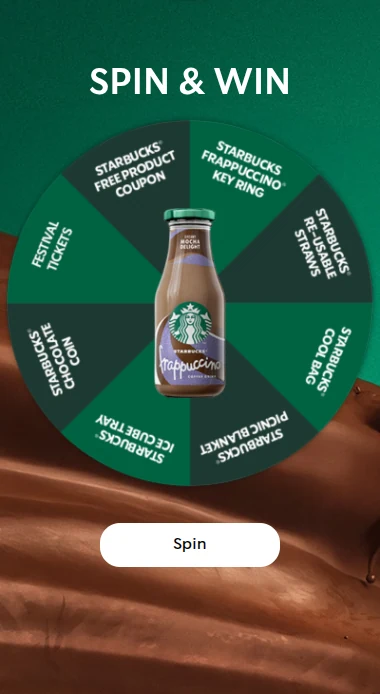
In Scratcher, Rex, the built-in AI assistant, writes social posts for your campaign and can translate texts, so you get a first draft that matches your competition in seconds. You can then share the campaign in social media and in your newsletter and SMS, with the game on a landing page, in a pop-up or embedded on your site.
FAQ
What should I write in a giveaway post caption?
Start with the prize in the first line, then how to enter in numbered steps, the closing date, who's running it and a link to the terms. Keep it short and put the details in the terms.
How do I announce a giveaway winner without breaking privacy rules?
Share only what your terms said you would share, such as a first name and initial or a town, and tell entrants before they enter what you will publish. Contact the winner privately first.
How many times should I post about a competition?
At least three times: at launch, halfway and on the last day, plus the winner announcement. Stories in between keep it visible without filling your feed.
Build the competition behind the announcement
Copy that works needs a competition that's easy to enter. With Scratcher you can build one in minutes with our online competition tools and set up prizes and winners automatically. Start your free 14-day trial, or book a meeting and we'll show you how.
This article is general information, not legal advice. Check the rules for your market before you launch a competition.