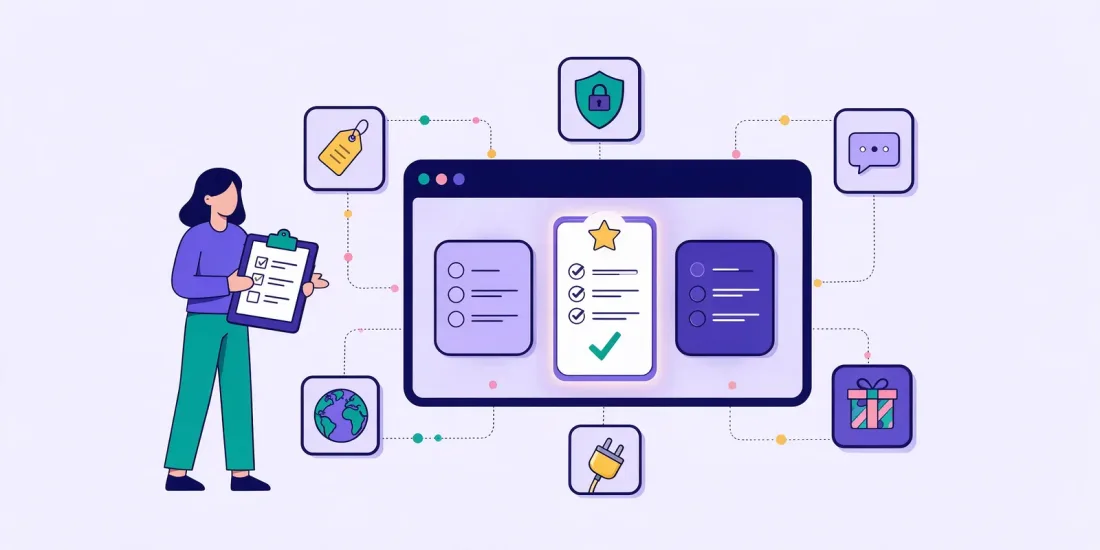
The best gamification platform for you is the one your own team can use to launch a campaign this week, with prices you can see before you talk to sales, data that goes straight into your email tool, and security your IT team will sign off on. Everything else is detail.
This guide gives you the questions to ask, what a good answer sounds like and the warning signs to look out for. Use it as a checklist when you compare platforms, run a trial or prepare a meeting with a vendor.
The short checklist
If you only have five minutes, ask every platform these ten questions:
- Can someone in marketing build and publish a campaign without a developer?
- Which game formats are included, and which cost extra?
- Can the campaign run as a landing page, a pop-up and embedded on your site?
- Are the prices on the website, and what do they include?
- Can you try the full platform for free before you buy?
- Does it send sign-ups and consent straight to your email tool or CRM?
- How are prizes, draws and discount codes handled?
- Who answers when you get stuck, and how fast?
- Is the vendor certified for information security, and where is your data stored?
- Does it work in every language and market you sell in?
The rest of this guide goes through each area in more detail.
1. Can your team build a campaign on its own?
The biggest hidden cost in gamification is not the licence. It is the time it takes to get a campaign live. If every campaign needs a developer, a designer or an agency, you will run two campaigns a year instead of twelve.
Ask:
- How long does it take a marketer with no technical skills to build and publish a first campaign?
- Is there a drag-and-drop editor with ready-made templates?
- Can you save your logo, colours and fonts once and reuse them?
- Can you preview the campaign on a phone before you publish?
A good answer: "Minutes to a few hours, from a template, without help." The best way to check is to build one yourself during a trial. If you need a call with the vendor to make your first campaign, that tells you something.
Watch out for: platforms where templates are only a starting point for a custom project, or where changing a text means opening a support ticket.
In Scratcher you start from 150+ templates in a drag-and-drop editor, and Rex, the AI assistant, can build a design that matches your brand from your website, write the texts and translate the campaign.
2. Formats: how many do you actually need?
Different goals need different games. A scratch card or spin the wheel is quick to play and great for sign-ups. A quiz or personality test collects answers you can use to segment. A Christmas calendar brings people back every day for a month. Our guide to choosing the right game format explains the differences.
Ask:
- Which formats are included in the plan you are looking at?
- Are seasonal formats such as calendars included, or sold separately?
- Can you mix a game with a form, a quiz or a survey in the same campaign?
A good answer: a clear list of formats per plan, so you know what you can run next Christmas before you sign.
Watch out for: a long list of formats on the website where most of them are only available on request or as custom development.
3. Channels: where will the campaign live?
A campaign that only works in one place limits what you can do with it. Most brands want to run the same game on their website, in the newsletter, on social media and sometimes in a store.
Ask:
- Can every campaign run as a landing page, a pop-up and embedded on a page?
- Can you control when and where the pop-up shows (time, scroll, exit intent, specific pages)?
- Can you share the campaign with a link in a newsletter or SMS, and with a QR code?
- Can it run on your own web address?
A good answer: one campaign, built once, that you can show in all of these places.
Read more in where should your gamified campaign live?
4. Pricing: can you see it before the sales call?
Many platforms in this market only show prices on request. That makes it hard to compare and easy to get surprised at renewal.
Ask:
- Are the prices on the website?
- What limits apply: number of campaigns, visits, sign-ups, users, languages?
- What costs extra: special formats, extra accounts, your own domain, email sending?
- Is there a minimum contract period? What happens when you hit a limit?
- Can you pay monthly, or only yearly?
A good answer: a public price list with clear limits and add-ons, and no penalty for growing.
Watch out for: a low starting price that only covers a fraction of what you need, or limits you only learn about after signing.
Scratcher's prices are public: Basic is €399 a month and Professional €699 a month (excluding VAT), and Enterprise plans are priced per company. You see what each plan includes and what the add-ons cost before you talk to anyone.
5. Can you try it before you buy?
A demo shows you what the vendor wants you to see. A trial shows you what it is like to use the platform on a Tuesday afternoon.
Ask:
- Is there a free trial of the full platform, not a reduced version?
- Do you need a credit card to start?
- Can you publish a real campaign during the trial, or only build one?
A good answer: a free trial with every feature, and no card needed.
Scratcher has a free 14-day trial with the full platform and no credit card.
How to use a trial well: build the campaign you actually plan to run next, connect it to your email tool, test it on your phone and send it to a few colleagues. If that works in a day, the platform will work for your team.
6. Data and integrations
The point of most campaigns is the sign-ups. If they end up in a CSV file you have to remember to upload, you lose time and people get their welcome email days too late.
Ask:
- Which email and CRM tools does it connect to natively?
- Is consent sent along with the contact, so only people who said yes join your marketing list?
- Can you send quiz answers, prize data and custom fields, not just an email address?
- Is there an API, webhooks or a Zapier connection for everything else?
- Can you export your data at any time?
A good answer: native integrations with the tools you use today, field mapping for answers and consent, and sign-ups that arrive while the campaign runs.
Scratcher has native integrations with tools such as HubSpot, Klaviyo, Mailchimp, Salesforce and Shopify, plus 8,000+ apps through Zapier, an API and webhooks.
7. Prizes and winners
Prizes are where campaigns go wrong. All the prizes are gone on day one, the same person wins five times, or someone spends an afternoon drawing winners in a spreadsheet.
Ask:
- Does the platform support instant wins and prize draws?
- Can you set how many prizes can be won in total and per day?
- Can it hand out a unique discount code or barcode to each winner?
- Can you limit how often each person can play?
- Can it pick the winners and send the winner emails for you?
A good answer: prize logic built in, so you decide the rules once and the platform follows them. See how prizes work in Scratcher, and our guide to instant wins and prize draws.
8. Support: who answers when you are stuck?
Campaigns often have a deadline: a launch, Black Friday, the first of December. When something does not work the day before, a reply in three working days is no use.
Ask:
- Is there live chat with real people on every plan, or only on the most expensive one?
- Do you get help with onboarding and your first campaign?
- Will someone help you with campaign ideas and strategy, or only with technical questions?
A good answer: real people you can reach in the chat inside the platform, on every plan.
At Scratcher, live chat with real people and personal onboarding are included on every plan, and Enterprise customers get their own customer success manager.
9. Security, GDPR and consent
Your campaigns collect personal data, so your IT, legal and procurement teams will have questions. Ask them early, not after you have chosen.
Ask:
- Is the vendor certified to ISO/IEC 27001 or a similar standard? Can you see the certificate?
- Where is the data stored? In the EU?
- Is there a data processing agreement (DPA) under GDPR?
- Can you decide how long participant data is kept, and delete it automatically?
- Is there two-factor login and user roles?
- How are consent and the consent text stored?
A good answer: a certificate you can download, EU hosting, a standard DPA and clear answers in writing.
Scratcher is certified to ISO/IEC 27001:2022 by Bureau Veritas, stores customer data with AWS in the EU, and every customer is covered by a DPA. The security FAQ has the answers your IT team will ask for. If you run competitions, also read what to check before you launch in Denmark and the EU.
10. Languages and markets
If you sell in more than one country, every campaign needs to work in every language you sell in.
Ask:
- Can you translate a campaign, and how long does it take?
- Can you run separate accounts for different brands or countries?
- Are extra languages included or charged per language?
A good answer: translation built in, with accounts set up the way your company is organised.
In Scratcher, the AI assistant translates a whole campaign in one go, and customers run campaigns in 65+ languages. Enterprise plans give you separate accounts for each brand or country.
Questions for a demo or vendor meeting
Copy these into your notes before a meeting:
- Can you show me how long it takes to build a campaign from a template, live?
- What is not included in the price you just showed me?
- What happens if we go over our limit in the middle of a campaign?
- Which of our tools do you connect to natively, and what data do you send?
- Can I speak to a customer in my industry? Do you have published customer stories with results?
- Can I see your ISO 27001 certificate and your DPA?
- Who do I contact when something goes wrong on a Friday afternoon?
Warning signs
- No prices anywhere. You will spend weeks finding out whether you can afford it.
- No free trial. You cannot check how easy it really is.
- "Our team will build it for you" as the default. That means every campaign is a project.
- Support only on top plans. You will need help the most when you are new.
- Sign-ups only as a CSV export. Your welcome flow will always be late.
- Vague answers about hosting and certification. Your IT team will stop the purchase later.
- Results you cannot check. Look for customer stories with named brands and real numbers.
How to make the decision
- Write down your goal. More sign-ups, more sales, more answers, more returning visitors? It decides which formats you need. Our guide on gamification ROI shows how to set a target.
- Pick your next real campaign. Not a test, the actual one you plan to run next.
- Shortlist two or three platforms using the checklist above.
- Build that campaign in each trial, connected to your email tool.
- Send the security questions to the vendors you are still considering.
- Choose the one your team can run on its own, at a price you know.
Try Scratcher with your next campaign
The quickest way to see if Scratcher fits is to build the campaign you have planned next. Start a free 14-day trial, no credit card needed, or book a meeting and we will go through this checklist with you.