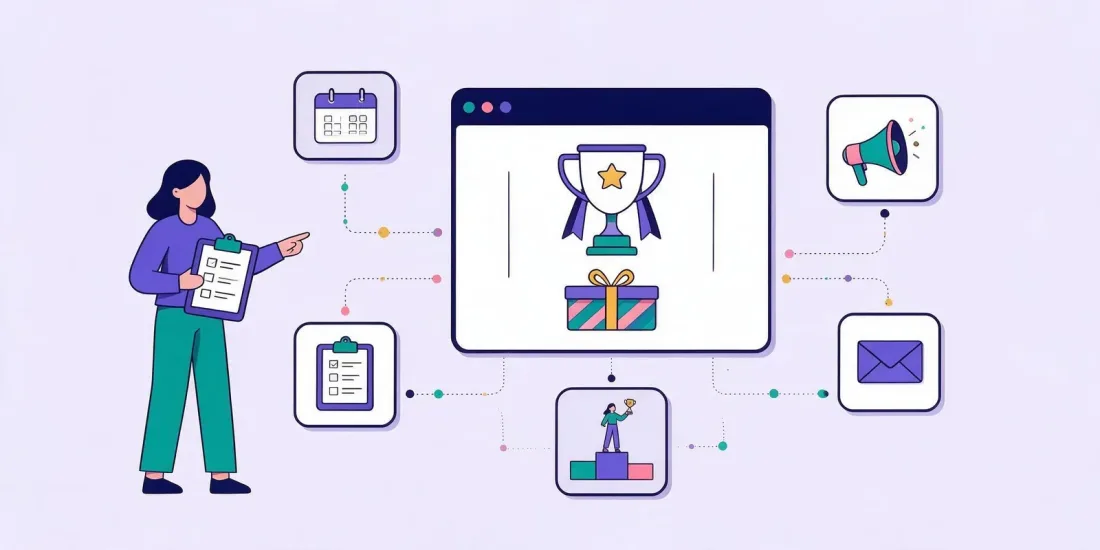
To run an online competition, decide what you want from it first (sign-ups, sales or attention), then choose a mechanic such as an instant win game, a prize draw or a quiz, set a prize budget, write clear terms and a separate consent checkbox, and build the entry page where your audience already is. Promote it in your own channels, block fake entries, pick winners fairly and follow up with a welcome email while people still remember you.
That is the short version. The rest of this guide walks through each step in order, with the decisions that matter, the mistakes we see most often and a launch checklist you can copy. It works whether you call it a competition, a giveaway, a prize draw or a sweepstakes, and whether you sell online, run a shop or both. If you are wondering how to run a giveaway rather than a competition, the steps are the same.
Step 1: Decide what the competition is for
Every choice later on depends on this one. A competition built to grow your newsletter looks different from one built to sell out last season's stock or to get people talking about a new product.
Pick one main goal and write it down in a single sentence:
- More sign-ups. You want email addresses or phone numbers with marketing consent. The entry form and the consent text are the heart of the campaign.
- More sales. You want people to buy. Discount codes as prizes or consolation prizes do the work here.
- Better data. You want to learn what people like, so you can send them more relevant offers. A quiz, survey or product finder asks the questions for you.
- Attention and reach. You want people to see and share something new. A big, visual prize and a format people enjoy showing friends matter most.
- Activation. You want existing customers to do something: download an app, join a loyalty club, visit a shop.
Then set a number you can measure. "Get 3,000 new subscribers with consent by the end of the month" is a goal. "Increase engagement" is not. You will come back to this number in the last step, when you measure the result.
Step 2: Choose the mechanic
The mechanic is how people take part and how winners are found. There are four main families, and each fits different goals.
| Mechanic | How it works | Good for | Watch out for |
|---|---|---|---|
| Instant win | People play and see straight away if they won | Many sign-ups fast, discount codes, sales | Prize stock must last the whole period |
| Prize draw | Everyone gets an entry, winners are picked at random later | One big prize, fixed budget | Less excitement, people must wait |
| Skill or quiz | People answer questions or play for a high score | Data, attention, B2B, education | Questions must be the right level |
| Photo or vote | People upload a photo or vote for a favourite | Reach, user-made content, community | Judging rules, image rights, more work |
Instant win
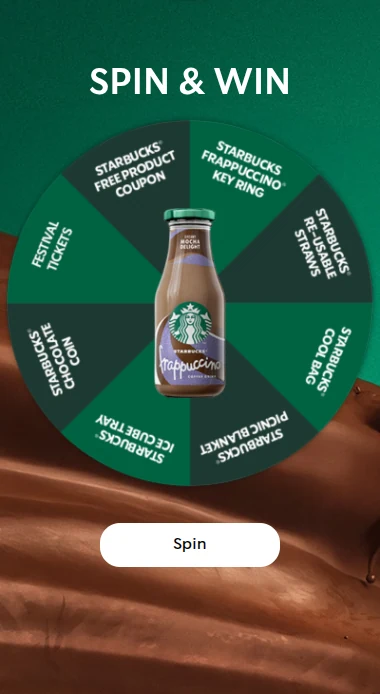
Scratch cards, spin the wheel, mystery boxes and slot machines tell people the result the moment they play. It is fast and fun, and you can hand out a unique discount code on the spot. You decide how many of each prize there are and how likely each one is to be won.
Prize draw
Everyone who enters gets a ticket, and the winners are picked at random at a time you set: once at the end, or daily, weekly or monthly. You know the cost in advance, which makes it easy to budget. Prize draws pair well with quizzes, polls and calendars.
We compare the two in depth in instant win vs prize draw. Many campaigns combine them: instant wins for the fun, and a big prize draw at the end for everyone who took part.
Skill and quiz competitions
A quiz, a guess-the-word game or a skill game with a leaderboard asks people to do something. That takes a little more effort, so you often get fewer but more interested entries, and the answers are useful data. A skill draw can reward the best scores instead of picking at random.
Photo competitions and votes
Ask people to upload a photo, then let others vote, or let a jury decide. It creates content and reach, but it needs more moderation and clear rules on judging and image rights.
Not sure which fits? Our guide on choosing between luck, knowledge and skill goes through the trade-offs. For ideas you can adapt, see our lists of competition ideas for business and giveaway ideas for small businesses.
Step 3: Pick prizes and set a budget
The prize does two jobs. It gets people to enter, and it decides who enters. A cash prize or a generic gift card attracts everyone, including people who will never buy from you. A prize linked to what you sell attracts people who are already interested.
Good prize choices:
- Your own products or services. A year's supply, a product bundle, a voucher for your shop.
- An experience linked to your brand. A workshop, a tasting, a behind-the-scenes visit.
- Discount codes. Cheap to give, and they lead straight to a purchase. Great as consolation prizes.
- A mix. One main prize people dream about, plus many small prizes so plenty of people win something.
How to set the budget
Start from your goal. If you want 3,000 sign-ups and you think one new subscriber is worth €5 to you, you can spend up to €15,000 on prizes, promotion and tools and still break even. Most competitions spend far less on prizes than that, because discount codes cost you nothing until someone uses them.
Then plan the prize pool:
- How many of each prize. For example, 1 main prize, 20 gift cards and 1,000 discount codes.
- The odds for each prize (instant win only). Make the main prize rare and small prizes common.
- When prizes can be won. Spread them over the campaign, so there is still something to win on the last day.
Lampeguru's Black Friday wheel of fortune is a good example of the mix. Gift cards were the main prizes, and everyone who didn't win one got a discount code. The campaign reached a 56% conversion rate and 4,582 unique leads.
In Scratcher, you set this up on the prizes and winners page: instant win prizes with a set quantity and odds, unique discount codes and barcodes you upload, manual prizes and automatic prize draws.
To work out how many prizes you need and the chance of winning, use the free prize odds calculator. The prize simulator shows on which day each prize is likely to run out.
Step 4: Write the rules and terms
Clear terms make your competition fair, and they answer the questions people would otherwise send to your support team. Whatever the country, terms usually cover:
- Who is running the competition and how to contact them
- Start and end date and time
- Who can take part, including age limits and countries
- How to enter, and how many times
- What the prizes are and how many there are
- How winners are chosen and when
- How and when winners are contacted, and how long they have to reply
- How personal data is used, with a link to your privacy policy
Our competition terms and conditions checklist goes through each topic in detail, so you can brief your lawyer.
Show the essentials on the entry page itself: the prize, the closing date and who is running it. Link the full terms next to the button people press to play.
How to run an online competition in the UK
In the UK, two sets of rules come up most often.
The Gambling Act 2005. The Gambling Commission explains on its page about free draws and prize competitions that a prize competition is one where the outcome depends on the entrant's skill, judgement or knowledge, and that the skill must be enough to put some people off entering or stop some of them from winning. It notes that simple multiple-choice questions rarely meet that test. If a free draw also has a paid route, the free route must be no more expensive and no less convenient, be promoted as prominently, and the prize allocation must not treat the two routes differently. If a paid competition doesn't meet these requirements, it may be an illegal lottery. If people can enter for free and don't have to buy anything, these questions are usually simpler, but check with your lawyer.
The CAP Code. Section 8 of the advertising code, which the ASA enforces, covers promotions. Rule 8.17 lists significant conditions that marketing for a promotion must include where leaving them out is likely to mislead, such as how to take part, a closing date, the number and nature of prizes, restrictions such as age and the promoter's name and address. Rule 8.28 adds points for prize promotions, including any limit on entries, how and when winners are told, and that information showing a valid award took place will be made available.
We cover the difference in more detail in prize draw vs competition in the UK.
Running a competition in Denmark and the EU
Rules differ between EU countries, especially on consent for marketing and on tax. Our guide to running online competitions in Denmark and the EU lists the topics to check and the authorities to read, country by country.
For a first draft of the terms, try the free competition terms generator, and word the consent checkbox with the consent text generator. Both are part of our free tools for competitions.
Step 5: Get consent and handle data properly
Most competitions exist to collect marketing consent, so this step deserves care.
Under the GDPR, consent means "any freely given, specific, informed and unambiguous indication" of a person's wishes. The UK regulator, the ICO, explains in its guidance on what valid consent is that silence, pre-ticked boxes or inactivity don't count as consent, that consent should be kept separate from other terms, and that people must be able to withdraw it easily. In the EU, the European Data Protection Board publishes guidelines on consent.
In practice, that usually means:
- Two separate checkboxes. One to accept the terms, one unticked box for marketing.
- Say who will contact people, how and about what. "Yes, I'd like emails from [Brand] about new products and offers" is clearer than "I accept marketing".
- Ask only for the data you need. An email address and a first name are often enough. Every extra field costs entries. See our guide to sign-up form fields.
- Document consent. Keep a record of when and how each person said yes.
Many brands also use double opt-in: a confirmation email people click before they are added to the list. It removes typos and fake addresses and gives you a clear record.
We go deeper into this in competitions and the GDPR.
In Scratcher, you write your own consent texts, choose which fields are required and send sign-ups straight to your email tool or CRM through native integrations such as Klaviyo, HubSpot, Mailchimp, Salesforce and Shopify, or through Zapier, the API and webhooks. Scratcher is ISO/IEC 27001 certified and hosts data in the EU.
Step 6: Build it and decide where it lives
Now build the competition itself. You can do it from scratch, but a template saves hours. Scratcher has 150+ templates and 40+ formats, and Rex, the built-in AI assistant, can build a design from your website with your logo, colors and fonts, and write the texts for you. You then adjust it in a drag-and-drop editor and preview it on a phone, which is where most people will play.
The bigger decision is where the competition lives. There are three common options.
A landing page
The competition gets its own page with its own link. That link goes in your newsletter, your social posts, your ads, a QR code on a poster or an SMS. It is the most flexible option and works when you have no website traffic to speak of. On Scratcher's Professional plan you can use your own web address.
A website pop-up
The game appears on your website, for example after a few seconds, when someone scrolls, or when they are about to leave. It turns visitors who would otherwise leave without a trace into sign-ups. See our guide on game pop-ups and popup timing and triggers.
Embedded on your website
The game sits inside a page on your site, for example on a campaign page or in a blog post. Visitors stay on your domain, which feels familiar and keeps your design consistent.
You don't have to choose just one. Many brands embed the game on a campaign page, show it as a pop-up for visitors who haven't seen it, and share the landing page link everywhere else. Our article on where your campaign should live compares the options. If you also run a shop or stand at events, look at our in-store competition ideas and trade show game ideas, where a QR code or a tablet brings people into the same game.
Speed matters too. Dansk Outlet built and launched a last-minute Easter scratch card in under a week. It reached 16,000 visitors and 13,000 sign-ups, an 81% conversion rate.
Step 7: Keep it fair and stop fake entries
A good prize attracts people who want to win more than once, and sometimes bots. Fake entries cost you prizes, inflate your numbers and fill your list with addresses that never open an email.
Set these up before you launch:
- One entry per email address or phone number.
- A limit on how often each person can play: once in total, once a day or once a week.
- reCAPTCHA to stop automated entries.
- Email verification. Ask people to type a code sent to their inbox before they play.
- Block throwaway email addresses and add specific emails or domains to a block list.
- Rate limits per IP address, so one device can't flood the game.
Scratcher has all of these built in. Our guide to better lead quality from competitions explains how to balance protection against friction, and how to attract fewer prize hunters in the first place.
Be honest in the game, too. If the page says "everyone wins", there must be a prize for everyone. If it says "1 in 10 wins", the set-up must match.
Step 8: Promote the competition
A competition nobody sees collects nothing. Plan the promotion before launch day, not after.
Start with the channels you own, because they are free and your audience already trusts you:
- Newsletter: a launch email, a reminder halfway through and a last-chance email.
- Website: a banner on the front page, a pop-up and a link in the menu.
- Social media: a launch post, stories during the campaign and a reminder near the end.
- SMS: a short message with the link for people who have opted in.
- In store: posters and receipts with a QR code.
Then add paid reach if your budget allows. Ads that show the prize clearly and send people straight to the game usually work best.
Our templates for announcing a competition give you copy for each of these channels, ready to paste. Rex can also write social posts for your campaign in Scratcher.
If you run the competition on Instagram or Facebook, check the platform's own promotion rules and how they fit your local rules. Our article on Instagram giveaway rules covers what to know. A simple approach that avoids many problems: post on social media, but let people enter through a link to a game with a proper sign-up form. You collect sign-ups you can use, and nobody gets tagged without being asked.
Step 9: Pick and announce the winners
For instant wins, the game picks winners as people play, based on the quantities and odds you set. For prize draws, winners are picked at random at the time you set.
To keep it fair and easy to trust:
- Use a random method you can document. Draw from the full list of valid entries, not from comments you scroll through.
- Remove invalid entries first: duplicates, blocked addresses and anyone who doesn't meet the terms.
- Contact winners the way your terms say, and give them a set time to reply.
- Have a back-up winner in case someone doesn't respond.
- Announce the result in the channels you used to promote it, with only the information your terms allow.
In Scratcher, prize draws can run automatically daily, weekly, monthly, at an interval or at the end of the campaign, and you can export winners and entries. Our guide on how to pick a giveaway winner covers the methods and what to write in the winner announcement.
Step 10: Measure and follow up
The competition ends; the work doesn't. The days right after someone signs up are when they are most likely to open your emails.
Send a welcome flow
Set up a welcome email flow after the sign-up before you launch, not after. A good flow says thank you, reminds people of any prize or discount code, introduces your brand and makes a relevant offer. Everyone who didn't win the main prize is a reason to send a "here's something for you anyway" email.
Measure against your goal
Go back to the number you wrote down in step 1. Then look at:
- Visitors and entries: how many saw the competition and how many took part.
- Conversion rate: entries divided by visitors.
- New sign-ups with consent: the number that usually matters most.
- Cost per lead: total cost divided by new sign-ups.
- Code redemptions and sales: how many discount codes were used and what they were worth.
- List quality over time: open rates and unsubscribes in the months after.
The last one is easy to forget. Whiteaway ran a wheel of fortune advent calendar and checked back later: 82% of the new subscribers were still on the list six months later.
Our list of gamification marketing KPIs explains which numbers to track and how to report them.
Launch checklist
Copy this list and tick it off before you go live.
Plan
- One clear goal with a number
- Mechanic chosen: instant win, draw, quiz/skill or photo/vote
- Prizes, quantities, odds and budget decided
- Start and end dates set
Rules and data
- Terms written and reviewed by a lawyer
- Prize, closing date and organiser visible on the entry page
- Separate, unticked marketing consent checkbox with clear wording
- Privacy policy linked
- Double opt-in decided
- Data processing agreement in place with every tool that handles entries
Build
- Game built and tested on a phone
- Where it lives: landing page, pop-up, embed or a mix
- Sign-ups flowing into your email tool or CRM (send a test entry)
- Discount codes uploaded and tested
Fair play
- One entry per email or phone number
- Play limit set
- reCAPTCHA and throwaway email blocking on
- Prize claims in the game match the set-up
Promote and follow up
- Launch, reminder and last-chance messages written for each channel
- Welcome flow live
- Winner selection and announcement planned
- Dashboard or report ready to measure the result
FAQ
How do I run an online competition for free?
You can run a simple competition with a social media post and a spreadsheet, but you then have to collect entries by hand, check for duplicates and pick a winner yourself, and you rarely get marketing consent you can use. A competition tool gives you an entry form, consent checkboxes, fraud protection and automatic draws. Scratcher has a free 14-day trial with no credit card.
What's the difference between a competition and a giveaway?
People often use the words for the same thing. In everyday marketing, a giveaway usually means a prize draw where anyone can enter, while a competition may involve a task or skill. In the UK the difference matters legally if people pay to enter, because a paid competition must be decided by skill, judgement or knowledge to stay outside the lottery rules.
How long should an online competition run?
Long enough to promote it in all your channels, short enough to keep the urgency. One to four weeks is common. Calendars run longer by design, with a new door each day or week, which brings people back again and again.
Do I need terms and conditions for a giveaway?
Yes. Even a small giveaway should say who runs it, who can enter, the closing date, the prize and how the winner is picked. In the UK, the CAP Code lists the significant conditions promotions must include. Have your terms reviewed by a lawyer.
Can I require people to subscribe to my newsletter to enter?
It depends on the country and on how you set it up, because consent must be freely given. Many brands keep the marketing checkbox separate and optional, so people can play without subscribing. Check what fits your markets with your lawyer before you launch.
Run your next competition with Scratcher
Scratcher gives you the formats, prizes, consent settings, fraud protection and integrations to run online competitions and giveaways from one place. More than 1,000 users have built 25,000+ campaigns and collected 35M+ sign-ups. See how it works on our online competitions and giveaways page, start your free 14-day trial, or book a meeting and we'll help you plan your first one.
This article is general information, not legal advice. Rules differ between countries and change over time, so check the current rules and get legal advice before you launch a competition.