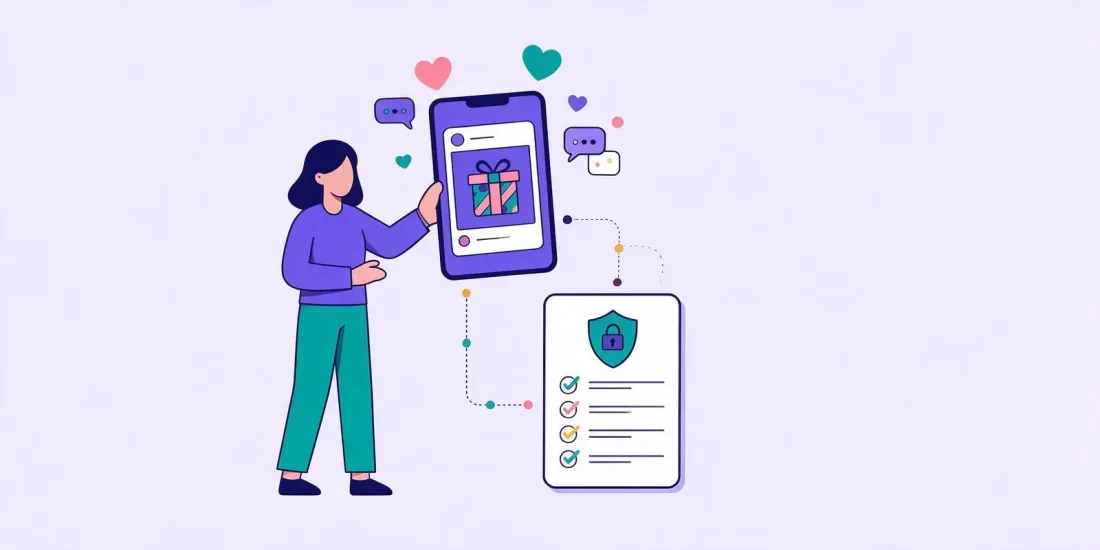
Meta lets brands run giveaways on Facebook and Instagram, but you run them on your own responsibility. On Facebook, Meta's Pages policy says entrants must release Meta from liability and be told the promotion isn't run or endorsed by Meta, and you must not require or reward sharing, reposting or tagging other people. A comment gives you a username, not an email address or marketing consent, so many brands post the giveaway on social media and let people enter on their own page.
Instagram and Facebook are where many giveaways start. A good prize in the feed gets people to stop scrolling, comment and follow. But the platforms have their own promotion rules, and they sit on top of the marketing and data protection rules in each country. This guide explains what Meta's rules say, the difference between comment-to-enter and entry on your own page, and how to pick a winner from comments fairly.
What Meta's Promotion Rules Say
Meta has two sets of rules to know: the promotions section of the Pages, Groups and Events policies for Facebook, and Instagram's own Promotion Guidelines in the Instagram Help Centre.
Facebook: the Pages, Groups and Events policies
When we checked Meta's policies for this article, the promotions section said that if you use a Page, group or event to announce or run a contest, giveaway or sweepstakes:
- You are responsible for following the law. Meta's examples include giving entrants the official rules, disclosing the offer terms and who can take part, and registering the promotion with authorities where that is required.
- Entrants must release Meta. You must require participants to fully release and hold Meta harmless from liability.
- Entrants must be told Meta isn't involved. Participants must acknowledge that the promotion is in no way sponsored, endorsed, administered by or associated with Meta.
- No sharing or tagging to enter. Your promotion must not require or incentivise participants to share, repost, tag others or in any other way publicise the promotion.
- Meta won't help. Meta will not assist you in running a promotion, and if you use its services to run one, you do so at your own risk.
The same policy has a separate rule on data collection: if you collect information from people who interact with your Page, you must tell them first, get their explicit consent and make clear that you, and not Meta, are collecting it.
That rules out "tag three friends" and "share this post to enter" on Facebook. Rules like these change, so read the current text before every campaign.
Instagram: the Promotion Guidelines
Instagram publishes separate Promotion Guidelines. They are where Instagram sets out what it expects about releasing Instagram from liability, stating that Instagram doesn't sponsor or endorse your promotion, tagging, and your own responsibility for running the promotion lawfully. Read the current version yourself before you launch, and check how it treats mechanics like "tag a friend" and "tag yourself in the photo". When in doubt, leave tagging out.
Country rules come first
Meta's rules are the platform's terms, not the law. Marketing, consumer, data protection and in some cases gambling rules apply as well, and they differ between countries. In Denmark, the Consumer Ombudsman's guidance on using competitions to collect consent (in Danish) also refers to the Nordic consumer ombudsmen's joint position on marketing in social media. For an overview of what to check per market, see our guide on how to run an online competition and our article on running online competitions in Denmark and the EU.
Comment-to-Enter vs Entry on Your Own Page
There are two common ways to run a giveaway on Instagram or Facebook.
Comment-to-enter
You post a picture of the prize and ask people to comment to enter, maybe also to follow your account or like the post. It is quick and needs no tools, and comments can lift the post in the feed. If you want ideas for posts people want to comment on, see our interactive social media posts.
What you get from a comment:
- A username and a comment
- Nothing you can send a newsletter to
- No marketing consent
When the giveaway ends, most of those people are gone again. You don't own the comments, and you can't email a username. In many countries, marketing by email needs the person's prior consent. Danish marketing law, for example, requires prior consent before a business sends marketing by electronic mail, as the Consumer Ombudsman's guidance explains. A comment is not that.
Entry on your own page
You post the giveaway on Instagram or Facebook, but the post links to a game or form on your own page. People tap the link, play and enter with their email address, and they can tick a separate box if they want your newsletter.
What you get:
- An email address (or phone number) per entry
- Marketing consent from the people who chose to give it, with a record of when and how
- Answers to any questions you ask, such as product interests
- One clean list of entries, ready for a fair draw
Dansk Outlet shared a last-minute Easter scratch card through a pop-up on its webshop and one organic Facebook post, with no ad spend. 16,000 people visited the campaign and 13,000 took part.
Side by side
| Comment-to-enter | Entry on your own page | |
|---|---|---|
| Effort for the participant | Very low | Low: tap, play, enter email |
| Email address | No | Yes |
| Marketing consent | No | Yes, if they tick the box |
| Who owns the data | Stays on the platform | You, as the organiser |
| Fair-play controls | Manual checks | One entry per email, limits, reCAPTCHA |
| Picking a winner | Copy usernames and draw | Automatic draw from the entry list |
The two can work together. Post on Instagram, keep comments open for the conversation, and put the entry on your own page. Then the post builds reach and the game builds your list.
How to Run an Instagram Giveaway, Step by Step
- Pick a prize your customers want. A prize from your own range attracts people who want your products, not just any prize.
- Write short rules. Who is behind it, who can enter, the start and end dates, what the prize is, how and when the winner is picked and contacted, and how long they have to claim it. Our competition terms and conditions checklist lists the usual topics.
- Add the Meta wording. State that the promotion isn't sponsored, endorsed, administered by or associated with Meta (or Instagram), and include the release your terms need.
- Don't ask for shares or tags. On Facebook, Meta's policy rules them out as a condition of entry or as a way to get extra entries.
- Link to the entry. Put the link in your bio, a story link or the post on Facebook, and say clearly that entry happens there.
- Ask for consent separately. If you want newsletter sign-ups, use a separate box the participant ticks themselves.
- Close on time, then draw. Pick the winner the way your rules say, and document it.
How to Pick a Winner from Comments Fairly
If you ran a comment-to-enter giveaway, the draw still needs to be fair and easy to explain.
- Close the giveaway first. Comments after the closing time don't count. Take a screenshot of the time you closed it.
- Collect all comments in one list. Copy the usernames into a spreadsheet, one per line.
- Remove entries that break the rules. For example, accounts outside the allowed countries, your own employees or comments after the deadline.
- Remove duplicates. If your rules say one entry per person, keep one line per account.
- Draw at random. Paste the usernames into a picker such as our free random winner picker, and record the result on screen or as a video.
- Draw reserve winners. Pick one or two extra names in case the winner doesn't reply.
- Contact the winner from your official account. Explain how and by when to claim the prize. Never ask for payment or card details: fake accounts sometimes copy brands and send "you won" messages, so tell your followers how you will contact winners.
Our guide on how to pick a giveaway winner goes through each step, including re-draws and how to announce the winner with privacy in mind.
To draw from the comments, paste them into the free Instagram comment picker. It removes duplicate usernames and picks a winner and reserves. Running the same giveaway on Facebook? Use the Facebook comment picker. When it is time to announce the winner, the giveaway post planner writes the post.
How Scratcher Helps
Scratcher is built for the "post on social, enter on your own page" model of online competitions and giveaways:
- Share a link anywhere. Every campaign has its own link for Instagram, Facebook, TikTok or LinkedIn. See social media campaigns.
- Rex writes the post. Our AI assistant writes ready-to-post texts for Instagram and Facebook and translates them.
- Fair play built in. One entry per email address or phone number, limits on how often people can play, reCAPTCHA and blocked throwaway email addresses.
- Consent the way you decide. You write your own consent texts and terms, and add a separate consent checkbox.
- Winners picked for you. Automatic draws daily, weekly, monthly or at the end, and you can export entries and winners. See prizes and winners.
You write the texts and terms and are responsible for your campaign. Scratcher gives you the settings to run it the way you have decided.
FAQ
Is "tag a friend to enter" allowed on Instagram?
On Facebook, Meta's Pages policy says a promotion must not require or incentivise tagging others. Instagram has its own Promotion Guidelines, so check the current text there, along with the consumer rules in your country. The simplest choice is to leave tagging out.
Can I require people to follow my account?
Meta's Facebook policy doesn't list following among the banned mechanics, but rules change and national rules apply too. Check the current platform terms and get legal advice if follow-to-enter matters to your campaign.
Do I need terms and conditions for a giveaway on social media?
Meta's Facebook policy gives official rules, offer terms and eligibility as examples of what complying with the law can mean. Even a small giveaway is easier to run with short written rules. Use our checklist as a starting point.
Can I add commenters to my newsletter?
A comment is not consent to marketing. If you want newsletter sign-ups, ask for them with a separate consent box on your own entry page.
Run Your Next Giveaway on Your Own Page
Post the giveaway where your followers are, and let them enter where you collect emails and consent. Try Scratcher free for 14 days, no credit card needed, or book a meeting and we'll show you how.
This article is general information, not legal advice. Platform terms and national rules change, so check the current versions and get legal advice before you launch a campaign.