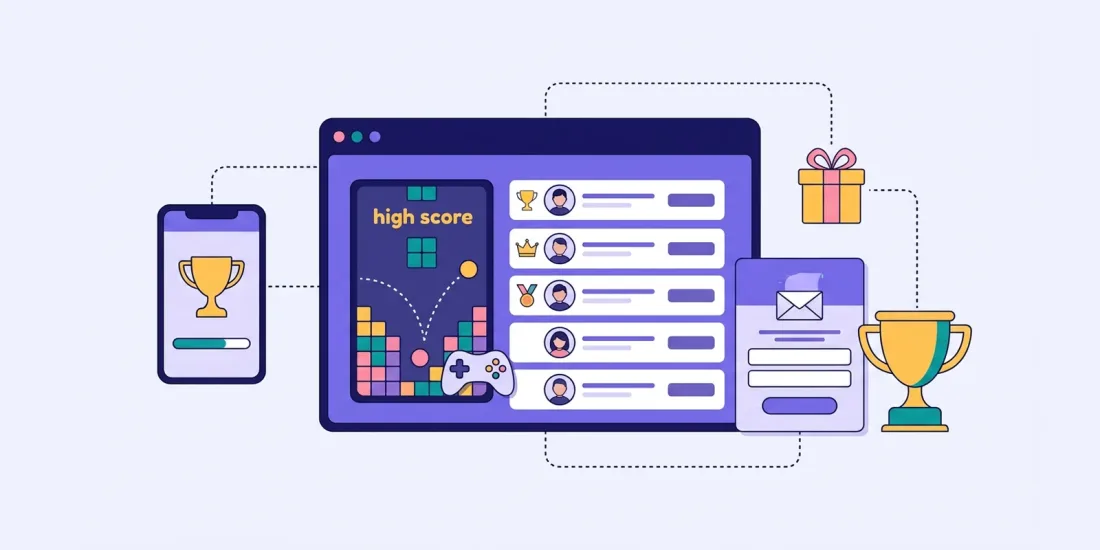
"Just one more try." If you have ever played a simple mobile game, you know the feeling. You were close to your best score, so you play again. And again. Leaderboard marketing uses that same feeling for your brand: people play a short skill game, see where they rank and come back to climb higher.
This guide explains why skill games keep people playing, how to pick the right one, how to set fair rules and prizes for a high score competition, and the basics of keeping cheaters out.
Skill vs luck: why skill games keep people playing
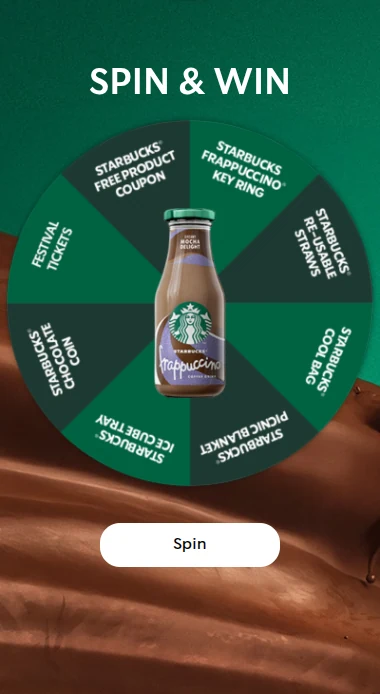
Most marketing games are luck games. A scratch card, a wheel or a mystery box is over in seconds, and anyone can win on the first try. That is great for reach and sign-ups.
Skill games work differently. The result depends on how well you play:
- Effort feels rewarded. A high score is something you earned, not something that happened to you.
- There is always a reason to try again. You can always do a little better.
- Time with your brand goes up. People spend minutes, not seconds, with your products on the screen.
- People compare. A score is easy to share and easy to challenge: "Beat 1,240 if you can."
Add a leaderboard and the game becomes a competition. Players see the best scores, see where they rank and want to move up. That is why a skill game competition is a good fit when your goal is engagement and repeat visits rather than just one quick sign-up.
Both types have their place. If you want as many sign-ups as possible in a short time, a luck game is often better. If you want people to come back and spend time with your brand, go for skill.
Choosing a skill game
All the games below give a score, so they work with a leaderboard. Pick one that fits your products and your audience.
Hit the target
In hit the target, targets fly across the screen and players tap or click to hit as many as they can before the time runs out. The targets can be your products, your logo, discount tags or seasonal icons, and you can even change the cursor. You choose how the targets move, how many points they give and how long the game lasts. Good for: action-filled campaigns, younger audiences and events.
Drop game
In the drop game, items fall from the top of the screen and players move a basket, bag or trolley to catch them. You can add items that take points away, like storm clouds or rotten fruit, so players have to pay attention. Good for: showing products, summer campaigns and mobile. It was a favourite of Deichmann's Nordic e-commerce team, who valued it for being "engaging and viral" and perfect for mobile audiences. Read the Deichmann story.
Smash it
Smash it works like whack-a-mole: objects pop up and players tap to smash them, with a fun effect each time. There are no rules to read, so children, busy parents and grandparents can all play. Good for: Easter eggs, piñatas, balloons and broad audiences.
Slice it
In slice it, objects fly across the screen and players swipe to slice them. Every hit gives points. Good for: fruit, food and drinks brands, and anyone who wants a fast, satisfying swipe game.
Other options
Memory games (find the pairs as fast as you can) and tap it also give a score and work with a leaderboard. A memory game with your products on the cards is a nice way to teach people your range while they play.
Tip: whatever you choose, people should understand the game in seconds. The challenge should be getting a high score, not understanding the rules. Rounds of under a minute work well.
Leaderboard rules and fairness
A competition only works if people trust it. Before you launch, decide and write down:
- How long the competition runs, with a clear start and end date and time.
- How the ranking works. Highest score wins. Decide what happens in case of a tie.
- How often people can play, for example once a day or as often as they like.
- What the top players win, and how many prizes there are.
- How and when winners are contacted.
- Who can take part, for example age limits or country.
Put the short version on the start page and link to full terms. Ask for the details you need to contact the winners (often name and email are enough) and a clear newsletter permission in your own words.
In Scratcher, players sign up before they play. When the competition ends, you see the ranking and reward the top players yourself. The leaderboard is a special format, included on Professional or available as an add-on.
Prizes for top scores vs everyone
A leaderboard naturally rewards the best players. That feels fair, and it makes people try harder. But if only the top three win, most players leave with nothing. A good high score competition usually mixes two kinds of prizes.
Prizes for the top
- A big main prize for number one
- Smaller prizes for the rest of the top ten
- A weekly prize for the best score of the week, so new players have a chance too
Prizes for everyone (or almost everyone)
- A score target. Everyone who reaches a certain score wins an instant prize, a discount code or a place in a draw. In slice it, the Finish conditions add-on lets you set score levels, for example a small prize at 500 points and a bigger one at 1,000.
- A small thank-you for everyone who plays, like free shipping or a discount code.
- A daily draw among all players.
Confectionery brand Toms ran a summer drop game where people could play once a day from June to August, with winners drawn daily, 48 prizes in total. Read more in our post on what's hot in gamification this summer.
Scratcher can hand out instant wins, draws, unique discount codes and barcodes for you. See all the options on our prizes page.
Driving repeat plays with leaderboard marketing
The leaderboard gives people a reason to come back. Give them a few more.
- Let people play again. Once a day is a good rhythm for a campaign that runs a few weeks.
- Send a reminder before the competition ends, from Scratcher with the Email module or from your own email tool.
- Share the current top scores on social media and in your newsletter.
- Run weekly rounds with a fresh leaderboard, so new players can still reach the top.
- Show it in the real world. At events, stores and stadiums, people can scan a QR code and play on their phone while they wait. Showing the best scores on a big screen adds even more excitement.
- Invite challenges. Teams, schools, fan clubs or colleagues competing against each other bring in whole groups at once.
Ideas to get you started
- The summer challenge: catch ice creams and sunglasses in a drop game, with a weekly prize for the top score.
- Half-time game: a quick skill game during a match, with prizes for the best fans.
- The trade show stand: a game on a tablet or big screen, with a prize for the best score of the day.
- Brand memory: a memory game with your products, so players learn your range.
- Easter smash: smash eggs for points, with chocolate for the top players.
Anti-cheating basics
Whenever there is a prize for the top, someone will try to bend the rules. A few basics go a long way.
- Participation limits. Decide how often each person can play. This is the single most useful setting, and we recommend always keeping it on.
- Double opt-in. With the Email module, people confirm their email before they count, which makes fake addresses much less useful.
- Bot protection. Scratcher campaigns can use reCAPTCHA, verification codes and blocklists for email addresses and phone numbers, and automatic abuse detection runs in the background.
- Check the top before you pay out. Look at the top scores before you announce winners. Many sign-ups from similar addresses, or a score far above everyone else, is worth a closer look.
- Write it into the terms. Say that you can disqualify entries that break the rules, use automated tools or create multiple accounts.
- Make the game fair by design. Short rounds and a clear time limit make it hard to gain much by playing in odd ways.
Quick checklist
- One skill game that is easy to learn and fun on a phone
- Clear dates, ranking rules and terms on the start page
- Prizes for the top plus something for everyone else
- Participation limits and double opt-in turned on
- Sign-ups sent to your email tool through our integrations
- Reminders and top-score updates planned
Start your high score competition
A leaderboard turns a simple game into something people care about, talk about and come back to. Start a free 14-day trial, pick a skill game and add a leaderboard, or book a meeting if you want help choosing the right game and prizes.