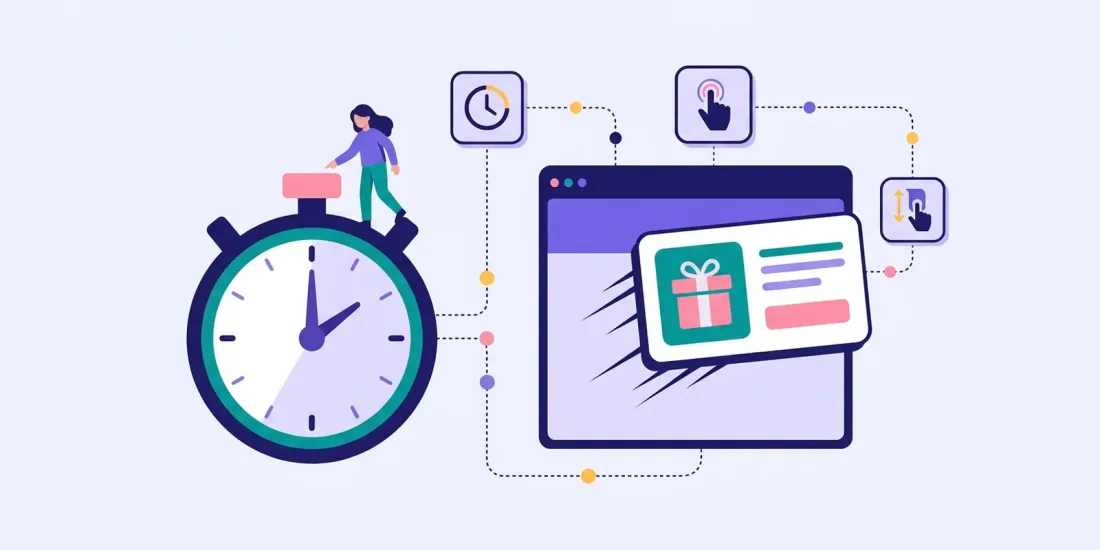
The same popup can be a welcome invitation or an irritating interruption. Often the only difference is when it appears. Get the popup timing right and people are ready to listen. Get it wrong and they close it before they have read the headline. This guide covers the main popup triggers, how to target the right pages and visitors, how often to show a popup, and how to test which trigger works best on your website.
Popup timing: time on page vs scroll depth vs exit intent
There are four common popup triggers. Each one says something different about the visitor.
Time on page
The popup appears after the visitor has been on the page for a set number of seconds.
- Good for: most websites, as a first trigger to test.
- Watch out for: setting it too short. A popup after one second interrupts people before they know where they are.
Scroll depth
The popup appears when the visitor has scrolled a certain percentage of the page, for example 50%.
- Good for: blog posts, guides and long product pages, where scrolling shows real interest.
- Watch out for: short pages, where many visitors never scroll far enough to see it.
Exit intent
The popup appears when a desktop visitor moves the mouse out of the window, usually towards the tabs or the close button.
- Good for: last-chance offers and cart pages.
- Watch out for: mobile. There is no mouse, so exit intent works on desktop only. Use a time or scroll trigger, or a teaser, for mobile visitors.
On click
The popup only appears when the visitor clicks a button, a link or a small teaser on the page.
- Good for: campaigns you want to promote without interrupting anyone, and mobile.
- Watch out for: volume. Fewer people see it, because they have to choose to open it.
What does the data say about when to show a popup?
Popup vendors publish their own benchmarks. As of October 2026, one popup vendor's statistics report, based on its own customers' data, says that the best time to trigger a popup is after about 6 seconds with a timer-led trigger, and that timer-led triggers converted at 4.42% against 2.64% for scroll-based triggers in its data.
Benchmarks like this are a useful starting point, but your audience, your pages and your offer are different. Treat them as a hypothesis to test, not a rule.
In Scratcher, you can combine triggers on the same pop-up: after a number of seconds, after scrolling a percentage of the page, on exit intent (desktop) and on click. The first condition that is met shows the pop-up. You set it all up in the pop-up settings, described on our pop-ups page.
Page targeting: product, category and blog pages
The right trigger depends on where the visitor is. A visitor reading a blog post is in a different mood from a visitor comparing products.
Front page. New visitors often land here. A welcome game, like a wheel with a first-order reward, works well after a short delay.
Category pages. People are browsing. A short product finder or quiz ("Not sure which one to choose?") helps them decide and tells you what they are looking for.
Product pages. People are considering a specific product. A scroll trigger that fires when they have read the description, combined with a prize related to that product category, feels relevant.
Blog and content pages. People came to read. Wait until they have scrolled well into the article before showing anything, and keep the offer close to the topic.
Cart. Exit intent with free shipping or a small reward can help, but keep it light.
Checkout and account pages. Usually no popup at all. Someone typing their card details should never be interrupted.
In Scratcher, you can include or exclude pages by their path, either an exact match or "contains", and choose which domains a pop-up shows on. That makes it easy to run one pop-up on blog pages, another on product pages and none on the checkout. Each pop-up can also be hidden on desktop, tablet or mobile.
New vs returning visitors
A first-time visitor and a loyal customer should not get the same popup.
- New visitors have not met you before. A welcome offer and an email sign-up make sense.
- Returning visitors have probably seen your welcome popup already. Showing it again teaches them to ignore you.
- Existing subscribers do not need another sign-up popup at all.
You can handle most of this with frequency settings. Show your welcome pop-up once per visitor and leave plenty of days before it can show again, and hide it for people who have already filled in the form. For returning visitors, use a different campaign, for example a seasonal game shown only on certain pages, or reach them through your newsletter instead. Existing subscribers can get games and offers by email or SMS, where you already know who they are.
Frequency capping
Frequency is the most underrated popup setting. A great popup shown too often becomes a bad popup.
Scratcher gives you several controls:
- How many times each visitor can see a pop-up.
- How many days must pass between each time.
- Hide after sign-up, so people who have filled in the form do not see it again.
- A maximum number of pop-ups per visit, set for your whole account.
- A minimum delay between pop-ups, so visitors never get several in a row.
- Priority, which decides which pop-up wins if more than one could show.
A sensible default: one welcome pop-up per visitor, a week or more before it can show again, and no more than one pop-up per visit.
Seasonal triggers
Timing is also about the calendar.
- Black Friday: in the weeks before, a pop-up that collects emails for early access. During the week, a game with a different deal in every box.
- Christmas: a pop-up that shows today's door of your Christmas calendar, so returning visitors have a reason to play every day.
- Easter, Valentine's Day, summer: a themed scratch card or wheel that runs for a fixed period.
- Your birthday or anniversary: a celebration game is a natural reason to show a pop-up to everyone, once.
Set a start and end date for seasonal campaigns, so they appear and disappear on time. Because the Scratcher script on your website stays the same, you can swap campaigns without touching your website. See which games work best as game pop-ups.
How to test your trigger
The best trigger for your website is the one you have tested.
- Pick one metric. Usually sign-up rate: sign-ups divided by the number of people who saw the pop-up.
- Change one thing at a time. Test the trigger with the same game, prize and design.
- Run comparable periods. If you do not split traffic randomly, run each version for the same length of time and avoid comparing a normal week with a sale week.
- Segment by device. A trigger that works on desktop may fail on mobile.
- Look beyond the sign-up. Check how many new subscribers open, click and buy in the following weeks.
- Watch for annoyance signals: bounce rate, time on page and complaints.
Scratcher's analytics show visits, players and sign-ups for each campaign in near real time, so you can compare versions side by side. The AI report sums up how a campaign did, ready to share with your team.
A simple test plan:
- Weeks 1 and 2: time trigger after a few seconds, all pages except checkout.
- Weeks 3 and 4: scroll trigger at 50% on the same pages.
- Weeks 5 and 6: the winner on desktop, plus exit intent, and a teaser on mobile.
Summary
- Start with a short time trigger and test a scroll trigger against it.
- Use exit intent on desktop and a teaser or scroll trigger on mobile.
- Match the trigger and offer to the page type.
- Cap frequency and never interrupt the checkout.
- Plan seasonal pop-ups with start and end dates.
Our step-by-step guide on how to create high-converting pop-ups shows where to find every setting. Ready to test your own timing? Try Scratcher free for 14 days, no credit card required.