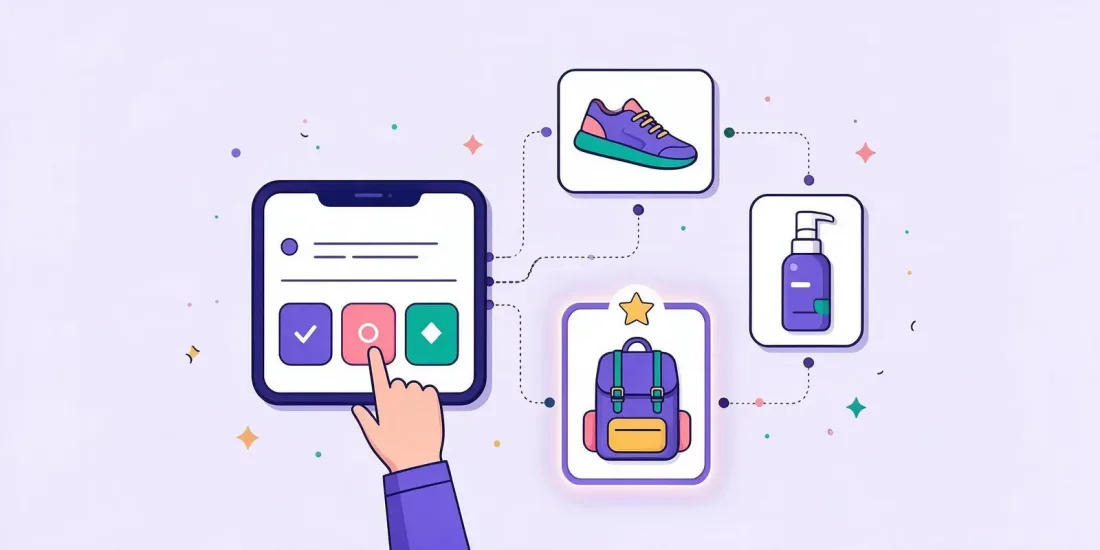
A product recommendation quiz asks shoppers three to six questions about their needs and taste, then shows the two or three products that fit them best, with a picture and a link to buy. To build one that sells, start from the decisions your best shop assistant would help with, map every answer to products, ask for an email and consent in return for something useful, and use the answers to send each person a follow-up that matches what they told you.
Shoppers who can't decide often leave. A big range, technical specs or a very personal choice (skincare, coffee, a bike, a charger for an electric car) makes it hard to pick. A "which product is right for me?" quiz does what a good shop assistant does in a store: it asks a few questions and points to the right shelf. Along the way you learn what each person needs, which is some of the most useful data you can collect. This guide shows how to plan the questions, connect answers to products, collect email and preferences and follow up.
What is a product recommendation quiz?
A product recommendation quiz, also called a product finder quiz, is a short set of questions with a result page that recommends products. Unlike a knowledge quiz, there are no right or wrong answers. Each answer narrows the choice, and the result is a personal recommendation.
In Scratcher, this format is called the product finder. You decide the questions, which answers lead to which products and what the result page shows. You can run it as a campaign with a prize or keep it on your website all year.
It is close to a personality test, which gives people a "type" instead of a product. The two can be combined: a style test that ends with the products for each style.
When a product finder quiz makes sense
A product finder earns its place when people struggle to choose. Good signs:
- Your range is big. Dozens of similar products, and visitors don't know where to start.
- Your products are technical. People don't know which spec they need.
- The choice is personal. Skin type, taste, fit or style matter.
- You sell gifts. The buyer doesn't know what the receiver likes. See our Christmas gift finder quiz guide.
- You want better data. You'd like to know what each subscriber is shopping for, not just their email.
A real example: Zapp asked where the charger would be installed, what car people drove and how far they drove, then recommended a charging box. The quiz brought in 834 new leads at €1.50 each and a 10% lead-to-sales conversion rate in two months.
Step 1: Plan your questions
Start with your shop staff or customer service, not with the product catalogue. Ask them: "What do you ask a customer before you recommend something?" Those questions are your quiz.
Ask about needs, not specs
Most people don't know the technical words. Ask about their life instead.
| Instead of | Ask |
|---|---|
| "Which charging speed do you need?" | "How far do you drive on a normal day?" |
| "Which formula do you prefer?" | "How does your skin feel at the end of the day?" |
| "What roast profile?" | "How do you take your coffee?" |
| "Which frame size?" | "How tall are you?" |
Keep it to three to six questions
Every question should make the recommendation clearly better. If an answer doesn't change which product you recommend, cut the question, or move it to the sign-up form as a preference question.
Use pictures as answers
Pictures are faster to pick than text, especially on a phone. "Which of these rooms looks most like yours?" is easier than "Describe your interior style."
Put the easiest question first
Start with something fun and quick to answer. Once people have answered one question, they are already playing.
Step 2: Map answers to products
This is where a product finder differs from a quiz. You need a clear logic for which answers lead to which products. In Scratcher you can set it up in three ways:
- Groups: sort the questions into levels, so each answer narrows the choice step by step.
- Product per answer: link answers directly to specific products.
- Paths: map your own routes through the questions for very precise recommendations.
Draw it before you build it
Make a simple table or a whiteboard drawing: questions down the side, products across the top. Mark which answers point to which products. You'll quickly see if some products are never recommended or if one product wins almost every time.
Show two or three products, not ten
The result page is where the sale happens. Show the best match first and one or two alternatives, for example a cheaper and a premium option. Each product can have its own title, picture, short text and link straight to the product page.
Connect your product feed
Keeping products up to date by hand gets tedious with a big range. The Basic and Professional plans both include tracking and a product feed, so you can connect your product data to the campaign. Talk to our support team about how it fits your webshop.
Step 3: Collect email and preferences
A product recommendation quiz is one of the best ways to collect zero-party data: information people share with you on purpose, like their needs, taste and budget. Unlike tracking data, nobody has to guess.
Decide where the sign-up goes
You have two choices:
- Sign-up before the result. You get more emails, but some people drop off. Offer something in return, like a discount code on the recommended products or a place in a prize draw.
- Result first, sign-up after. People see the value first, then sign up to get the result by email, a discount or a reminder. Fewer drop-offs, fewer emails.
Test both if you have the traffic. For more on quiz funnels, read our guide to quiz lead generation.
Keep the form short
Email plus a consent checkbox is often enough, because the quiz answers already tell you what you need. Under the GDPR, consent must be "freely given, specific, informed and unambiguous", so use a checkbox that isn't ticked in advance and say what people will receive. If you want to use the answers for personalised marketing, explain that in your consent text and privacy policy. Check the exact wording with your lawyer.
This article is general information, not legal advice.
Send the answers to your email tool
The answers are only useful if they reach the place where you send emails. Send them to your email tool or CRM, like Klaviyo, Mailchimp or HubSpot, with our integrations. Then you can segment on them. Read more about data enrichment.
Step 4: Follow up with the recommendation
Most people won't buy the minute they finish the quiz. The follow-up is where a product finder pays off.
- Right away: an email with their recommendation and a link back to the products. Add the discount code if you promised one.
- A few days later: a reminder for people who haven't bought, perhaps with a review or a short how-to video for the recommended product.
- Later: use the answers in your regular newsletters. Someone who said "dry skin" gets the winter skincare email; someone who drives long distances gets the charger offer.
Brands already do this. BON'A PARTE used its "My Favourites" outfit game to gather first-party data for personalised after-sales emails, and Yuaia Haircare used a hair personality test to personalise its emails and lower its lead price by around 50%. For flow ideas, see our guide to the welcome email flow after a gamified sign-up.
Where to put your product finder
- On a landing page, shared in your newsletter, on social media and in ads.
- As a pop-up on category pages, where visitors are browsing but not choosing. See pop-ups.
- Embedded on a product or advice page, so it helps visitors every day.
- In store, with a QR code on the shelf, so people get advice on their phone when no staff are around.
Product finder quiz ideas
- The gift finder: who is it for, what do they like, what's the budget?
- The taste selector: smoky or fresh, light or full-bodied? For wine, whisky, coffee or tea.
- The size and fit guide: fewer returns because people order the right size.
- The routine builder: a set of products that work together, like skincare or haircare.
- The "which model is right for me?" guide: cars, bikes, electronics, energy solutions.
- The style matcher: a personality test that ends with products for each style.
Common mistakes
- Too many questions. Every extra question loses people. Cut what doesn't change the result.
- Results that feel random. If the recommendation doesn't match the answers, people lose trust. Test every path yourself.
- No reason to buy now. Add a discount code or a free extra for a limited time.
- Answers that stay in the quiz tool. If the data never reaches your email tool, you lose most of the value.
FAQ
How many questions should a product recommendation quiz have?
Three to six is usually enough. Each question should make the recommendation clearly better.
Should I ask for an email before showing the result?
It depends on your goal. Before the result gives more emails; after the result gives fewer drop-offs. Offer something in return either way, like a discount or a prize draw.
What is the difference between a product finder and a personality test?
A product finder recommends products. A personality test gives people a type or a profile. You can combine them by linking each type to products.
Can I keep a product finder running all year?
Yes. Many brands keep it on their website or as a pop-up, so it helps visitors and collects data every day.
Build your product finder
Start from a template, add your questions and products and connect it to your email tool. Start your free 14-day trial, or book a meeting and we'll help you plan the questions and the logic.