Every field on a sign-up form is a small question to your visitor: is this worth it? Ask for too little and you end up with a list you cannot segment. Ask for too much and people leave before they press the button. This guide covers signup form best practices for newsletter and SMS opt-in forms: which fields you really need, where to put the form, and how to collect more data over time without scaring people off.
The trade-off between data and drop-off
There is no magic number of fields. The right number depends on two things: what you need to do with the data, and how much you give people in return.
A plain newsletter form gives very little back, so it should ask for very little. A form that unlocks a game, a prize or a personal result can ask for more, because people can see what they get.
Andel Energi is a good example of the high-friction end. As an energy company, it needs a phone number, an address and permissions, all in one go. For a long time, many people dropped off when they hit the form. When the team made the campaigns more engaging, more people chose to share their details. In one Easter campaign, 37% of participants went all the way from campaign entry to submitted contact information, and 82% later confirmed their contact information.
The lesson is not "always ask for everything". It is that the value of the experience has to match the size of the request.
Must-have and nice-to-have fields
Start by sorting every field into one of three groups.
Must-have
- Email address (or phone number, if SMS is your main channel).
- Consent to marketing, as a separate, unticked checkbox with clear wording about what people will receive.
- Acceptance of the competition terms, if there is a prize.
Nice-to-have
- First name, if you will actually use it in your emails.
- Birthday, if you send birthday offers.
- Postcode or nearest store, if you run local offers.
Only if you have a plan for it
- Phone number without an SMS programme.
- Address, unless you ship prizes or need it for a quote.
- Open-ended questions, unless someone will read the answers.
A simple test: for every field, ask "which email, flow or segment will use this?" If nobody can answer, drop the field.
Asking after the game: reward first, form second
Where you place the form matters as much as how long it is.
A classic sign-up form sits in front of everything. People have to give before they get. In a gamified campaign, you can flip that order. Scratcher lets you decide where the form appears in the flow, for example:
- Before the game, so everyone who plays is a sign-up.
- Before the prize is revealed, so people have already played and are curious about the result.
- Before the quiz result, so people answer the questions first and then leave their email to see their personal outcome.
- Only for winners, so people who did not win can leave without filling anything in.
The middle options often feel fairer to the visitor. They have already invested a little time, and the form becomes the last step to the reward, not a toll gate at the door.
If your main goal is volume, put the form first and keep it short. If your main goal is quality, let people play first and ask when they are most curious.
Phone number and SMS consent
SMS is a valuable channel, but a phone number is a bigger ask than an email address. A few tips:
- Make it optional unless SMS is the whole point of the campaign.
- Ask for SMS consent separately from email consent. People should be able to say yes to one and no to the other.
- Say what they will get ("offers and news by text, about twice a month"), not just "SMS marketing".
- Pre-fill the country code for your main market, so people do not have to work out the format.
With Scratcher, you can ask for a phone number on any form and let players say yes to hear from you by SMS. The permissions go straight to your email or SMS tool with the sign-up.
Progressive profiling across campaigns
You do not have to learn everything about someone on day one. Progressive profiling means collecting a little more each time someone interacts with you.
A practical way to do it with interactive campaigns:
- First campaign: email and consent only. Maybe one fun question.
- Next campaign, sent to subscribers: a quiz or poll that asks about interests, products they own or plans.
- Later: a product finder or personality test that tells you exactly what they are looking for.
Each step gives people something back: a game, a result, a chance to win. That is what makes them happy to answer.
Toyota Denmark did this at scale. New and existing subscribers moved through five quiz and survey modules, each adding more insight into their interests and current car. The data fed personalised email flows, and the setup generated more than 1,274 test drive actions and 2,591 quote requests.
Short surveys work too. nemlig.com sent a five-question survey to people who had tried a free sample and got a response rate above 35%, when they had expected 5 to 10%. Read more about collecting this kind of zero-party data on our data enrichment page.
A tip for Scratcher users: hidden fields can carry information from the link people clicked (for example a source or a segment), so you do not need to ask people for things you already know.
Mobile form UX
Most people play campaigns on their phone, so design the form for a thumb first.
- One column. No side-by-side fields.
- Large tap targets for checkboxes and buttons.
- The right keyboard. Email fields should open the email keyboard, phone fields the number pad.
- Labels that stay visible. Placeholder text that disappears when people start typing makes them forget what the field was for.
- Clear error messages next to the field, not at the top of the page.
- Short consent text with a link to the full terms, rather than a wall of text above the button.
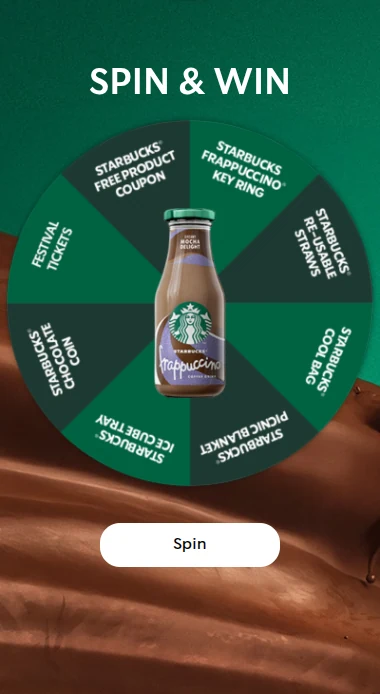
- A button that says what happens: "Spin the wheel" or "See my result" beats "Submit".
Always preview the form on a real phone before you publish. In the Scratcher editor you can switch between phone and desktop views while you build.
Signup form best practices checklist
- Every field has a named use (a flow, a segment or a personalised email).
- Email (or phone) is the only required field, apart from consent.
- Marketing consent is a separate, unticked checkbox with clear wording.
- SMS consent is separate from email consent.
- The form sits at the right point in the flow for your goal.
- The reward is visible before people start typing.
- The button text describes what happens next.
- The form has been tested on a phone.
- Sign-ups and answers flow to your email tool or CRM automatically.
- You have a plan for what you will ask in the next campaign.
Build a form people want to finish
A short form in front of a fun game will almost always beat a long form in front of nothing. Start with the essentials, give people a reason to share, and collect the rest over time.
With Scratcher you build the form in seconds, decide exactly where it sits in the flow and send every sign-up to your tools. See how it works on our lead generation page, or start your free 14-day trial and build your first campaign today.