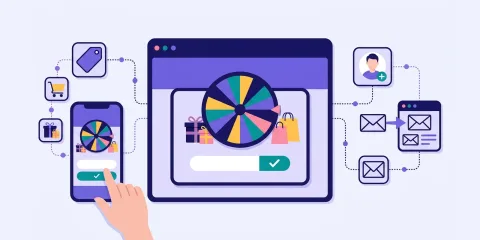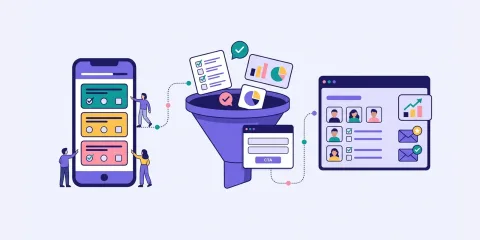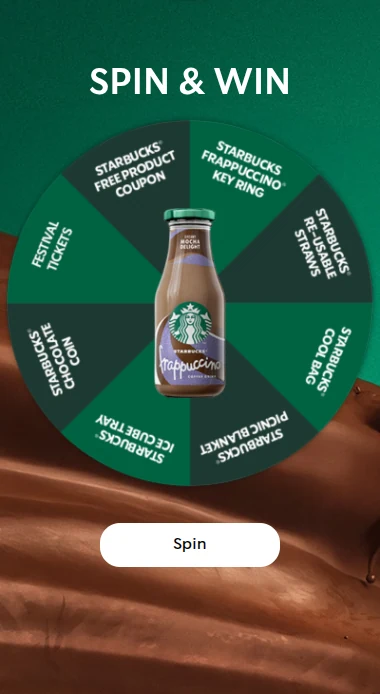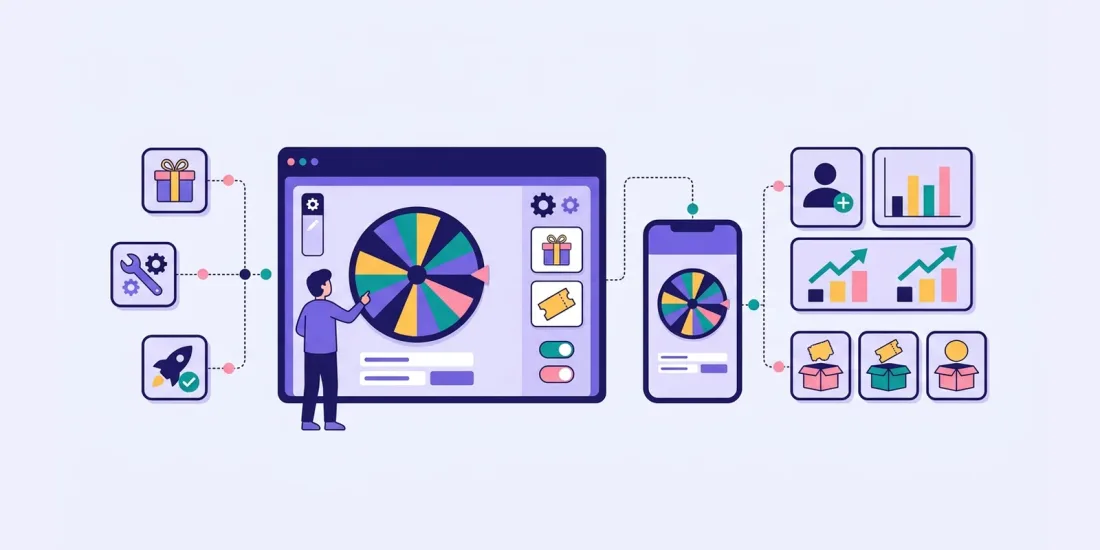
A spin-the-wheel campaign is an online game where people spin a branded wheel for a chance to win a prize, often leaving their email along the way. It works because chance, anticipation and an instant reward make it exciting. In Scratcher you add the format to a game page, set up prizes and their odds, design 4 to 8 slices, add a form and fine-tune the spin.
Want to boost engagement, capture leads and make your campaigns more interactive? Spin the wheel is a proven tactic used by brands across industries to create fun, memorable experiences that drive results.
In this guide, we look at why spin the wheel works so well, share real examples from successful campaigns, and walk you through setting one up in Scratcher, from prize configuration to advanced settings.
The History of Spin the Wheel
Origins in Game Shows and Fairgrounds (1950s–1980s)
Spinning a wheel for prizes became popular through TV game shows like Wheel of Fortune (1975) and fairground games. These formats used randomness and anticipation to entertain audiences and reward participants.
Retail and In-Store Promotions (1990s–2000s)
Physical retailers started using spin-the-wheel setups at events and in shops to drive foot traffic and engagement. It became a popular tool for flash giveaways, raffles and sales events.
Digital Marketing (2010s–Present)
With the rise of digital marketing, spin the wheel became an online interactive format used on websites and in email campaigns. It's now a go-to gamification tactic for:
- Lead generation
- Customer engagement
- Growing newsletter subscribers
- Boosting conversions
Why Luck-Based Games Like Spin the Wheel Work
Spin-the-wheel games tap into basic human psychology.
They create excitement by combining chance, anticipation and the possibility of an instant reward. Not knowing where the wheel will stop is exactly what makes it fun, and it keeps people coming back for another go.
Players also feel a sense of control when they spin, even though the outcome is random. This "illusion of control" makes people more willing to take part and more satisfied afterwards. That's why spin-the-wheel mechanics work so well in marketing: they make people excited, curious and more likely to act.
Use Cases Across Industries
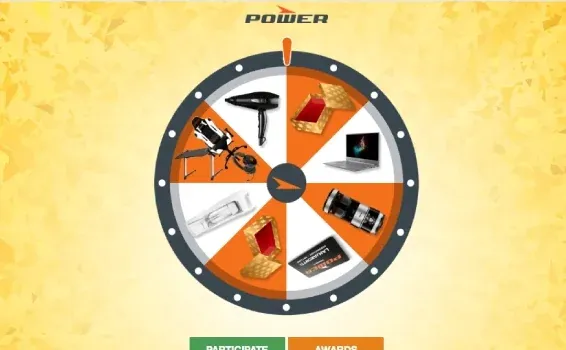
eCommerce: POWER's Black Friday Gamification
POWER, a major electronics retailer in Scandinavia, added a spin the wheel game to its Black Friday sales. The game turned casual visitors into active participants with chances to win prizes and exclusive discounts. The result: 45,697 new members joined the MyPower loyalty programme.
Retail: BOBO's Spin the Wheel Campaign
BOBO, an online furniture retailer, ran a spin the wheel campaign with gift cards and consolation prizes. The campaign attracted over 6,800 unique participants and achieved a cost per lead as low as €0.18, gathering valuable customer data while keeping acquisition costs down.
Consumer Goods: Rascals Brewing Campaign
Rascals Brewing Company used a spin the wheel game to engage its audience and build brand loyalty. Participants spun for prizes and discounts, creating excitement around the brand. Rascals achieved a return on investment of 259%.
B2B: Nova Vista's Retail Activation Gamification
Nova Vista, a Norwegian marketing agency, specialises in gamified retail activation campaigns for brands. By building spin the wheel games into retail marketing, they helped clients increase engagement and drive in-store visits. Typical retail promotions became memorable brand experiences, with an 89% conversion rate.
How to Set It Up in Scratcher
Creating a spin the wheel game in Scratcher is straightforward. You can design a fully branded, interactive experience in just a few steps.
1. Add the Game and Choose a Layout
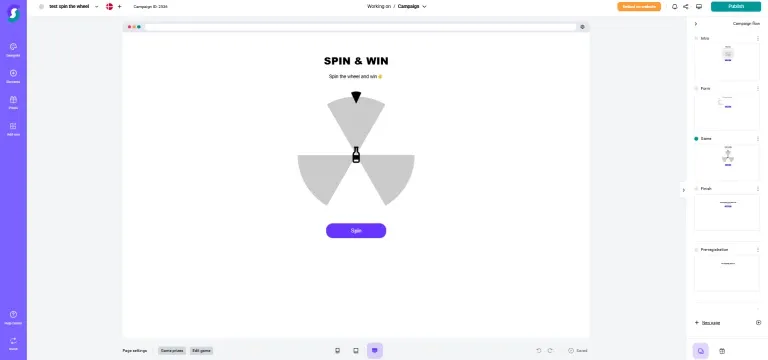
Start by adding a Game Page to your campaign and selecting the Spin the Wheel format. Then choose a layout that fits your campaign. Pick one of the existing templates or create your own from scratch to match your brand.
2. Set Up Your Prizes
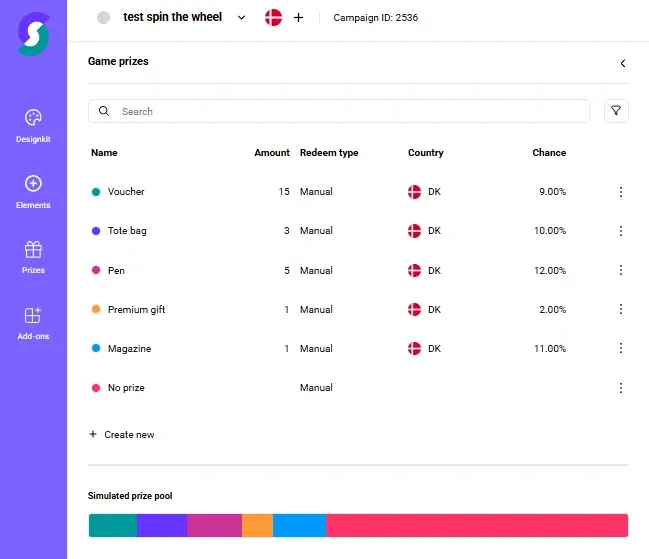
Before designing the wheel, set up your prizes. Each slice of the wheel must link to a prize, so create them first. You can give each prize its own probability to strike the right balance between excitement and achievability.
3. Design the Wheel
Decide how many slices you want (between 4 and 8) and design the wheel in one of two ways: upload a custom image or use Scratcher's built-in editor. When the visual is ready, assign a prize to each slice. You can also add a centre image to the wheel and choose whether it rotates with it.
The pointer at the top of the wheel can be switched on or off. If you use it, you can adjust its size, colour and position, or upload your own image. Small details like these help the game fit your brand.
4. Add a Form
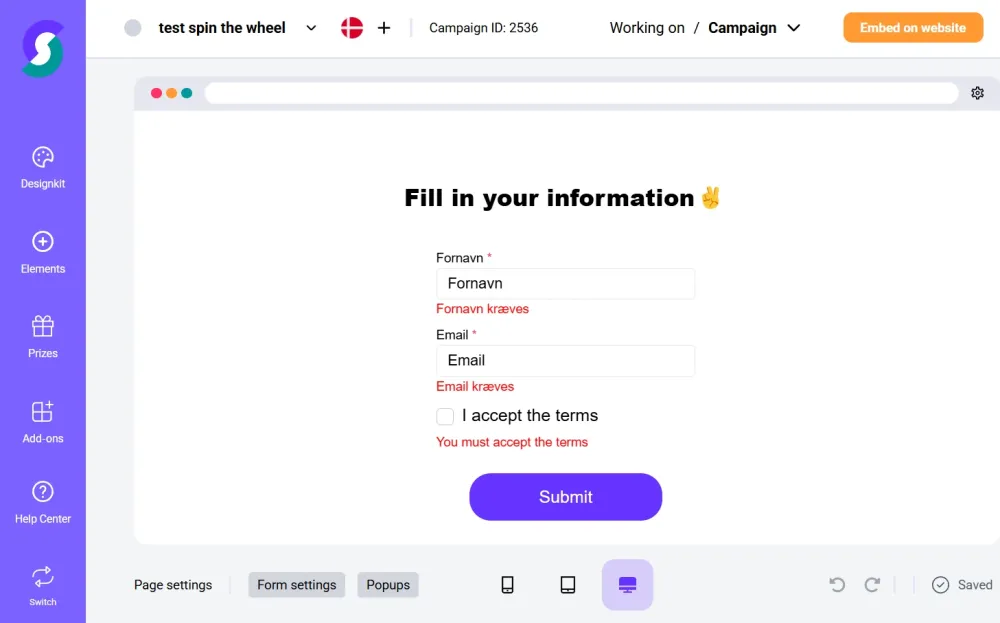
To collect data and leads, add a form to your game. Players can enter their email address before or after spinning, so you gather leads while keeping the experience fun. The form is fully customisable to match your design and messaging, and you can choose required fields and add consent checkboxes.
5. Fine-Tune the Spin
Under settings, select "Advanced". Here you control how the wheel spins: set the spin direction, fine-tune the rotation offset and decide what happens when someone lands on "Try Again". You can also adjust how that message looks and how often it appears.
Video: Screen recording of the advanced spin settings for a Spin the Wheel game in Scratcher.
6. Add Effects and Advanced Options
Make the experience richer with visual and audio effects. Choose from a range of animations and adjust the timing of transitions. You can also upload audio files to play when the wheel starts or stops spinning.
For more advanced use cases, you can add custom CSS and JavaScript event listeners. These give developers the flexibility to connect the game's behaviour to external systems or more complex user journeys.
When you're happy with the setup, build the rest of the campaign flow, such as thank-you pages and follow-up content, and your spin the wheel game is ready to go live.
Implementation Strategies
On-Page Integration
Embedding the game in high-converting landing pages or product pages is simple. Insert a snippet of code and the game loads smoothly without slowing your site down. Place it at strategic points in the browsing flow to capture more leads and create more brand interaction.
Integration with Your Wider Marketing Stack
Beyond the embed or pop-up itself, the game should fit your overall digital strategy. That means connecting it to your analytics tools, syncing data with your CRM through integrations, and A/B testing visual and functional settings. This is what turns a single campaign into long-term, measurable growth.
Gamified Pop-ups
Complement your on-page experience with gamified pop-ups triggered by specific behaviour, such as exit intent, scroll depth or time on page. A well-timed pop-up can lift interaction considerably when it looks appealing and ties directly into your lead generation strategy.
Ready to Spin?
Spin the wheel is easy to understand, fun to play and proven to deliver leads and sales. Find a ready-made wheel in our templates, compare it with another instant-win favourite in our scratchcard marketing guide, or start a free 14-day trial and build your own.