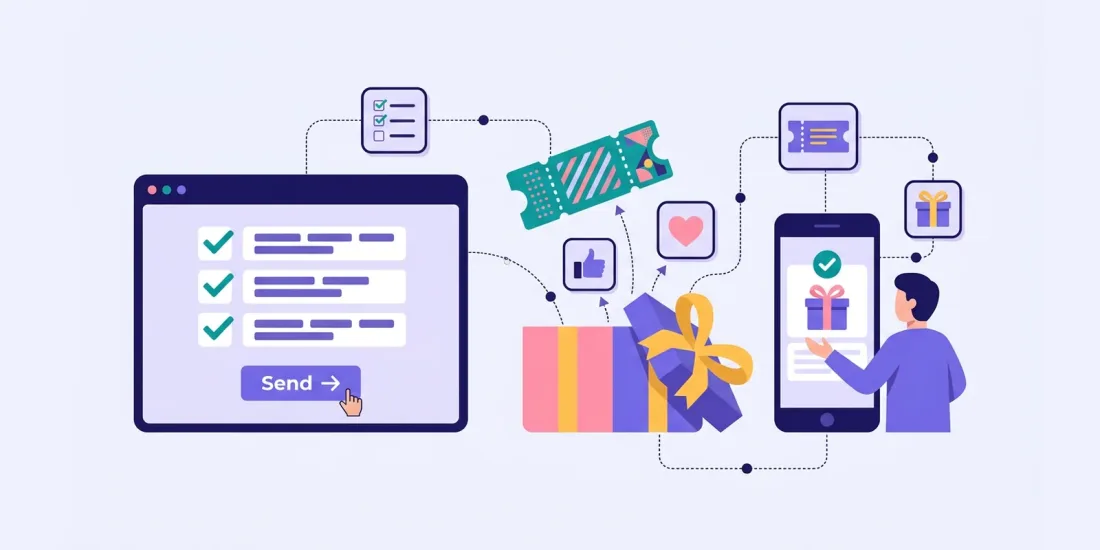
Everyone wants customer feedback. Hardly anyone wants to fill in a survey. That gap is why so many feedback emails end up unopened. The good news is that two things make a big difference: giving something back, and making the survey feel less like a form. This guide covers survey incentives that work, how to keep surveys short, how to gamify them, and how to make sure the answers are still worth having.
Why surveys get ignored
Think about the last survey you skipped. Chances are it had one or more of these problems:
- It looked long. A page full of questions tells people this will take a while.
- It gave nothing back. The survey asked for time and offered only "your opinion matters to us".
- It came at the wrong time. Weeks after the purchase, when the experience was long forgotten.
- It felt like admin. Grey boxes, tiny radio buttons and no sign of the brand people actually like.
- People could not see the point. If customers never hear what happened with their answers, they stop answering.
Fixing these is not complicated, and the results can be big. nemlig.com, the Danish online grocer, ran a five-question survey for a brand whose new product shoppers had received as a free sample. They expected a 5–10% response rate. The interactive survey, with a prize draw for a cash voucher, got a response rate above 35%. Read the nemlig.com story.
Survey incentives: instant win, draw or discount
There are three common types of survey incentives. Each has its strengths.
Prize draw
Everyone who completes the survey enters a draw for one or more prizes.
- Good for: keeping costs predictable while still offering something attractive.
- Watch out for: a prize that is too small to notice, or a draw date so far away that people forget about it.
- Tip: say clearly what can be won and when the draw takes place. Scratcher can pick the winners automatically on the dates you choose and, with the Email module, email them for you.
Instant win
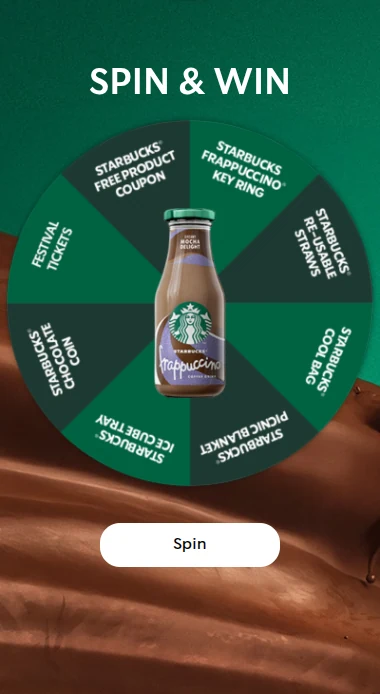
People find out straight away if they won, for example by playing a short scratch card or wheel at the end of the survey.
- Good for: a bit of fun right after the last question, and a feeling of reward in the moment.
- Watch out for: the game becoming the main reason to take part. Keep it as a thank-you, not the headline.
Discount or small gift for everyone
Everyone who finishes gets something: a discount code, free shipping, a free sample or loyalty points.
- Good for: surveys aimed at existing customers, where a code brings them back to shop.
- Watch out for: cost if many people respond. Set limits so you know your maximum.
- Tip: use unique codes, so each code can be used only once. Scratcher can hand them out automatically.
You can read about all the prize types and limits on our prizes page. Whichever you choose, connect the prize to your brand. A voucher for your own shop attracts customers. A generic tablet attracts prize hunters.
Keeping it short
The best way to increase survey response rate is to ask less.
- Five to ten questions is usually plenty. nemlig.com used five.
- Remove the "nice to know" questions. If you will not act on an answer, do not ask the question.
- Put the most important question first. If people drop off, you still have what matters most.
- Use quick question types. Multiple choice, pictures and ratings are fast. Keep open text fields for one or two things you really want in people's own words.
- Show progress. A progress bar tells people how far they are and how little is left.
- Ask for contact details only if you need them. For anonymous feedback, skip the email field. If you want to follow up or run a draw, ask for an email and a clear permission.
A good test: time yourself. If you cannot finish your own survey in two to three minutes, it is too long.
Gamifying the survey
A gamified survey does not mean turning every question into a game. It means making the experience feel light and rewarding.
Show one question at a time
A survey in Scratcher shows one question at a time, so it never looks long. You can mix text, pictures and video in the questions, and let people answer with set options, pictures, a text field or a rating. Your brand is on every screen.
Use ratings and pictures
A rating game lets people score products or experiences with stars, emojis or your own icons, on a scale from 3 to 10 steps. One tap per item makes it the quickest type of feedback there is. Use it for taste tests, store visits or a new collection.
Picture answers work well too. "Which of these would you choose?" with four photos is faster and more fun than a list of product names.
Turn it into a series
Some customer survey ideas work better spread over time:
- A survey in a calendar. Put one question behind each door of a campaign calendar and build a customer profile day by day.
- Learning modules. Toyota Denmark asks subscribers about car ownership and buying plans across several modules that mix quizzes and surveys. 22,352 participants completed its final survey. Read the Toyota story.
Make it part of an experience
Andel Energi saw three times as many people answer its customer survey compared with the previous month when it was tied into a more engaging experience. Read the Andel Energi story.
Bias and data quality
Incentives raise response rates, but they can also change who answers and how. Keep your data honest with a few simple rules.
- Never tie the prize to the answer. Everyone who completes the survey should get the same chance or the same reward, whatever they say. Otherwise you are buying compliments.
- Ask neutral questions. "How was your delivery?" is better than "How happy were you with our fast delivery?"
- Balance your scales. Give as many negative options as positive ones.
- Choose a relevant prize. A prize linked to your brand attracts your real customers. A big generic prize can pull in people who will click anything to enter.
- Limit entries. Decide how often each person can take part, so nobody fills in the survey ten times to improve their odds.
- Watch for speeders. Very fast completions with the same answer to every question are a warning sign. Look at them before you draw conclusions.
- Compare with what you know. If you can, check the answers against real behaviour. nemlig.com, for example, can follow whether shoppers who liked a product actually bought it again.
Using results
A survey is only worth something if the answers lead somewhere.
Act on the answers
- Send them to your CRM or email tool. Scratcher sends answers along with contact details through native integrations, Zapier, webhooks or the API, or you can export them.
- Follow up personally. Happy customers can get a link to leave a review or buy again. Less happy customers can get a personal message and a fix.
- Segment. Use answers about needs and plans to send the right offer to the right person.
- Share with your team. Follow answers in near real time in your campaign statistics, and show the product team what customers actually said.
Close the loop
Tell people what you did with their feedback. "You asked for more vegan options, so here they are" is a great email, and it makes people more willing to answer next time.
Send it at the right moment
Answers are most honest while the experience is fresh.
- Email or SMS the survey shortly after a purchase, a delivery or an event.
- Put a QR code on the receipt, the packaging or the table.
- Use a pop-up on your website for quick one-question checks.
Quick checklist
- One clear goal and five to ten questions
- The most important question first
- An incentive that fits your brand, with clear terms
- One question at a time, with pictures and ratings where possible
- Participation limits on
- Answers mapped to your CRM or email tool
- A plan to tell customers what changed
Get more answers from your customers
People are happy to tell you what they think when it is quick, friendly and rewarded. Start a free 14-day trial and build your first interactive survey from a template, or book a meeting and we will help you plan it.