



Verbinde Scratcher ganz einfach mit deinem Marketing-Tech-Stack
Native Integrationen und Zapier verbinden dich mit über 8.000 Apps. Nutze CSV-Dateien, Webhooks oder die API, um genau die Daten an dein eigenes System zu senden, die du brauchst.
Deine Daten, genau da, wo du sie brauchst
20
native Integrationen
8.000+
Apps über Zapier
Mit wenigen Klicks verbunden
Wähle dein Tool, melde dich an und lege fest, welche Felder gesendet werden. Das war’s.

Neue Anmeldungen als Kontakte hinzufügen.

Spieler zu deinen Listen hinzufügen.

Deine Zielgruppe automatisch vergrößern.
Anmeldungen an deine Data Extensions senden.

Kontakte und Tags hinzufügen.

Bestellungen, Umsatz und Neukunden tracken.

Über 8.000 weitere Apps verbinden.

Kontakte und Einwilligungen synchronisieren.

Anmeldungen und Antworten senden.
Deine Listen vergrößern.

Personen und Aktivitäten hinzufügen.

Abonnenten und Tags hinzufügen.

Neue Kontakte senden.
Abonnenten hinzufügen.

Mitglieder zu deinen Listen hinzufügen.

Abonnenten hinzufügen.

Anmeldungen über Zapier senden.

Abonnenten über Zapier hinzufügen.

Kontakte über Zapier hinzufügen.

Kontakte über Zapier hinzufügen.

Elemente über Zapier erstellen.
Aufgaben über Zapier erstellen.
Elemente über Zapier erstellen.

Kunden und Einwilligungen synchronisieren.

Neue Abonnenten senden.

Kontakte zu deinen Listen hinzufügen.

Nutzer zu deinen Listen hinzufügen.
Du nutzt etwas anderes?
Verbinde dich mit über 8.000 Apps wie Google Sheets, Slack, Pipedrive und Monday – ganz ohne Code.
Lass deine eigenen Systeme Kampagnen, Anmeldungen und Gewinner auslesen.
Sende neue Anmeldungen und Gewinner in dem Moment, in dem sie entstehen, an eine beliebige Adresse.
Bei Enterprise-Plänen können wir eine Anbindung an deine eigenen Systeme bauen.
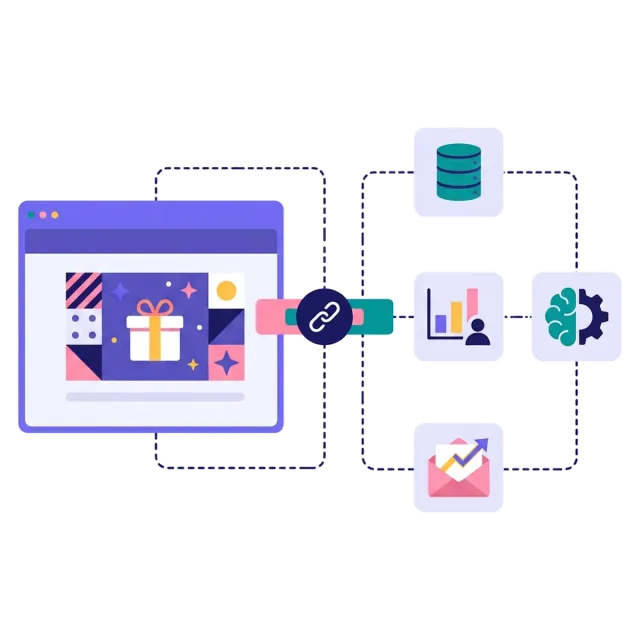
Wir bauen individuelle Integrationen
Salesforce, HubSpot, Klaviyo, ein selbst gehostetes System oder deine KI-Tools: Wir sorgen dafür, dass die Daten bei jeder Teilnahme ankommen. Bei Enterprise-Plänen bauen wir die Anbindung an deine eigenen Systeme.
Daten werden gesendet, sobald jemand teilnimmt
Felder so zugeordnet, wie dein System sie erwartet
Unterstützung durch unser Team von Anfang bis Ende
Das sagen unsere Kunden
Was den CPM angeht, war es einer der niedrigsten, die wir je hatten. Es war das erste Mal, dass wir etwas so offensiv Taktisches gemacht haben, ohne uns nur auf den Produktpreis zu konzentrieren.
Meiner Erfahrung nach konvertieren in der Regel über 50 % derjenigen, die bei einem Scratcher-Spiel mitmachen – ob Bestandskunden oder neue Leads – innerhalb eines überschaubaren Zeitraums.
Wir haben einen Weihnachtskalender erstellt, und die Conversions waren höher als je zuvor. Unsere Newsletter-Anmeldungen sind um 130 % gestiegen.
Wir arbeiten mit Scratcher, weil sie flexibel sind und ihre Kunden stark in den Mittelpunkt stellen – und weil die Plattform einfach zu bedienen ist.
Mit Scratcher sind die Kosten pro Lead gesunken, und Volumen zu erreichen ist kein Problem mehr. Es stärkt die Kundenbindung und gibt Kunden einen Grund wiederzukommen.
Gamification im Marketing hat uns gezeigt, dass Kampagnen viel ganzheitlicher sein können, als wir es gewohnt sind. Sie steigern die Bekanntheit, verbessern unsere Kennzahlen deutlich und bringen neue Nutzer auf die Plattform.
Eine zentrale Stärke der Scratcher-Plattform ist die einfache Einrichtung und die Anpassbarkeit, mit der unser Kreativteam gamifizierte Kampagnen genau auf unsere Markenidentität zuschneiden kann.
Bei den Kosten pro neuem Spender sehen wir, dass diese vorab engagierten Leads die Akquisitionskosten im Vergleich zu anderen Kanälen deutlich senken.

Erstelle noch heute deine erste Kampagne
Schließ dich den Marken an, die mit Scratcher über 35 Millionen Anmeldungen gesammelt haben. 14 Tage kostenlos testen – keine Kreditkarte nötig.
14 Tage kostenlos testen
Keine Programmierung nötig