







Skip to content

Rex, your AI assistant: the busywork, handled. The ideas, yours 👉 Meet Rex

Interactive graphic
Campaign format

Interactive graphic

Turn any picture into something people can explore. Add clickable spots to a room, a shop shelf, a map or a poster, and each click opens a product, a fact, a question or a prize. It's a simple way to make people look closer at what you sell.

Used by brands like Burger King, Toyota and WWF

Burger King Starbucks Toyota Siemens Scania Swatch Wolt Swisscom OBI Migros Change Lingerie Anthon Berg WWF
About the format

About the interactive graphic

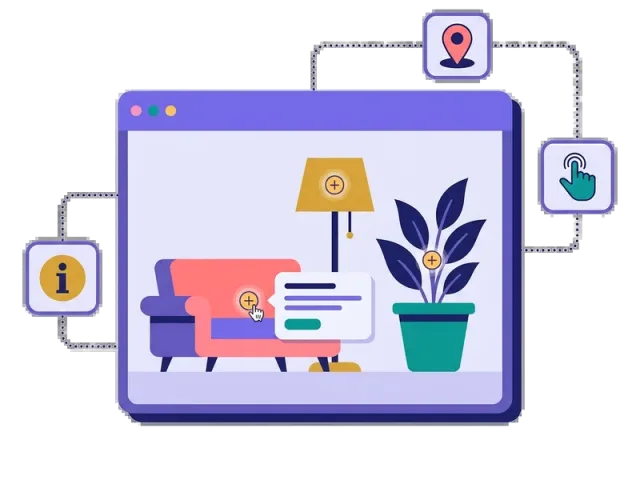
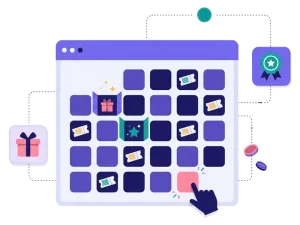
An interactive graphic is your own picture with clickable areas on top. You upload an image — a living room, a shop window, a floor plan, a holiday scene — and mark the spots people can click. Each spot takes the player to its own page with a product, a story, a question or a game.

People decide where to click, so they explore at their own pace and spend more time with your brand. You can also open the spots one at a time on set dates, for a calendar built on your own picture.

  • Clickable spots on your own picture

  • Each spot opens its own page: a product, a fact, a game or a form

  • Open the spots on set dates for a calendar on your own image

  • Great for products, floor maps and hidden-object hunts

About the interactive graphic
Customer story

Ree Park turned the safari park into an interactive map

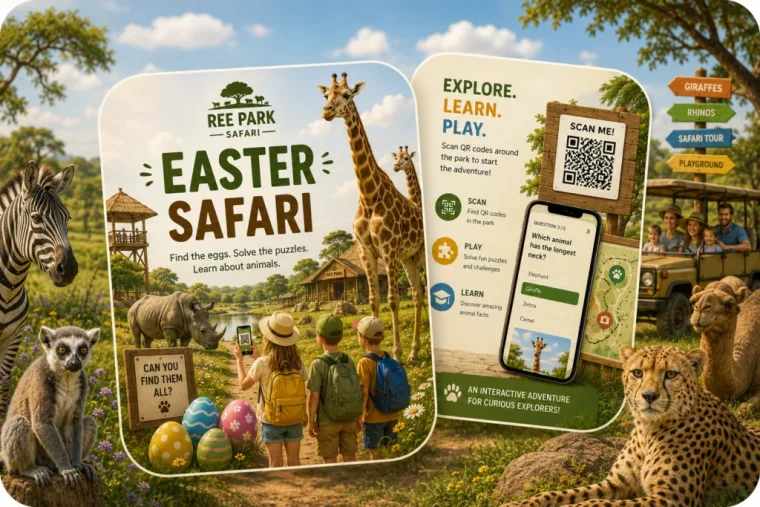
For Easter, Ree Park Safari put QR codes around the park. Visitors scanned them and opened an interactive map of the park, where hidden eggs unlocked quizzes about the animals and small games.

Everyone who took part entered a draw for annual passes, and all participants got a reward to use in the park shops.

Ree Park Easter Safari graphic with children, animals and a QR code quiz

“Our guests told us they experienced the park in a completely new way, and we engaged approximately 30% of all visitors in the treasure hunt.”

Pierre SkovgaardHead of Sales and Marketing at Ree Park Safari
  • 1,567participants
  • 69%conversion rate
  • 3:39 minaverage time spent
Why an interactive graphic

Four reasons to make your picture clickable

People explore by themselves

Every click is a choice. That makes people curious about what is behind the next spot.

More time with your brand

Exploring a picture takes longer than reading a banner, and people remember more of what they found.

Show your whole range

Put your products in a real setting and let people click to see each one up close.

Games inside the picture

A spot can open a quiz, a scratch card or a sign-up form, so exploring leads to taking part.


How it works

Make your interactive graphic in four simple steps

1
Create your account

Sign up for free in under a minute. No credit card, nothing to install.

2
Upload your picture

Use a photo or an illustration of a room, a shelf, a map or anything else you want people to explore.

3
Add clickable spots

Mark the areas people can click, and choose what each one opens. Rex, our AI assistant, can write the texts.

4
Share it

Publish it as a landing page, pop-up or embed, and share the link on social media, in your newsletter or with a QR code.


Special formats

Other similar game concepts

These formats also let people discover something new, one step at a time.

Where it works

Where an interactive graphic shines

On your website
On your website

Embed the picture on a product page or show it as a pop-up, so visitors can explore your range.

Read more: On your website

At events and trade shows

Turn the floor plan into a map people scan with a QR code, and send them to the stands you want them to visit.

Read more: At events and trade shows

With prizes
With prizes

Hide prizes behind some of the spots, or ask people to sign up to win after they have explored.

Read more: With prizes


How an interactive graphic campaign works

An interactive graphic starts with a picture. You add clickable spots on top of it, and each spot leads to its own page. That page can show a product with a link to your shop, tell a short story, ask a question or start a game. People choose where to click, so every visit is a little different.

The picture is what makes it work. A living room full of your furniture, a fridge full of your products or a map of your festival is much more fun to explore than a list. People look for details, click on what catches their eye and come across things they didn't know you had.

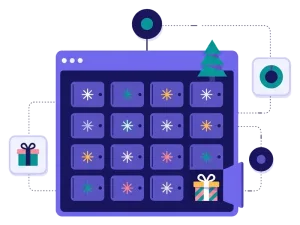
You can also open the spots one by one on set dates. That turns your own picture into a calendar — a house with windows, a Christmas tree with baubles or a city with shops — just like a Christmas calendar, only with your own design.

When to use an interactive graphic

An interactive graphic is a great choice when you have a lot to show and want people to discover it by themselves. Use it when you want to:

  • Show your products in a real setting, like a room, a kitchen or an outfit.
  • Guide people at an event with a clickable floor plan.
  • Run a hidden-object hunt where people find products or prizes in the picture.
  • Explain something step by step, like how a product works or the story of your brand.
  • Build a calendar on your own picture for Christmas, Easter or a campaign month.

Interactive graphics are popular with furniture and interior brands, retail, food and drinks, travel, theme parks, trade shows and B2B companies with a big product range. For events, read how interactive floor maps drive trade show traffic, and find more seasonal ideas in our Christmas campaign ideas.

5 ideas for your interactive graphic

  1. Shop the room: a living room or a kitchen where every piece of furniture links to the product.
  2. The festival map: a map of the site with stages, food and sponsors, each with its own page.
  3. Find the hidden products: hide five products in a busy picture and ask people to find them all to enter the draw.
  4. The advent house: a house with 24 windows that open one day at a time, each with a gift or an offer.
  5. Behind the scenes: a picture of your factory, farm or shop where each spot tells part of your story.

Tips for an interactive graphic that converts

Tip #1: Pick a picture with a lot to discover

The picture should invite people to look closer. A busy scene with many details works better than a plain product shot.

  • Use a picture that looks good on a phone, where most people will see it.
  • Make it clear what people can click, for example with small markers.

Tip #2: Keep each spot short

Every click should give people something quickly: a picture, a sentence and a button.

  • One product or one message per spot.
  • Link to your shop when a spot shows a product.

Tip #3: Give people a reason to click everything

Curiosity gets people started. A goal keeps them going.

  • Hide a discount code or a prize behind one of the spots.
  • Ask people to find all the spots to enter a competition.
  • Read more about prizes.

Tip #4: Collect sign-ups the right way

Ask for an email and newsletter permission before people explore or before they can win. Keep the form short, and send the sign-ups straight to your email tool with our integrations. Read more about how games help with lead generation.

An interactive graphic turns a picture into a small journey through your brand. Start with one image, add a few spots and see where people click.
Questions

Questions about the interactive graphic

Book a meeting
  • You upload a picture and mark the spots people can click. Each spot leads to its own page with a product, a text, a question or a game. The interactive graphic is a special format, included on Professional or as an add-on.

  • Any photo or illustration you have the rights to: a room, a shop shelf, a floor plan, a map or a poster. Pictures with many details work best.

  • Yes. You can give each spot its own dates, so they open one at a time — for example as a Christmas calendar built on your own picture.

  • On its own landing page, as a pop-up on your website or embedded on any page. Share the link on social media, in your newsletter or with a QR code at your event.

  • Yes. Scratcher is ISO 27001 certified and built for the GDPR. You decide what you ask for, write your own consent text and decide when the data is deleted.

Works with Shopify and Klaviyo

Send sign-ups to Klaviyo, HubSpot, Mailchimp and 17 other native integrations, and track orders and revenue in Shopify.

See integrations

From €399 a month

Billed monthly or yearly, same price. Try it free for 14 days, no credit card needed.

See pricing

Why not a free plugin?

A plugin gives you one wheel in one shop. Scratcher gives you 40+ formats for your site, emails, social media and stores, with consent, prize codes and results in one place.

For agencies

Agency mode: one login for every client, each with their own account, brand and results.

Scratcher for agencies