













Skip to content

Rex, your AI assistant: the busywork, handled. The ideas, yours 👉 Meet Rex

Online poll maker for marketing
Knowledge format

Online poll maker for marketing

Ask your audience one simple question and let them vote with a single tap. An online poll is quick to take part in, fun to share and gives you real answers from real people — and it can collect sign-ups at the same time.

Used by brands like Burger King, Toyota and WWF

Burger King Starbucks Toyota POWER Sport24 Wolt WWF nemlig.com Skoringen Anthon Berg Change Lingerie Fleggaard Uno-X
About the format

About the online poll

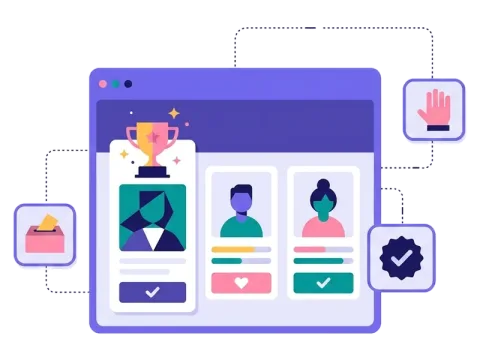
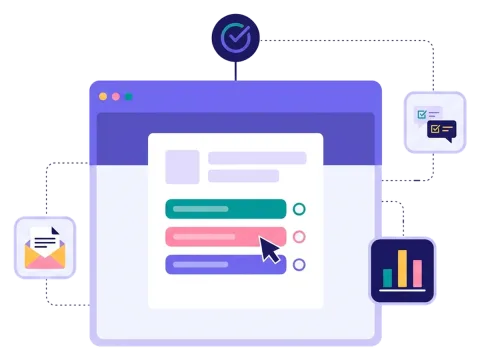
The online poll is the quickest way to hear what your audience thinks. Ask a question, add a few answers and let people vote. They can see the results right away or when the poll ends — you decide.

Add pictures or video to make the poll more fun, show the votes as numbers or percentages, and use the page after the vote for an offer or a link. Add a sign-up form and a prize, and your poll grows your list too.

  • One or several answers per person

  • Show results right away or when the poll ends

  • Votes shown as numbers or percentages

  • Pictures and video in questions and answers

About the online poll
Why an online poll

Why use an online poll

One tap to take part

Voting takes seconds, so many people join in.

Starts a conversation

People love to give their opinion and see what others think.

Real customer insight

Find out what your audience wants before you decide.

Sign-ups as a bonus

Add a short form and a prize, and grow your list while people vote.


How it works

Make your online poll in four simple steps

1
Create your account

Sign up for free in under a minute. No credit card, nothing to install.

2
Find a template

Pick a ready-made online poll template, or ask Rex, our AI assistant, to suggest one for your goal.

3
Design it with AI

Rex adds your logo, colours and fonts from your website and writes the texts. Adjust anything with drag and drop.

4
Share it

Publish it as a landing page, pop-up or embed, and let Rex write the posts for your social media.


More knowledge formats

Other similar game concepts

Like the online poll? These knowledge formats also let your audience have a say.

Where it works

Great ways to use an online poll

Get people talking on social media

A quick question is easy to share and gets people to join in.

Read more: Get people talking on social media

Add a poll to your newsletter

Give your subscribers a reason to click and hear what they think.

Read more: Add a poll to your newsletter

Follow the votes as they come in

See the votes in near real time and use the results in your planning.

Read more: Follow the votes as they come in


How an online poll campaign works

An online poll asks one clear question with a few answers. People pick their favourite with a single tap and, if you want, see right away what everyone else voted. It takes seconds to take part, which is why polls get so many answers.

In Scratcher you decide whether people can choose one answer or several, and whether the results are shown straight after the vote or only when the poll ends. You can show the number of votes, the percentages or both. Add pictures or video to the question and the answers to make the poll more lively, and use the page after the vote for a message, an offer or a link.

Like all our formats, the poll can have a sign-up form and a prize, so a quick vote also grows your newsletter list.

When to use an online poll

A poll is the right choice when you want a quick answer from many people, or when you simply want to start a conversation.

  • Product development: let customers choose the next flavour, colour or design.
  • Social media: a light poll is an easy way to get comments and shares. Read more about campaigns on social media.
  • Sport and events: let fans vote for player of the match or the theme of the next event. See our tips on key moments for gamified campaigns in sports.
  • Newsletters: add a one-question poll to your newsletter to get people clicking.
  • Customer insight: find out what matters most to your customers before you plan your next campaign.

7 ideas for your online poll

  1. "Which one should we launch next?" Show two to four new products and let people decide.
  2. "Favourite of the season." Ask about the best summer drink, Christmas dish or autumn outfit.
  3. "Player of the match." Let fans pick the best player straight after the final whistle.
  4. "What should we talk about?" Let your audience choose the topic of your next post, webinar or event.
  5. "Guess what others voted." Ask people to guess the most popular answer, then show the result.
  6. "This year's trend." Ask which trend people think will win — and share the results afterwards.
  7. The weekly poll. One new question every week keeps people coming back.

Tips for an online poll that converts

Tip #1: Ask one clear question

A poll works because it is quick. Keep it that way.

  • Ask one question that anyone can answer in a second.
  • Use two to five answers — more makes it hard to choose.
  • Write short answers or use pictures instead.

Tip #2: Show the results at the right time

Seeing the results is part of the fun.

  • Show them straight away if you want people to compare their answer with others.
  • Wait until the poll ends if you want people to come back, or if you plan to announce a winner.

Tip #3: Give people a reason to sign up

A poll on its own is quick. Add a prize draw for everyone who votes and ask for an email and newsletter permission. Set it up once with prizes on autopilot.

Tip #4: Use the results

The votes are real insight from real people.

  • Share the results on social media or in your newsletter.
  • Use them when you plan products, offers and content.
  • Follow the votes in near real time in your campaign statistics.

Tip #5: Put it where people already are

  • Show the poll as a pop-up on your website.
  • Add it to your newsletter.
  • Share it on social media or with a QR code at your event.

Tip #6: Go further when you need more

If one question isn't enough, try a survey with several questions. If you want to crown a winner among many nominees, the vote game is made for that, and a product battle pits two options against each other.

Make your first online poll

You can make a poll in minutes: pick a template, write your question and answers, add your brand and share the link. It's one of the quickest ways to get your audience involved.

Questions

Questions about the online poll

Book a meeting
  • You ask one question with a few answers, and people vote with a single tap. Depending on your settings, they see the results right away or when the poll ends.

  • Yes. You decide whether people can pick one answer or several.

  • Yes. You choose whether to show the results straight after the vote or only when the poll is over, and whether to show numbers, percentages or both.

  • Yes. Add a short form and ask for an email and newsletter permission. A prize draw for everyone who votes gives people an extra reason to sign up.

  • On its own landing page, as a pop-up on your website or embedded on any page. You can also share the link in newsletters, on social media or with a QR code.

Works with Shopify and Klaviyo

Send sign-ups to Klaviyo, HubSpot, Mailchimp and 17 other native integrations, and track orders and revenue in Shopify.

See integrations

From €399 a month

Billed monthly or yearly, same price. Try it free for 14 days, no credit card needed.

See pricing

Why not a free plugin?

A plugin gives you one wheel in one shop. Scratcher gives you 40+ formats for your site, emails, social media and stores, with consent, prize codes and results in one place.

For agencies

Agency mode: one login for every client, each with their own account, brand and results.

Scratcher for agencies