













Skip to content

Rex, your AI assistant: the busywork, handled. The ideas, yours 👉 Meet Rex

Photo competition
Campaign format

Photo competition

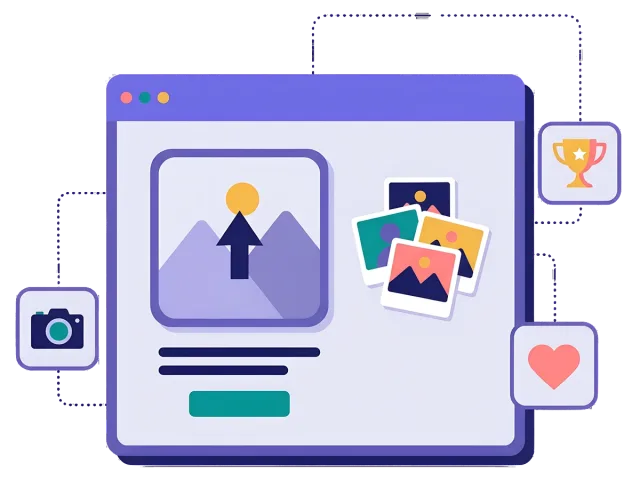
Ask people to upload a photo to take part: their best holiday picture, a selfie with your product or their own take on a theme. You collect sign-ups and real photos from your customers, and you pick the winners yourself.

Used by brands like Burger King, Toyota and WWF

Burger King Starbucks Toyota Siemens Scania Swatch Wolt Swisscom OBI Migros Change Lingerie Anthon Berg WWF
About the format

About the photo competition

In a photo competition, people take part by uploading a picture. You set the theme — the best summer photo, a picture of your product in use, a pet in its favourite spot — and they fill in a short form and add their photo from their phone or computer.

The photos come in with the sign-ups, so you see who sent what. When the competition ends, you look through the entries and pick the winners yourself. It's a great way to get people involved and to collect real pictures of your customers and your products.

  • People upload a photo to take part

  • Each photo comes in with the person's sign-up

  • You look through the entries and pick the winners

  • Great for social media, summer and seasonal campaigns

About the photo competition
Example campaign

“Show us your summer pet”: a photo competition for a pet shop

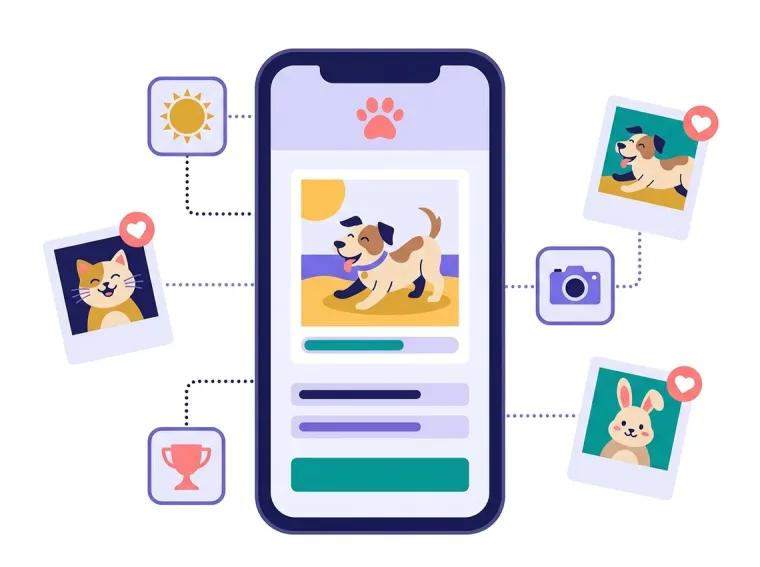
This is how a pet shop could run a summer photo competition. Customers upload their best summer photo of their pet, add their name and email and tick the box for the newsletter.

At the end of August, the shop picks the three best photos and the winners get a gift card. With the owners' permission, the best photos are shown in the newsletter and on social media — and the shop gets new subscribers who love their pets.

Example of a photo competition for a pet shop on a phone
Why a photo competition

Four reasons to run a photo competition

People get creative

Taking a photo takes more effort than a click. The people who take part really care about your brand.

Real pictures of real customers

Collect photos of your products in use, with the right consent, to inspire your next campaign.

Shared with friends

People are proud of their photos and tell their friends they have entered.

Fair and exciting

You pick the best photos. That feels fair, and it makes people try harder.


How it works

Make your photo competition in four simple steps

1
Create your account

Sign up for free in under a minute. No credit card, nothing to install.

2
Choose a theme

Decide what people should take a photo of, and what the winners get.

3
Design it with AI

Rex adds your logo, colors and fonts from your website and writes the texts. Add the sign-up form and the photo upload with drag and drop.

4
Share it

Publish it as a landing page, pop-up or embed, and let Rex write the posts for your social media.


Get people involved

Other similar game concepts

These formats also let people have their say and show what they like.

Where it works

Where a photo competition shines

On social media
On social media

Share the competition in a post and ask your followers to show their best picture.

Read more: On social media

In stores and at events

Put a QR code on a poster or a photo wall, so people can take a picture and enter on the spot.

Read more: In stores and at events

Prizes for the best
Prizes for the best

Decide what the best photos win, from a gift card to a big main prize, and pick the winners yourself.

Read more: Prizes for the best


How a photo competition works

A photo competition is a campaign where people take part with a picture. They open your campaign, fill in a short form and upload a photo from their phone or computer. When the competition ends, you look through the photos and choose the winners.

The theme is what makes it work. A good theme is easy to understand and fun to take part in: the best holiday photo, the most creative way to use your product, a picture of the family dog in its favourite spot or a photo from your festival. The clearer the theme, the more people join in.

Because each photo comes in with the person's sign-up, you know who sent what and can contact the winners straight away. That's different from a contest in the comments on social media, where you have to collect names and permissions by hand.

When to use a photo competition

A photo competition is a great choice when you want people to get involved, not just click. Use it when you want to:

  • Collect real photos of your products and customers, with the right consent.
  • Create buzz on social media, where people tell their friends they have entered.
  • Celebrate a season or an event, like summer, Christmas or your anniversary.
  • Build a community around a hobby, a sport or a place.
  • Get sign-ups from people who really care about your brand.

Photo competitions are popular with travel and tourism, pet brands, food and drinks, sports and outdoor brands, theme parks, festivals and local businesses. For more ways to get comments and clicks, read our ideas for interactive social media posts.

5 ideas for your photo competition

  1. The summer photo: ask for the best holiday picture, with a trip as the main prize.
  2. Your product in action: ask people to show how they use your product in everyday life.
  3. The pet star: a competition for the cutest pet photo, perfect for pet shops and pet food brands.
  4. The festival wall: a QR code at your event, so people upload their best picture of the day.
  5. Our town: ask locals to share their favourite spot in town, with prizes from local shops.

Tips for a photo competition that converts

Tip #1: Choose a theme that's easy to join

People should know straight away what to take a photo of. A photo they already have on their phone lowers the barrier.

  • Write the theme in one short sentence.
  • Show an example of a good photo on the start page.

Tip #2: Make the prizes and the rules clear

Tell people up front what they can win, how you pick the winners and when the competition ends.

  • Show the prizes on the start page.
  • Write clear rules and terms.
  • Read more about prizes.

Tip #3: Ask for permission to use the photos

If you want to show the photos on your website or social media, ask for it in the form.

  • Add a clear checkbox for permission to use the photo.
  • Tell people how and where you will use it.

Tip #4: Collect sign-ups the right way

Ask for an email and newsletter permission in the same form as the photo upload. Keep the form short, and send the sign-ups straight to your email tool with our integrations. Read more about how games help with lead generation.

A photo competition gets people to show what your brand means to them. Pick a fun theme, add a great prize and see what your customers come up with.


Questions

Questions about the photo competition

Book a meeting
  • People fill in a short form and upload a photo to take part. Each photo comes in with the person's sign-up, and when the competition ends, you look through the entries and pick the winners.

  • One picture per person, up to 5 MB, from their phone or computer. Most phone photos fit easily.

  • You look through the photos and choose the ones you like best. You can also let a jury decide — you are in charge of the rules.

  • On its own landing page, as a pop-up on your website or embedded on any page. Share the link on social media, in your newsletter or with a QR code in your store.

  • Yes. Scratcher is ISO 27001 certified and built for the GDPR. You decide what you ask for, write your own consent text and decide when the data is deleted.

Works with Shopify and Klaviyo

Send sign-ups to Klaviyo, HubSpot, Mailchimp and 17 other native integrations, and track orders and revenue in Shopify.

See integrations

From €399 a month

Billed monthly or yearly, same price. Try it free for 14 days, no credit card needed.

See pricing

Why not a free plugin?

A plugin gives you one wheel in one shop. Scratcher gives you 40+ formats for your site, emails, social media and stores, with consent, prize codes and results in one place.

For agencies

Agency mode: one login for every client, each with their own account, brand and results.

Scratcher for agencies