















Skip to content

Rex, your AI assistant: the busywork, handled. The ideas, yours 👉 Meet Rex

Pre-registration campaign
Campaign format

Pre-registration campaign

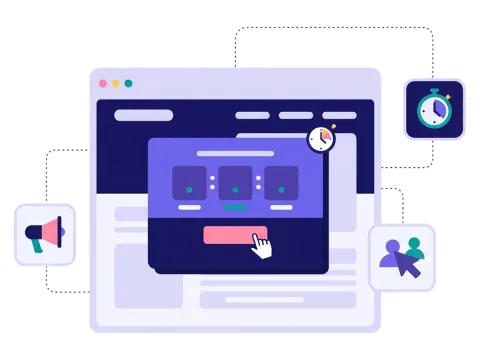
Your campaign starts in two weeks — why wait to collect sign-ups? A pre-registration page lets people sign up before launch, with a countdown that shows how long is left. When the day comes, you already have a list of people ready to play.

Used by brands like Burger King, Toyota and WWF

Burger King Starbucks Toyota POWER Sport24 Wolt WWF nemlig.com Skoringen Anthon Berg Change Lingerie Fleggaard Uno-X
About the format

About pre-registration

Pre-registration is the warm-up before your campaign. People visit the page, see a countdown to the start and sign up so they hear from you when it begins. It's a waitlist with a bit of excitement built in.

It's often used before a Christmas or advent calendar, but it works before any campaign, product launch, event or store opening. You get sign-ups and newsletter permissions early, and your campaign starts with a crowd instead of an empty room. Pre-registration is a special format: included on Professional, or as an add-on.

  • Collect sign-ups before your campaign starts

  • A countdown that builds excitement

  • Schedule an email for your start date

  • Works before calendars, launches and events

About pre-registration
Why pre-registration

Four reasons to open sign-ups early

A strong first day

Start your campaign with a list of people who are already waiting for it.

Excitement builds

A countdown makes people curious and gives them something to look forward to.

More time to collect

Your list starts growing weeks before launch, not on the day itself.

Easier to promote

Give your newsletter, ads and social posts something to point to before you go live.


How it works

Make your pre-registration in four simple steps

1
Create your account

Sign up for free in under a minute. No credit card, nothing to install.

2
Find a template

Pick a ready-made pre-registration template, or ask Rex, our AI assistant, to suggest one for your goal.

3
Design it with AI

Rex adds your logo, colours and fonts from your website and writes the texts. Adjust anything with drag and drop.

4
Share it

Publish it as a landing page, pop-up or embed, and let Rex write the posts for your social media.


Pairs well with

Other similar game concepts

Pre-registration works best in front of a campaign that runs for days or weeks.

Get the word out

Spread the word before you launch

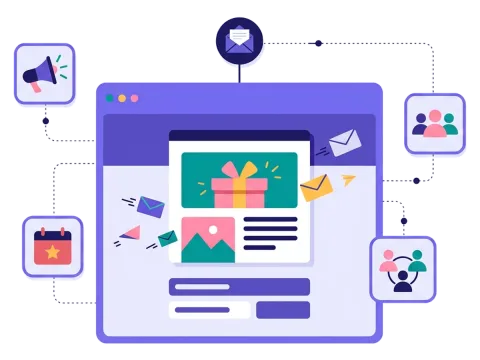
In your newsletter
In your newsletter

Tell your subscribers what's coming and ask them to sign up, so they don't miss the first day.

Read more: In your newsletter

On your website
On your website

Show a pop-up or a banner that points visitors to the countdown.

Read more: On your website

On social media
On social media

Share the countdown in posts and ads, and let your followers sign up straight away.

Read more: On social media


How a pre-registration campaign works

A pre-registration campaign is a page that goes live before your real campaign. It tells people what's coming and when, shows a countdown, and asks them to sign up so they hear from you on launch day.

The sign-up form works like any other Scratcher form. You ask for what you need — often just an email — and a newsletter permission. With the Email module (included on Professional, or as an add-on), you can schedule an email for the start date that tells everyone on the list it's live, so they come straight back. Or send it from your own email tool.

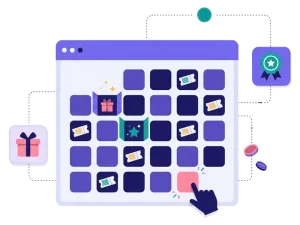
Pre-registration is most often used in front of campaigns that run over several days or weeks, like a Christmas calendar, an advent calendar or a campaign calendar. The first day of a calendar is often the busiest, so it pays to have people ready.

When to use pre-registration

Use pre-registration whenever you know a big moment is coming and want people to be ready for it. It's a way to turn interest into a list before you've even started. It's a good fit when you want to:

  • Warm up a Christmas campaign in November, so 1 December starts strong.
  • Build a waitlist for a product launch and let people know when it's out.
  • Fill up an event or store opening with people who have already said they're coming.
  • Get more out of your ads by sending traffic to a page that collects sign-ups from day one.
  • Test interest in a new idea before you spend time building it.

It works for webshops, retail chains, brands with a launch coming up, events and festivals, sports clubs and B2B companies with a big announcement.

5 ideas for your pre-registration page

  1. Christmas countdown: let people sign up in November to be first in line when the calendar opens.
  2. The launch waitlist: tease a new product with a picture and let people sign up to hear first.
  3. Opening day: count down to a new store and give everyone on the list a welcome gift.
  4. Early bird prize: everyone who signs up before launch gets an extra entry in the prize draw.
  5. Black Friday list: collect sign-ups the week before, and send the best deals to the list first.

Tips for a pre-registration page that converts

Tip #1: Tell people what they get

Nobody signs up for "something". Be clear about what's coming and why it's worth waiting for.

  • Show the date and what happens on it.
  • Mention the prizes or the offer people can look forward to.
  • Use a picture that hints at what's coming.

Tip #2: Keep the form short

People are signing up for something that hasn't started yet. Make it easy.

  • Ask for an email and a newsletter permission — often that's enough.
  • Save extra questions for when the campaign is live.

Tip #3: Give a reason to sign up now

A small bonus for signing up early gives people a push.

  • An extra entry in the prize draw.
  • A small discount code on launch day.
  • Early access before everyone else. Read more about prizes.

Tip #4: Promote it in all your channels

A countdown page only works if people find it.

  • Send it to your newsletter list.
  • Point to it from a pop-up on your website.
  • Share it on social media and in ads.
  • Put a QR code in your store or on packaging.

Tip #5: Follow up on launch day

The list is only valuable if you use it. Schedule an email for the day your campaign goes live, and a reminder a few days later for those who haven't played yet. Send the sign-ups straight to your email tool with our integrations.

Tip #6: See which channels work

Keep an eye on where your sign-ups come from while the countdown runs. If your newsletter brings in more people than your ads, or the other way around, you still have time to adjust before launch day. What you learn here also helps you plan the promotion of the campaign itself.

  • Look at sign-ups and visits in analytics.
  • Try a new headline or picture if few visitors sign up.

For more on getting ready before a big day, read our pre-event marketing tips and our Christmas campaign ideas.

Questions

Questions about pre-registration

Book a meeting
  • It goes live before your campaign and shows a countdown to the start. People sign up so they hear from you when the campaign begins.

  • A few weeks before your campaign starts is a good rule. That gives you time to promote it in your newsletter, on your website and on social media.

  • Yes. You add your own logo, colours, pictures and text, so the page looks like the rest of your campaign.

  • On its own landing page or embedded on any page — it can't run as a pop-up itself, but a pop-up can point to it. Share the link in your newsletter, on social media or with a QR code.

  • Yes. Scratcher is ISO 27001 certified and built for the GDPR. You decide what you ask for, write your own consent text and decide when the data is deleted.

Works with Shopify and Klaviyo

Send sign-ups to Klaviyo, HubSpot, Mailchimp and 17 other native integrations, and track orders and revenue in Shopify.

See integrations

From €399 a month

Billed monthly or yearly, same price. Try it free for 14 days, no credit card needed.

See pricing

Why not a free plugin?

A plugin gives you one wheel in one shop. Scratcher gives you 40+ formats for your site, emails, social media and stores, with consent, prize codes and results in one place.

For agencies

Agency mode: one login for every client, each with their own account, brand and results.

Scratcher for agencies