













Skip to content

Rex, your AI assistant: the busywork, handled. The ideas, yours 👉 Meet Rex

Product finder: product recommendation quiz
Knowledge format

Product finder: product recommendation quiz

Help people find the right product in a few simple questions. A product finder works like a friendly shop assistant on your website: it asks about needs and taste, recommends the products that fit and sends people straight to your webshop.

Used by brands like Burger King, Toyota and WWF

Burger King Starbucks Toyota POWER Sport24 Wolt WWF nemlig.com Skoringen Anthon Berg Change Lingerie Fleggaard Uno-X
About the format

About the product finder

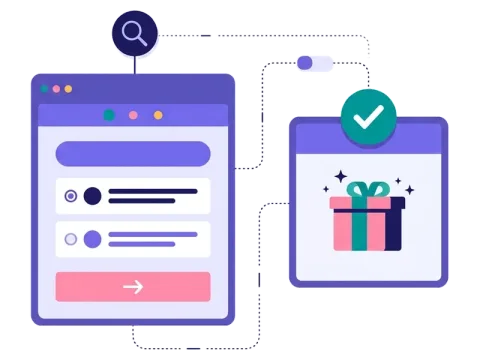
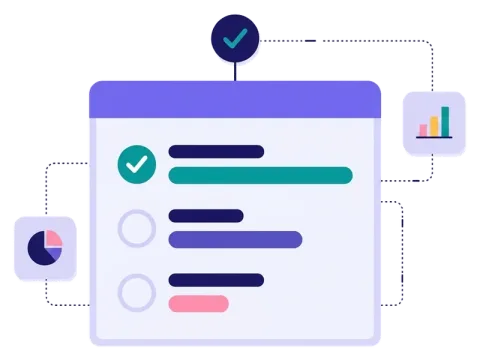
The product finder is a product recommendation quiz. People answer a few questions about what they need and what they like, and at the end they see the products that match — with a picture, a short text and a link to buy.

It's guided selling made simple. You decide the questions, which answers lead to which products and what the result page shows. Run it as a campaign with prizes or keep it on your website all year, and use the answers to send each person offers that fit.

  • Recommend products based on the answers

  • Groups, product per answer or your own paths

  • Product pictures, text and links on the result page

  • With or without a sign-up form

About the product finder

Zapp's charging box quiz in its first two months

834

new leads

10%

of participants went on to buy

€1.50

cost per lead


How it works

Make your product finder in four simple steps

1
Create your account

Sign up for free in under a minute. No credit card, nothing to install.

2
Find a template

Pick a ready-made product finder template, or ask Rex, our AI assistant, to suggest one for your goal.

3
Design it with AI

Rex adds your logo, colours and fonts from your website and writes the texts. Adjust anything with drag and drop.

4
Share it

Publish it as a landing page, pop-up or embed, and let Rex write the posts for your social media.


More knowledge formats

Other similar game concepts

Like the product finder? These knowledge formats also show you what people want.

Why a product finder

Why brands love the product finder

A selector for every taste

Ask about taste and show the bottles, boxes or products that fit, with a direct link to buy.

Read more: A selector for every taste

Advice in the store
Advice in the store

Put a QR code on the shelf or a sign. People scan it and get advice on their phone.

Read more: Advice in the store

Answers in your CRM
Answers in your CRM

Send every answer to your email or CRM tool and follow up with offers that fit.

Read more: Answers in your CRM


How a product finder campaign works

A product finder — also called a product recommendation quiz — asks people a few questions about their needs and preferences. Based on the answers, it shows the products that fit them best, with a picture, a short text and a link straight to the product in your webshop.

In Scratcher you can set up the logic in three ways:

  • Groups: sort the questions into levels, so each answer narrows the choice down step by step.
  • Product per answer: link answers directly to specific products.
  • Paths: map out your own routes through the questions for very precise recommendations.

Each recommended product can have its own title, picture, link and details. You can ask for a sign-up before the result or let people use the product finder freely, and you can run it as a campaign or keep it on your website all year.

When to use a product finder

A product finder is the right choice when people struggle to choose. If your range is big, technical or very personal, a few simple questions can do the job of a helpful shop assistant.

  • E-commerce: help visitors find the right product faster, so fewer people leave without buying.
  • Technical products: Zapp asked where the charger would be installed, what car people drove and how far they drove, then recommended the best charging box.
  • Beauty and personal care: recommend shades, skincare or haircare routines.
  • Food and drink: a whisky, wine or coffee selector based on taste.
  • In-store: put a QR code on the shelf, so people can get advice on their phone when no staff are around. See how QR codes work.

6 ideas for your product finder

  1. The gift finder. Ask who the gift is for, their interests and the budget.
  2. The taste selector. Smoky or fresh? Light or full-bodied? Recommend the bottle, the coffee or the snack that fits.
  3. The size and fit guide. Help people pick the right fit before they order.
  4. The routine builder. Recommend a set of products that work together.
  5. The "which model is right for me?" guide. Perfect for cars, bikes, electronics and energy solutions.
  6. The style matcher. Mix it with a personality test and show products that fit each style.

Tips for a product finder that converts

Tip #1: Ask about needs, not specs

Most people don't know the technical words. Ask about their life instead.

  • "How far do you drive in a day?" instead of "Which charging speed do you need?"
  • "How much time do you spend on your hair?" instead of "Which formula do you prefer?"
  • Use pictures as answers, so people can pick quickly.

Tip #2: Keep it to a few questions

Three to six questions is usually enough. Every extra question should make the recommendation clearly better.

Tip #3: Make the result easy to buy

The result page is where the sale happens.

  • Show two or three products, not ten.
  • Add a clear button that goes straight to each product.
  • Add a discount code to give people a reason to buy now.

Tip #4: Decide on the sign-up

You can ask for an email before the result or let people use the product finder freely. If you ask for an email, offer something in return, like a discount or a place in a prize draw. Read more about prizes.

Tip #5: Use the answers in your follow-up

The answers tell you what each person needs. Send them to your email or CRM tool with our integrations, and follow up with offers that match. Not ready to buy today? Now you know what to send them later.

Tip #6: Keep it running

A product finder doesn't need to end. Keep it on your product pages or as a pop-up on your website, and let it help visitors every day.

Make your first product finder

Start from a template, add your questions and your products, and connect it to your webshop. Want to see how others do it? Read how Zapp got 834 new leads with its charger quiz, see how to set up a product match campaign, or try a product battle to find out which products people like most.

Questions

Questions about the product finder

Book a meeting
  • People answer a few questions about their needs and taste. Based on the answers, the product finder shows the products that fit them best, with a link to each product.

  • Yes. Each recommended product can have its own title, picture and link, so people go straight to the product page in your webshop.

  • No, you decide. You can ask for an email before the result, or let people use the product finder freely. If you ask for a sign-up, offering a discount or a prize helps.

  • Yes. Add your logo, colours, fonts and product pictures, so the product finder looks like the rest of your webshop.

  • On its own landing page, as a pop-up or embedded on your product pages. You can also share it in newsletters, on social media or with a QR code in your store.

Works with Shopify and Klaviyo

Send sign-ups to Klaviyo, HubSpot, Mailchimp and 17 other native integrations, and track orders and revenue in Shopify.

See integrations

From €399 a month

Billed monthly or yearly, same price. Try it free for 14 days, no credit card needed.

See pricing

Why not a free plugin?

A plugin gives you one wheel in one shop. Scratcher gives you 40+ formats for your site, emails, social media and stores, with consent, prize codes and results in one place.

For agencies

Agency mode: one login for every client, each with their own account, brand and results.

Scratcher for agencies