










Skip to content

Rex, your AI assistant: the busywork, handled. The ideas, yours 👉 Meet Rex

Quiz maker for marketing campaigns
Knowledge format

Quiz maker for marketing campaigns

Make an online quiz that people want to finish. Ask about your brand, your products or a topic you care about, collect sign-ups along the way and give out prizes. It's fun for your audience and full of useful answers for you.

Used by brands like Burger King, Toyota and WWF

Burger King Starbucks Toyota POWER Sport24 Wolt WWF nemlig.com Skoringen Anthon Berg Change Lingerie Fleggaard Uno-X
About the format

About the online quiz

The quiz is the classic knowledge game. People answer a handful of questions, see their score or a personal result, and get a chance to win. It's a simple way to teach people something about your brand while you grow your list.

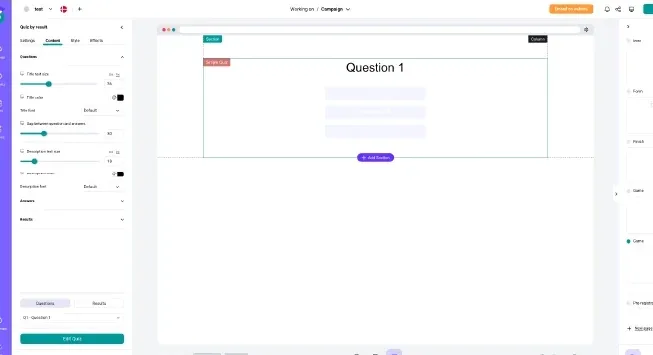
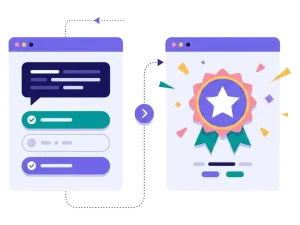
With our quiz maker you choose between a quiz with right and wrong answers and a quiz where the answers lead to a result. Add text, pictures or video to each question, and make every screen look like your brand.

  • Quiz by answer or quiz by result

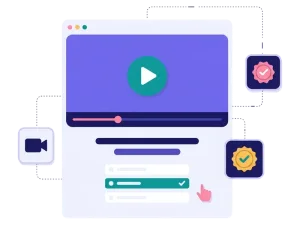
  • Questions with text, pictures or video

  • Multiple choice, text answers or ratings

  • Prize draw or instant win when people finish

About the online quiz

Toyota Denmark's quiz campaign drives sales all year

285,000+

quiz and survey participations

2591

price and trade-in quote requests

1274

test drive actions


How it works

Make your quiz in four simple steps

1
Create your account

Sign up for free in under a minute. No credit card, nothing to install.

2
Find a template

Pick a ready-made quiz template, or ask Rex, our AI assistant, to suggest one for your goal.

3
Design it with AI

Rex adds your logo, colours and fonts from your website and writes the texts. Adjust anything with drag and drop.

4
Share it

Publish it as a landing page, pop-up or embed, and let Rex write the posts for your social media.


More knowledge formats

Other similar game concepts

Like the quiz? These knowledge formats also turn questions into sign-ups.

Why a quiz

Why brands love the quiz

Cheap, high-quality leads

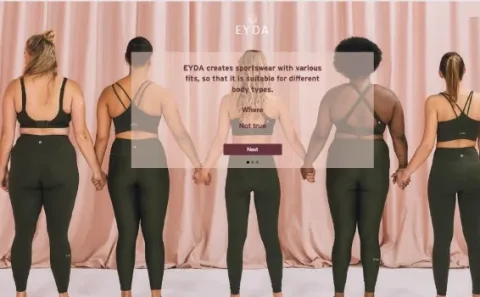
EYDA's knowledge quiz about its summer collection brought in 12,000 leads over three months.

Read more: Cheap, high-quality leads

Explain what matters

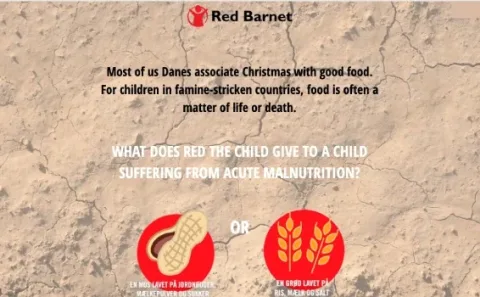
Red Barnet used a five-question Christmas quiz about its work and collected 2,000 leads.

Read more: Explain what matters

Prizes that make people play

Give out discount codes right away or draw a winner when the quiz ends. You decide.

Read more: Prizes that make people play


How a quiz campaign works

An online quiz asks people a short series of questions about your brand, your products or a topic your audience cares about. Before or after the questions, people fill in a short sign-up form. At the end they see their score or a personal result, and they may win a prize.

You can build two kinds of quiz in Scratcher:

  • Quiz by answer: each question has a right answer. People see how many they got right, and you can show the correct answers at the end.
  • Quiz by result: the answers add up to an outcome. Different answers lead to different result pages, so each person gets a message that fits them.

Questions can use text, pictures or video, and people can answer with multiple choice, a text field or a rating. You decide whether people can go back, whether they see feedback after each answer and whether a progress bar is shown.

When to use a quiz

A quiz is the right choice when you have something to explain. It turns information that people would normally scroll past into a small game they actually want to finish.

  • Lead generation: a fun quiz with a good prize is one of the easiest ways to get new sign-ups. Read more about lead generation with interactive campaigns.
  • Product launches: teach people what is new before they buy. Toyota Denmark uses quizzes to explain electric cars and has reached more than 285,000 quiz and survey participations.
  • NGOs and causes: make a hard topic easier to talk about. Red Barnet's five-question Christmas quiz collected 2,000 leads.
  • Retail and e-commerce: test what people know about a new collection, like EYDA did with its summer quiz.
  • Sport and events: run a matchday quiz on the big screen and let fans join from their phones.

7 ideas for your quiz

  1. "How well do you know us?" Questions about your history, your products and your values.
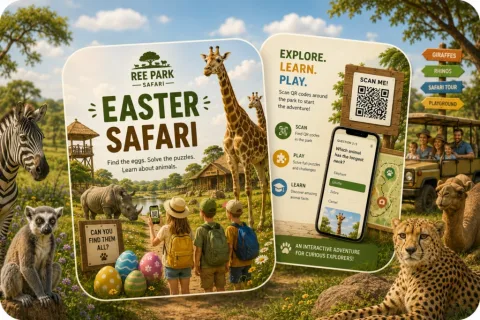
  2. The seasonal quiz. Christmas, Easter or summer questions with a seasonal prize.
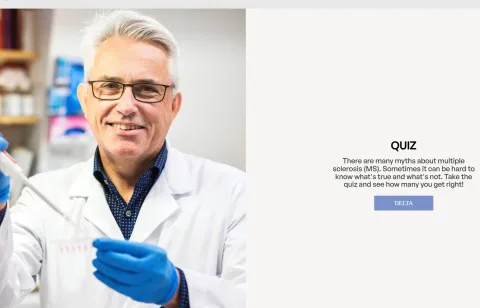
  3. The myth buster. Ask people to tell facts from myths about your industry.
  4. The product quiz. Teach the key benefits of a new product, one question at a time.
  5. The daily quiz. One new question every day in a campaign calendar or Christmas calendar.
  6. The "which one are you?" quiz. Let the answers decide the result. This works best as a personality test.
  7. The guided quiz. Ask about needs and recommend the right product at the end with a product finder.

Tips for a quiz that converts

Tip #1: Pick one goal

Decide what the quiz is for before you write a single question.

  • Sign-ups: put the form before the questions and ask for newsletter permission.
  • Knowledge: show the right answers at the end, so people learn something.
  • Insight: add one or two questions that tell you what people want, and save the answers.

Tip #2: Keep it short

Five to eight questions is plenty. People should finish in a minute or two.

  • Mix easy and harder questions, so nobody gives up.
  • Use pictures or short videos to keep it lively. A video quiz is great if you already have video content.
  • Show a progress bar, so people know how far they have come.

Tip #3: Make the prize worth it

A good prize is often what gets people to start.

  • Use a prize draw for one big prize, or an instant win with discount codes.
  • Give everyone a small reward, like a guide or a discount, when they finish.
  • Set up your prizes once and let prize handling on autopilot do the rest.

Tip #4: Use every answer

The answers are data you can use. Send them to your email or CRM tool with our integrations, and follow up with content that matches what people answered.

Tip #5: Share it where people already are

  • Show the quiz as a pop-up on your website.
  • Send it to your newsletter list.
  • Run social ads that link straight to the quiz.
  • Put a QR code on posters, packaging or in your store.

Make your first quiz

You don't need a designer or a developer. Start from a template, write your questions, add your brand and your prizes, and share the link. Want to see a quiz at full scale? Read how Toyota built a first-party data engine with quizzes.
Questions

Questions about the quiz

Book a meeting
  • People answer a few questions on their phone or computer and see their score or a personal result at the end. You can ask for a sign-up before or after the questions and give out prizes to the players.

  • In a quiz by answer each question has a right answer and people get a score. In a quiz by result the answers lead to different result pages, so each person gets an outcome that fits them.

  • Yes. You choose the prizes, how many there are and whether they are given out as instant wins or in a prize draw when the quiz ends.

  • Yes. Add your logo, colours, fonts and pictures, and use your own pictures or videos in the questions. Every screen can look like your brand.

  • Yes. You decide which data you collect and which permissions you ask for. Scratcher is ISO 27001 certified and built to help you follow GDPR.

Works with Shopify and Klaviyo

Send sign-ups to Klaviyo, HubSpot, Mailchimp and 17 other native integrations, and track orders and revenue in Shopify.

See integrations

From €399 a month

Billed monthly or yearly, same price. Try it free for 14 days, no credit card needed.

See pricing

Why not a free plugin?

A plugin gives you one wheel in one shop. Scratcher gives you 40+ formats for your site, emails, social media and stores, with consent, prize codes and results in one place.

For agencies

Agency mode: one login for every client, each with their own account, brand and results.

Scratcher for agencies