














Skip to content

Rex, your AI assistant: the busywork, handled. The ideas, yours 👉 Meet Rex

Slice it game
Skill game format

Slice it game

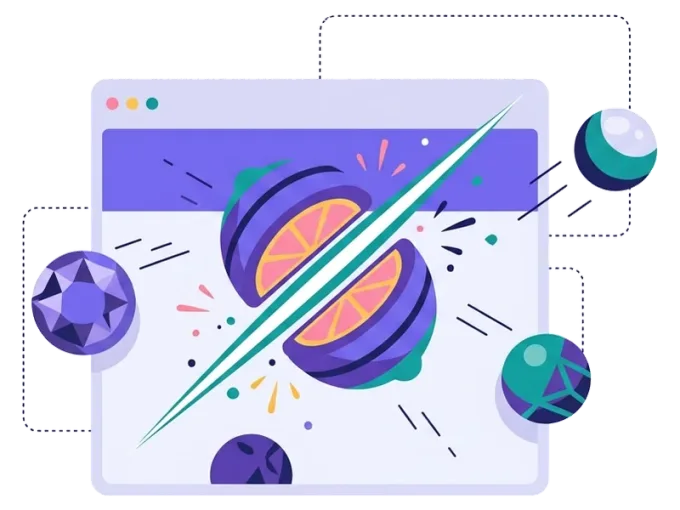
Swipe, slice and score. In the slice it game, players swipe across the screen to cut flying objects and collect as many points as they can before the time runs out. It's a fast, satisfying swipe game — and the score decides what people win.

Used by brands like Burger King, Toyota and WWF

Burger King Starbucks Toyota POWER Sport24 Wolt WWF nemlig.com Skoringen Anthon Berg Change Lingerie Fleggaard Uno-X
About the format

About the slice it game

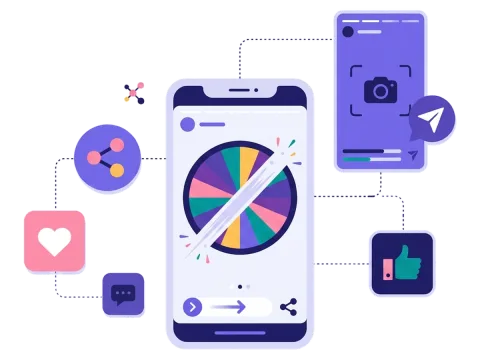
Slice it is a skill game where every swipe counts. Objects fly across the screen, and players swipe with a finger or drag with the mouse to slice them. Each object they cut gives points. When the timer stops, the total score decides the result.

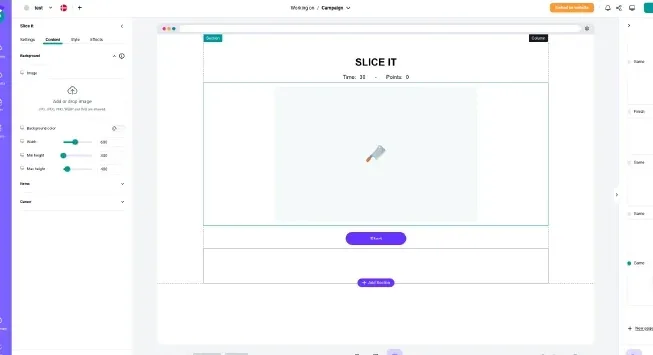
That makes slice it different from instant-win games. Set a goal score to win, add score levels that unlock different prizes with the Finish conditions add-on, or let people play again to improve. You choose the objects, the slicer, the effects, the speed and the time — so the game looks and feels like your brand.

  • Your own objects and slicer

  • Points that lead to prizes or draw entries

  • Set the speed, time and score levels

  • Made for swiping on a phone

About the slice it game
Why slice it

Four reasons to choose a swipe game

Feels great on a phone

Swiping is natural on a touch screen, so the game is easy to pick up and fun to play.

Points that mean something

Give players a goal score to aim for, or set score levels for different prizes with the Finish conditions add-on.

People play again

A score invites people to come back and beat it — great for campaigns that run for weeks.

Sign-ups before the game

Add a short form, and collect emails and newsletter permissions from every player.


How it works

Make your slice it in four simple steps

1
Create your account

Sign up for free in under a minute. No credit card, nothing to install.

2
Find a template

Pick a ready-made slice it template, or ask Rex, our AI assistant, to suggest one for your goal.

3
Design it with AI

Rex adds your logo, colours and fonts from your website and writes the texts. Adjust anything with drag and drop.

4
Share it

Publish it as a landing page, pop-up or embed, and let Rex write the posts for your social media.


More skill games

Other similar game concepts

Like slice it? These skill games are just as fast.

Why a slice it game

Where slice it shines

Campaigns that run for weeks

Let people play every day and collect better scores — a nice fit for summer games and loyalty clubs.

Read more: Campaigns that run for weeks

Food and drink
Food and drink

Slice fruit, pizza or snacks from your menu, and give away free items or discount codes.

Read more: Food and drink

Great on social media

A short, colourful game is perfect for sharing on social media and in stories.

Read more: Great on social media


How a slice it campaign works

Slice it is a swipe game. Objects fly up and across the screen, and players swipe through them to slice them in two. Every hit gives points. The game ends when the timer runs out, and players see their total score.

Most campaigns start with a short sign-up form, where people give their name, email and perhaps a newsletter permission. Then they play. After the game, the score decides what happens next. Players who reach your goal score win, and the prize is drawn from the win chances you set. With the Finish conditions add-on you can set score levels instead — for example, a small prize for 500 points and a bigger prize for 1,000 points.

Because the result depends on the score and not on luck alone, slice it rewards effort. That makes it a good game for campaigns that run over time, where people come back to beat their last result. It also gives you a clear way to talk about the prize: "Reach 1,000 points and win" is easy to understand and easy to share with friends.

When to use a slice it game

The slice it game is quick, colourful and made for phones. It works well when you want to:

  • Engage people on mobile: swiping is something everyone already does many times a day.
  • Keep people coming back: let them play every day of a campaign to improve their score.
  • Reward your most loyal fans: use score levels (Finish conditions add-on) to give the best players the best prizes.
  • Make learning fun: schools, apps and course providers can turn a short lesson into a game with points.

It suits food and drink, retail and webshops, events, education and loyalty clubs. A pizza place can let people slice pizzas. A juice brand can use fruit. A festival can let fans slice logos of the artists.

5 ideas for your slice it game

  1. Fruit frenzy: a juice or grocery brand lets people slice fruit and gives away free products to the best scorers.
  2. Summer score chase: players come back every day during the summer to beat their score and enter a weekly draw.
  3. Menu madness: slice dishes from your menu and win a free meal or a discount code.
  4. Halloween special: slice pumpkins, ghosts and bats, and give the best players a spooky discount code for the weekend.
  5. Members' challenge: members who reach the goal score unlock a special offer.

Tips for a slice it game that converts

Tip #1: Keep the first round short

People should see their score quickly. A round that lasts less than a minute feels fun, not tiring, and makes people want to try again. Pick a speed that feels a little slow to you — you already know the game, your players don't. Test it on your own phone and with a few colleagues before you go live.

Tip #2: Make score levels clear

Tell people what they can win at each level before they start.

  • Show the levels on the start page.
  • Pick levels that most people can reach with a few tries.
  • Give everyone who plays a small thank you, like free shipping.

See what you can give out on our prizes page.

Tip #3: Choose objects that are easy to see

Big, colourful objects on a calm background are easiest to slice. Use your own products or things people link to your brand, so the game feels like yours and not like any other game on their phone. A fun slicing effect and a short sound make every hit feel good.

Tip #4: Ask for the sign-up first

Put a short form before the first round. Ask for an email and a newsletter permission, and only add fields you will use. Read more about lead generation with games.

Tip #5: Add a little competition

A leaderboard shows the best players and makes people want to climb it. It works especially well for clubs, fans and communities.

Tip #6: Bring people back

Remind players to come back with a newsletter or an SMS, and send the new sign-ups to your email tool through our integrations. When the campaign ends, check how many people played more than once. That tells you how much they enjoyed it.

Want another fast game? Try the drop game, where players catch instead of slice, or smash it, where every tap counts.

Questions

Questions about the slice it game

Book a meeting
  • Objects fly across the screen, and players swipe through them to slice them and collect points. When the timer runs out, the total score decides the result.

  • Yes. You choose the prizes and how many there are, and you set the score people need to reach (or score levels with the Finish conditions add-on). You can also put players into a draw.

  • Yes. Upload your own objects, slicer and background, and add your logo and colours. You can also start from a template.

  • On its own landing page, as a pop-up on your website or embedded on any page. You can also share it in newsletters, on social media or with a QR code.

  • Yes. You decide what you ask for in the form, add your own consent text and choose when the data is deleted. Scratcher is ISO 27001 certified.

Works with Shopify and Klaviyo

Send sign-ups to Klaviyo, HubSpot, Mailchimp and 17 other native integrations, and track orders and revenue in Shopify.

See integrations

From €399 a month

Billed monthly or yearly, same price. Try it free for 14 days, no credit card needed.

See pricing

Why not a free plugin?

A plugin gives you one wheel in one shop. Scratcher gives you 40+ formats for your site, emails, social media and stores, with consent, prize codes and results in one place.

For agencies

Agency mode: one login for every client, each with their own account, brand and results.

Scratcher for agencies