















How a tap it campaign works
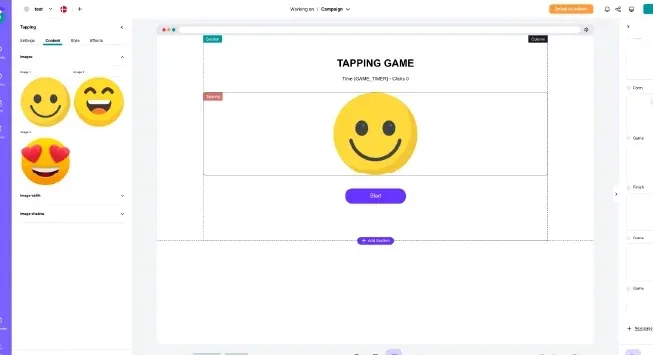
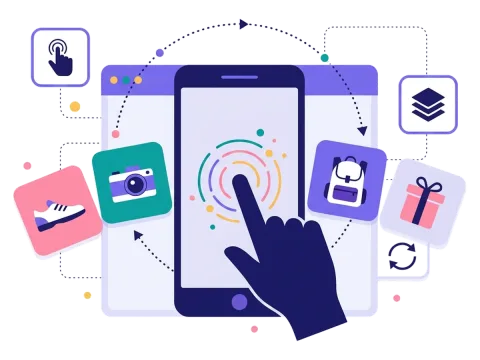
Tap it is about speed and attention. A picture appears on the screen — for example, your logo or a product — and players tap it as fast as they can. They have a set time and need to reach a set number of taps. When the round is over, they see the result.
A campaign usually starts with a short sign-up form, where people give their name, email and perhaps a newsletter permission. Then they play. At the end, the game can reveal a prize, a discount code, a message or an entry into a draw. You decide.
You choose the pictures, the time limit, the number of taps and the effects. The game can be very easy for a quick giveaway or a bit harder if you want a real challenge.
The short format is the whole point. Many people will only give a brand a few seconds of their day. Tap it fits into those seconds, and still gives them a reason to remember you: they have just been tapping your logo, and they may have won something too.
When to use a tap it game
Tap it has almost no barrier to entry, so it is great when you want as many people as possible to join. Use it to:
- Build brand recognition: players tap your logo or products again and again.
- Run flash campaigns: a weekend giveaway, a lunch deal or a quick holiday game.
- Boost daily visits: let people play once a day for a new chance to win.
- Show off products: switch between product pictures every few taps.
It fits retail and webshops, food and drink, finance, health, education, travel and events. A bank can let people tap a piggy bank to fill it up. A café can run a daily tap challenge for coupons. A travel brand can let people tap suitcases for a chance to win an upgrade.
5 ideas for your tap it game
- Tap the logo: tap your logo enough times before the timer runs out to win a discount.
- Daily tap: play once a day during a campaign week, with a daily draw for a prize.
- Fill the basket: a food brand lets people tap a basket to fill it, with the picture changing every few taps.
- New product tap: tap your new product as fast as you can, and win a free sample.
- Advent door game: add a tap game behind one of the doors in your advent calendar for a quick bit of fun.
Tips for a tap it game that converts
Tip #1: Use pictures that stand out
Players need to see what to tap right away.
- Use clear, simple pictures of your logo or products.
- Make the picture big enough to hit easily.
- Keep the background calm.
Tip #2: Set a goal most people can reach
Tap it should feel like a quick win. Test the game, and set the number of taps and the time limit so most players can make it. If you want a top prize, use a draw among everyone who reached the goal. Scratcher can pick the winners for you.
Tip #3: Put it where people have a few seconds
Tap it is short, so it fits places where people don't have much time. Show it as a pop-up on your website, add it to your newsletter or share it on social media.
Tip #4: Ask only for what you need
The game is quick, so the form should be too. An email and a newsletter permission are often enough. Read more about lead generation with games.
Tip #5: Let people play again
A quick game invites another try. Let people play once a day and remind them with an email or an SMS. Every visit is another moment with your brand.
Tip #6: Look at the results and learn
Check how many people played, how many signed up and which channel brought most players. Send the new sign-ups straight to your email tool through our integrations. Use what you learn to make the next game even better.
Want more quick games? Try smash it for more action, or the memory game if you want people to stay a little longer.
