
















Skip to content

Rex, your AI assistant: the busywork, handled. The ideas, yours 👉 Meet Rex

Vote game: let your audience choose the winner
Knowledge format

Vote game: let your audience choose the winner

Let people vote for their favourite product, design or nominee. A vote game gives your audience a real say, creates buzz around your brand and collects sign-ups from everyone who takes part.

Used by brands like Burger King, Toyota and WWF

Burger King Starbucks Toyota POWER Sport24 Wolt WWF nemlig.com Skoringen Anthon Berg Change Lingerie Fleggaard Uno-X
About the format

About the vote game

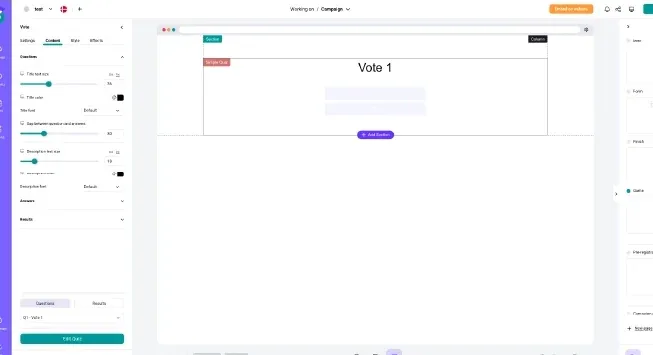
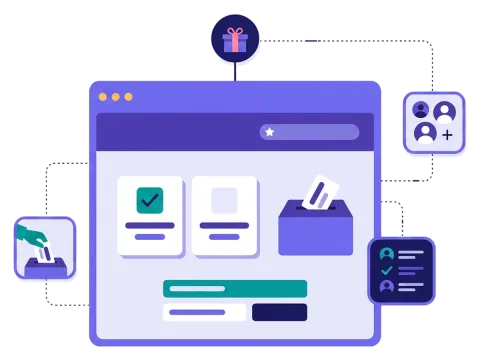
The vote game is an online voting campaign. You present the candidates — products, designs, ideas or nominees — and people vote for their favourite. After the vote, they see the results so far or a thank-you page.

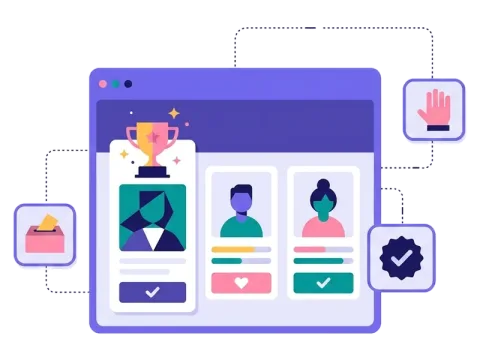
It's perfect for awards, product decisions and community campaigns. Add a picture and a short text to every candidate, ask for a sign-up before people vote and give away a prize to the voters. You follow the votes in your dashboard in near real time.

  • Vote for products, designs, ideas or nominees

  • Pictures and text for each candidate

  • Show results live or after the vote

  • Send people on to an offer or a page of your choice

About the vote game
How it works

Make your vote game in four simple steps

1
Create your account

Sign up for free in under a minute. No credit card, nothing to install.

2
Find a template

Pick a ready-made vote game template, or ask Rex, our AI assistant, to suggest one for your goal.

3
Design it with AI

Rex adds your logo, colours and fonts from your website and writes the texts. Adjust anything with drag and drop.

4
Share it

Publish it as a landing page, pop-up or embed, and let Rex write the posts for your social media.


More knowledge formats

Other similar game concepts

Like the vote game? These knowledge formats also let your audience have a say.

Why a vote game

Why brands love the vote game

Crown a real winner
Crown a real winner

Let the public decide and celebrate the winner online or at a real event.

Let fans vote at the venue

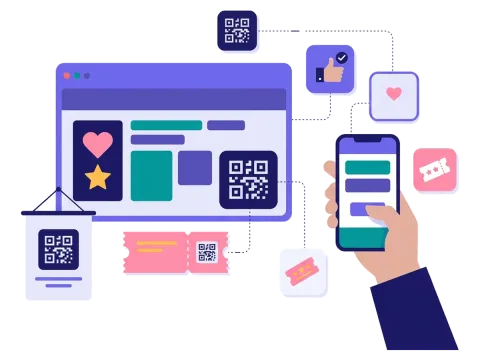
Put a QR code on a screen, a poster or a ticket, and let people vote from their phones.

Read more: Let fans vote at the venue

Reward the voters
Reward the voters

Add a prize draw for everyone who votes and grow your list at the same time.

Read more: Reward the voters


How a vote campaign works

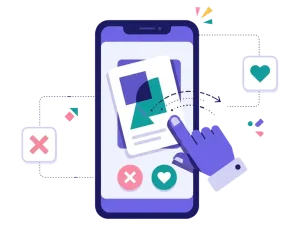
A vote game lets people cast their vote for their favourite — a product, a design, a nominee or an idea. Each option can have a name, a picture and a short text, so people can get to know the candidates before they choose. After voting, people see the results so far or a thank-you page, and the votes are counted in your dashboard.

In Scratcher you can add text, pictures and a sign-up form to the vote, and style every screen to match your brand. When people have voted, you can send them on to a page of your choice, show an offer or reveal extra content. Add a prize draw for everyone who votes, and the vote grows your newsletter list at the same time.

When to use a vote game

A vote game is the right choice when you want to give your audience a real say — and create some buzz while you do it.

  • Awards and competitions: let the public choose the winner.
  • Product decisions: let customers vote for the next flavour, colour or design, and launch the winner.
  • Sport: let fans vote for player of the season or goal of the month.
  • Local and community campaigns: let people nominate and vote for their favourite shop, café or volunteer.
  • Employer branding: let employees and customers vote for this year's best colleague or team.

7 ideas for your vote game

  1. "The people's choice award." Nominate candidates and let your audience crown the winner.
  2. "Design our next product." Show a few new designs and produce the most popular one.
  3. "Name it." Let people vote on the name of a new product, mascot or animal.
  4. "Best in town." Let people vote for their favourite store, restaurant or venue in your network.
  5. "Player of the season." Let fans pick their hero at the end of the season.
  6. "Which cause should we support?" Let customers decide where your donation goes.
  7. "Photo of the year." Collect photos from your community and let people vote for the best.

Tips for a vote game that converts

Tip #1: Make the candidates easy to compare

People should be able to choose without effort.

  • Use a picture and a short text for each option.
  • Keep the number of options manageable — split them into categories if there are many.
  • Tell people why each option is in the running.

Tip #2: Make the vote feel important

People take part when they feel their vote matters.

  • Tell people what happens to the winner.
  • Show the results live, or keep them secret until a big reveal.
  • Announce the winner on social media, in your newsletter or at an event.

Tip #3: Decide how often people can vote

Choose whether people can vote once or once a day. Daily voting brings people back again and again, while a single vote keeps things simple. Ask for an email before people vote, so each vote belongs to a real person.

Tip #4: Add a prize for the voters

Many people will vote just for fun, but a prize draw for everyone who votes gives them one more reason to sign up. Read more about prizes.

Tip #5: Let the candidates share it

The nominees are your best ambassadors. Give them a link they can share with friends and followers, and share it on your own social media channels. On your website, a pop-up on the front page makes sure every visitor knows the vote is open — and how many days are left to take part.

Tip #6: Use the data afterwards

The votes tell you what people like, and the sign-ups give you a list of engaged fans. Send the data to your email tool with our integrations and follow up when the winner is announced.

Make your first vote game

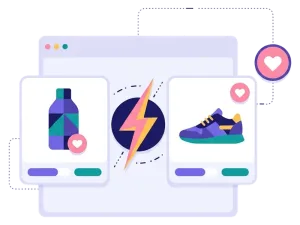
Start from a template, add your candidates and decide how people vote. Need a quick one-question vote instead? Try the online poll, or pit two options head to head in a product battle.

Questions

Questions about the vote game

Book a meeting
  • You present a number of candidates with pictures and text, and people vote for their favourite. After the vote they see the results so far or a thank-you page.

  • Yes. You set how many times each person can take part, for example once in total or once a day.

  • Yes. You can show the results live after each vote or keep them for a big reveal when the vote is over.

  • Yes. Add your logo, colours, fonts and pictures, so the vote and every page after it look like your brand.

  • On its own landing page, as a pop-up on your website or embedded on any page. You can also share the link in newsletters, on social media or with a QR code at events.

Works with Shopify and Klaviyo

Send sign-ups to Klaviyo, HubSpot, Mailchimp and 17 other native integrations, and track orders and revenue in Shopify.

See integrations

From €399 a month

Billed monthly or yearly, same price. Try it free for 14 days, no credit card needed.

See pricing

Why not a free plugin?

A plugin gives you one wheel in one shop. Scratcher gives you 40+ formats for your site, emails, social media and stores, with consent, prize codes and results in one place.

For agencies

Agency mode: one login for every client, each with their own account, brand and results.

Scratcher for agencies